R&S
®
ZVA / R&S
®
ZVB / R&S
®
ZVT GUI Reference
Channel Menu
Operating Manual 1145.1084.12 – 30 308
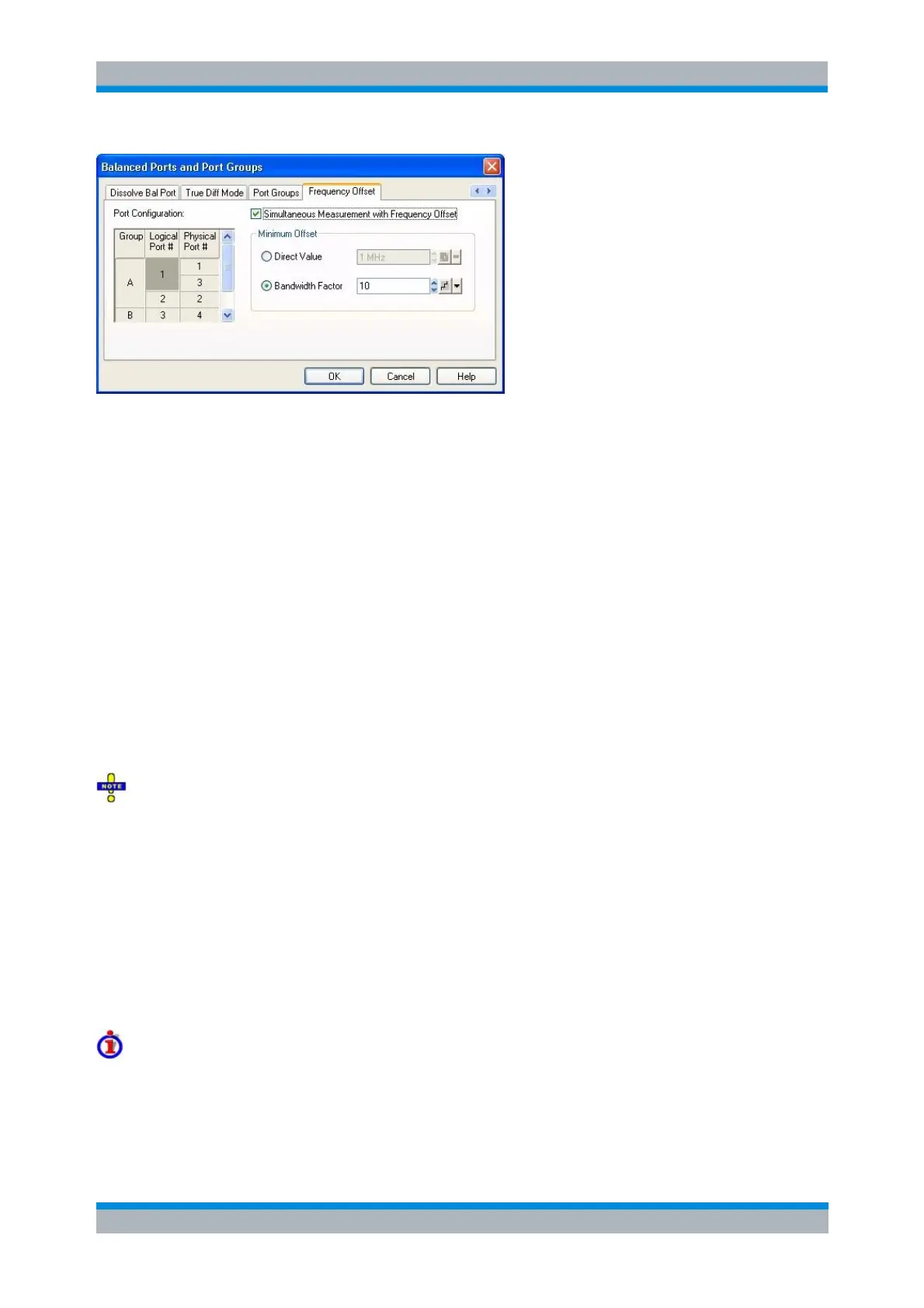
This tab contains the following controls to activate/deactivate the frequency offset and to specify the
minimum frequency offset between different port groups. For a more detailed explanation about how this
minimum frequency offset affects the measurement please refer to How the firmware applies the
frequency offset below.
Simultaneous Measurement with Frequency Offset activates/deactivates the frequency offset.
Please note that there are a number of preconditions that must be fulfilled for this measurement
mode to actually become active. For a complete list of all these preconditions please refer to
remote command SOURce<Ch>:GROup:SIMultaneous:FOFFset:CONDition?. The most
important preconditions are that there must be more than one port group and that a linear or
segmented frequency sweep must be used.
Direct Value is used to directly specify the minimum frequency offset between different port
groups.
Bandwidth Factor is used to make the firmware calculate the minimum used frequency offset
between different port groups depending on the actually used IF bandwidth. The minimum
frequency offset is obtained by multiplying the actually used IF bandwidth with this factor. When
segment specific IF bandwidths are specified this will result in segment specific minimum
frequency offsets. Please note that static and dynamic bandwidth reduction is not considered
when determining the minimum frequency offset from the IF bandwidth.
Please note that in Simultaneous Measurement with Frequency Offset the firmware uses a modified
IF as compared to measurements not using this mode. This modified IF requires a special calibration,
therefore, it is essential to perform the calibration with Simultaneous Measurement with Frequency Offset
activated when the actual measurement is to be performed in this mode. Before performing the calibration,
set up Simultaneous Measurement with Frequency Offset exactly in the same way as for the actual
measurement. Otherwise, the calibration may be unsuitable, which is indicated by a "?" in the
corresponding calibration state label. The IF offsets that were used in a calibration measurement are
displayed in the Calibration Manager.
Please also note that in certain situations it may happen that automatic switches between small and large
IF gain during the sweep may lead to visible steps in the measurement results when Simultaneous
Measurement with Frequency Offset is active. This may be avoided by choosing a fixed value for the IF
gain (either Low Distortion or Low Noise). See Receiver path settings and AGC for background
information.
Examples
Consider a linear frequency sweep with 101 points from 100 MHz to 200 MHz resulting in a frequency
spacing of 1 MHz. When two port groups are defined and a minimum frequency offset of 1 MHz is
specified then a Simultaneous Measurement with Frequency Offset will internally be performed as follows:



 To Next Page