R&S
®
ZVA / R&S
®
ZVB / R&S
®
ZVT GUI Reference
Channel Menu
Operating Manual 1145.1084.12 – 30 459
SOURce<Ch>:POWer:CORRection:STATe OFF
[SENSe<Ch>:]CORRection:POWer:STATe OFF
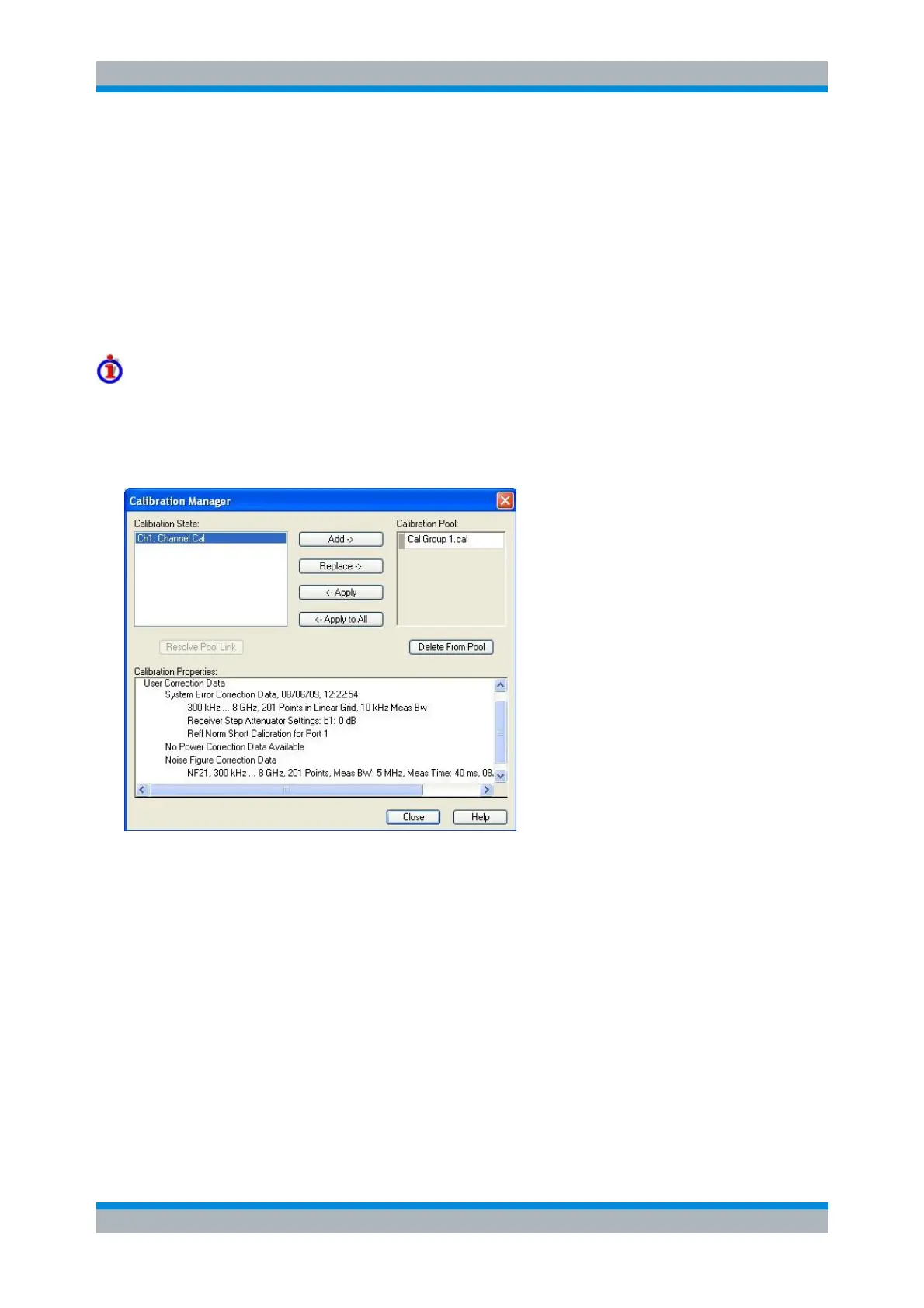
Calibration Manager
Opens a dialog to store system error correction and power correction data to the cal pool and to assign
stored correction data to channels.
Cal pool
The cal pool is a collection of correction data sets (cal groups) that the analyzer stores in a common
directory C:\Program Files\Rohde&Schwarz\Network Analyzer\Calibration\Data. Cal
groups in the pool can be applied to different channels and setups. Each cal group is stored in a separate
file named <CalGroup_name>.cal. The cal group name can be changed in the Calibration Manager dialog.
The Calibration Manager dialog contains three main panels:
Calibration State lists all channels and their current calibration state.
Calibration Pool contains a list of all stored correction data sets.
Calibration Properties displays the basic channel settings and describes the System Error
Correction and the Power Correction which is available for the channel selection in the Calibration
State panel. If available, the Noise Figure Correction Data (with option R&S ZVAB-K30) is
displayed in addition.
Full n-port system error corrections for n > 2 ports can be performed with a variable number of
through connections (see Full n-Port Calibration with Reduced Number of Through Connections).
For these calibration types, the System Error Correction section contains the Throughs that were
actually measured.
When Simultaneous Measurement with Frequency Offset was active during calibration then the IF
offsets used in the individual calibration measurements are displayed as well.



 To Next Page