R&S
®
ZVA / R&S
®
ZVB / R&S
®
ZVT GUI Reference
Channel Menu
Operating Manual 1145.1084.12 – 30 337
measurement.
Cal Mixer Delay Meas... opens a dialog to perform a power calibration of the signal sources and of
the IF receiver.
Correction Off switches the calibration on or off. To perform a calibration, click the Cal Mixer Delay
Meas... softkey.
Reset Frequency Conv and Mix Dly switches back to normal (non frequency converting)
operation.
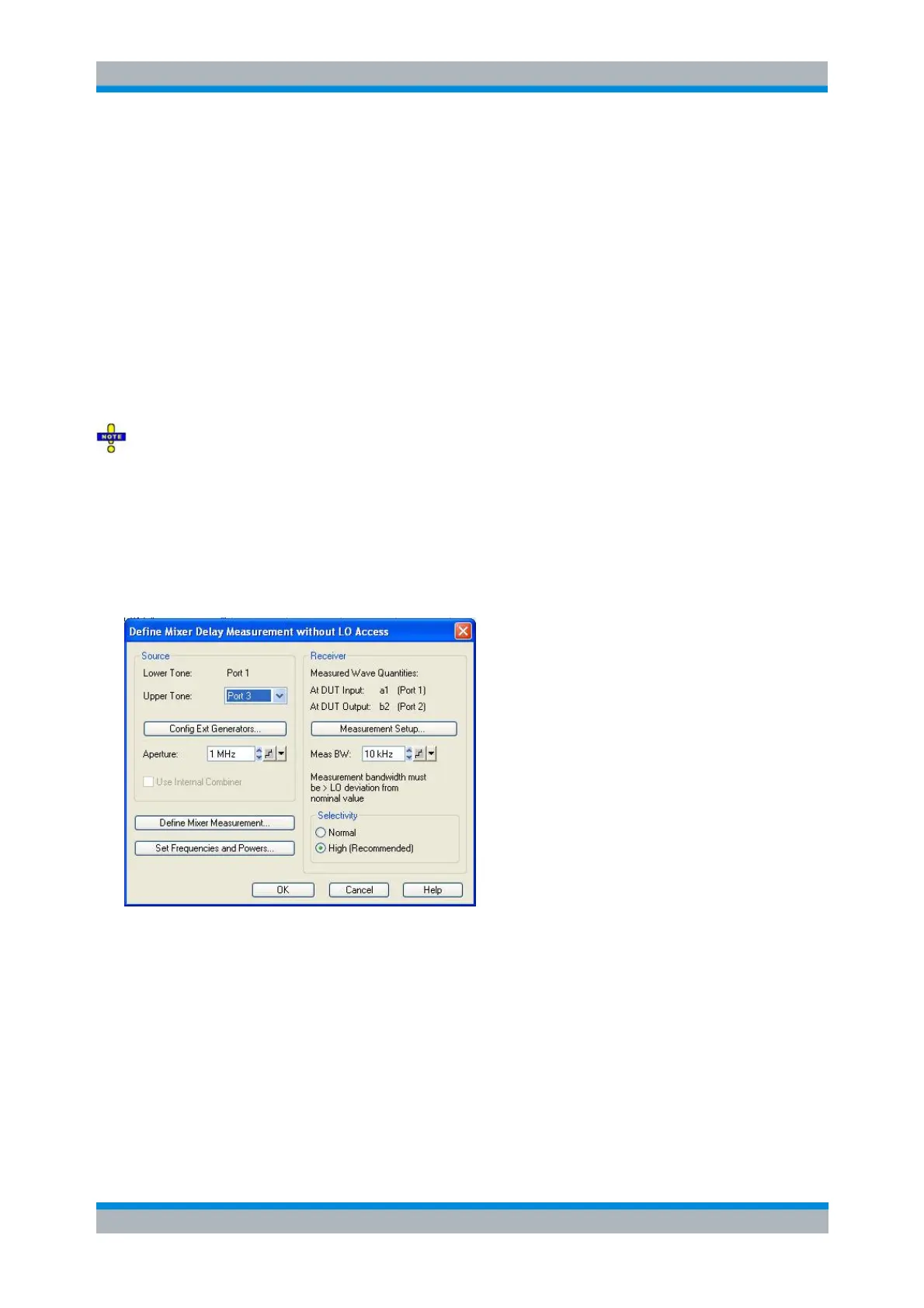
Define Mixer Delay Measurement without LO Access
The Define Mixer Delay Measurement without LO Access wizard defines the source and receiver settings
for the mixer delay measurement.
Frequency range for mixer delay measurements
After a preset, the lower tone is swept across the full frequency range of the analyzer, and the aperture is
set to 1 MHz. This means that both the lower tone and the upper tone frequencies are1 out of range. Click
Set Frequencies and Powers and reduce the sweep range to establish compatible settings.
The mixer delay measurement possible if the source frequency (as defined in the Port Configuration
dialog) at one of the used source ports is different from the channel base frequency (the frequency-
converting / arbitrary mode is active). When using this mode, ensure that the aperture does not exceed 15
MHz. Disabling the arbitrary mode can facilitate the configuration of the mixer delay measurement and the
interpretation of the results.
Lower Tone shows the (fixed) NWA source port for the lower tone signal (port 1).
Upper Tone selects the NWA port 3 or external generator as a source of the upper tone signal. A
combination of the NWA ports 1 and 3 ensures independent (uncoupled) sources.
Config Ext Generators... opens the System Configuration –External Generators dialog for adding
and configuring external generators.
Aperture defines the frequency difference between the upper and the lower tone; see background
information below. The aperture remains constant across the entire sweep.
Use Internal Combiner activates the internal combiner
- for network analyzers R&S ZVA connected to an Extension Unit R&S ZVAX24 or R&S ZVAX-
TRM with installed combiner option



 To Next Page