R&S
®
ZVA / R&S
®
ZVB / R&S
®
ZVT System Overview
Screen Elements
Operating Manual 1145.1084.12 – 30 26
visible for a period of time sufficient to select the next instrument function.
Hardkey Bar
The hardkey bar (front panel key bar, Display – Config./View) represents the most commonly used front
panel keys of the analyzer. Clicking a key symbol executes the action of the corresponding key.
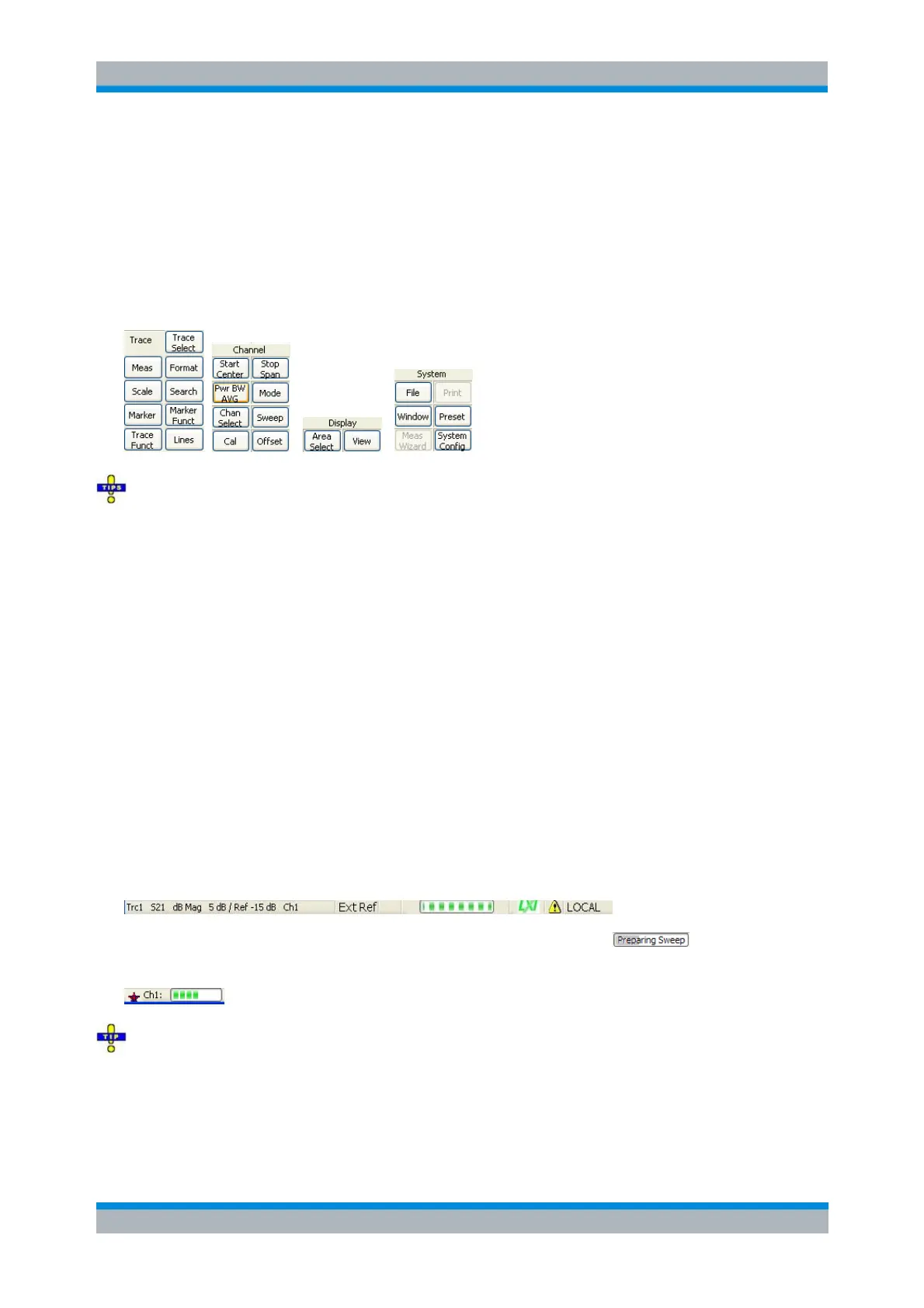
The hardkey bar corresponds to the TRACE, CHANNEL, DISPLAY and SYSTEM keypads:
The hardkey bar provides access to the basic groups of settings with a single mouse click. It is
particularly useful if the analyzer is controlled from an external monitor or Remote Desktop. Alternatively
the settings are accessible from the menus of the menu bar or from the softkey bar.
The hardkey bar is hidden by default to gain screen space for the diagram areas.
Status Bar
The status bar (Display – Config./View) shows
the complete information in the trace line of the active trace,
the statistics for the sweep average (if sweep average is on),
an Ext Ref section if the analyzer is configured to use an External Reference clock
the progress of the sweep,
the LXI status (if LXI is enabled),
the error log opener icon (if the error log is non-empty)
and the control mode of the analyzer (LOCAL or REMOTE).
If LXI is enabled, a green LXI status symbol indicates that a LAN connection has been established; a red
symbol indicates that no LAN cable is connected.
During sweep initialization, the progress bar for the sweep is replaced by a symbol. During the
first sweep after a change of the channel settings, an additional red asterisk symbol appears:
You can hide the status bar and gain screen space for the diagram areas.



 To Next Page