R&S
®
ZVA / R&S
®
ZVB / R&S
®
ZVT GUI Reference
System Menu
Operating Manual 1145.1084.12 – 30 540
divider. See Connecting the Frequency Converters for details.
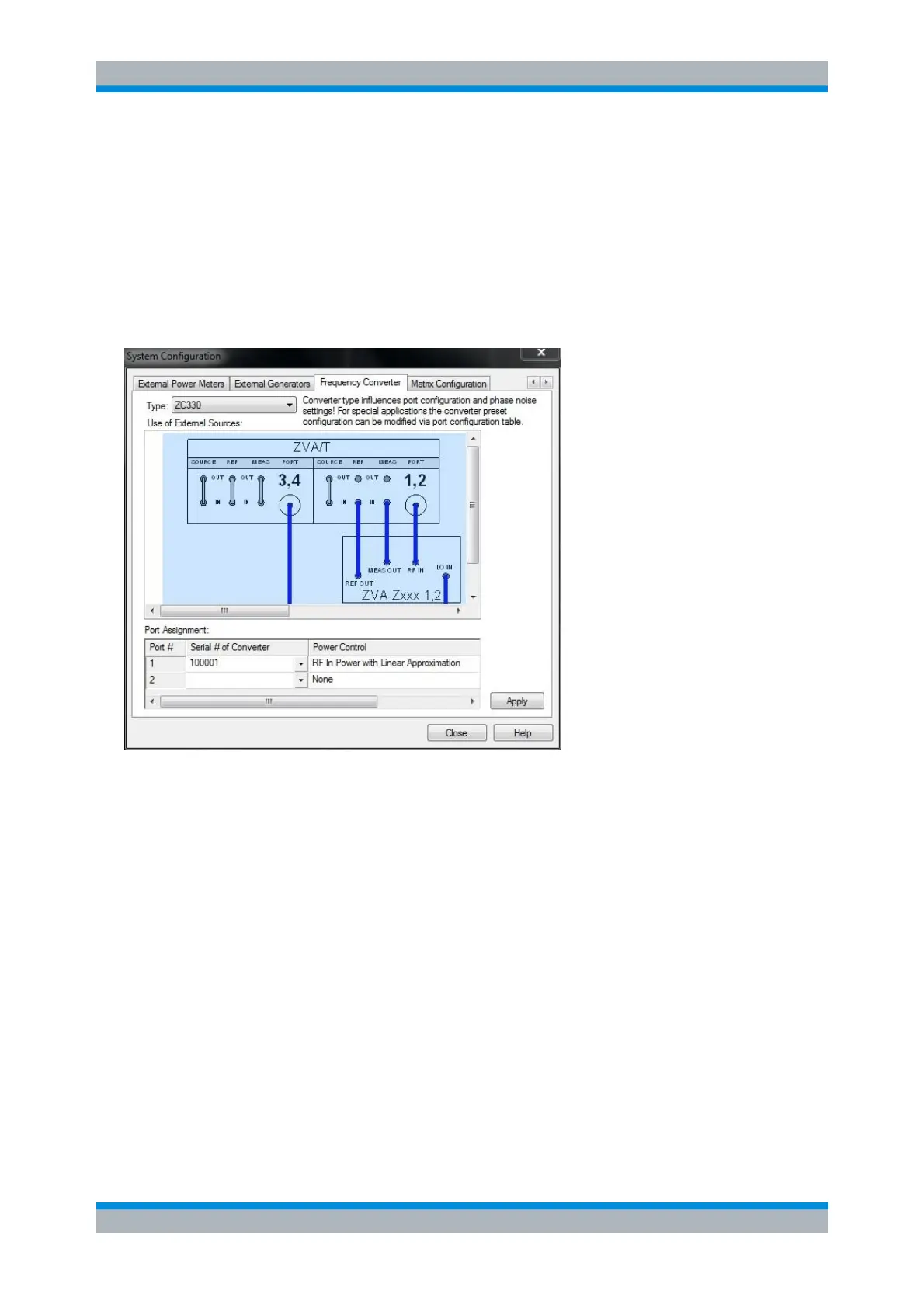
Frequency Converter
The Frequency Converter tab belongs to the System Configuration menu (System – System Config). It
selects the frequency converter type and the external test setup as well as the Power Control model to be
used.
The dialog provides the following control elements:
Type selects a frequency converter type.
Use of External Sources provides the possible test setups for each converter type. The test
setups differ in the way how the LO signal is provided (from the analyzer port or from an external
generator).
The Port Assignment table provides an overview of the assignment between converters and NWA
ports. In addition, the table defines whether, and if yes then how the source power of the
converters is controlled by the analyzer firmware (see Port<i> Power Control).
Apply activates the selected test setup and adjusts the analyzer settings; see information below.
The button is enabled only if the frequency range of the external generator matches the selected
test setup.
The frequency-converter settings are part of the global NWA resources; they are not changed upon a
Preset or *RST.
The way how a converter setup is put into operation by the NWA software depends on the converter
series. R&S ZVA-Zxxx converters must be activated manually via Type and Apply. When a R&S ZCxxx is
connected to the NWA via USB, the operational data are automatically transferred from the converter's
read-only memory to the NWA. After this, the user is asked whether he wants to configure a 2-port setup
with this new converter. If yes, he is prompted to assign the individual converters that have been detected



 To Next Page