R&S
®
ZVA / R&S
®
ZVB / R&S
®
ZVT GUI Reference
System Menu
Operating Manual 1145.1084.12 – 30 557
Calibration
A source power calibration for an external test set requires an appropriate external power meter, to be
connected to the converter's 1 mm test port connector. The power meter is configured in the ordinary way
using the System Configuration – External Power Meters tab.
To perform the source power calibration, proceed as follows:
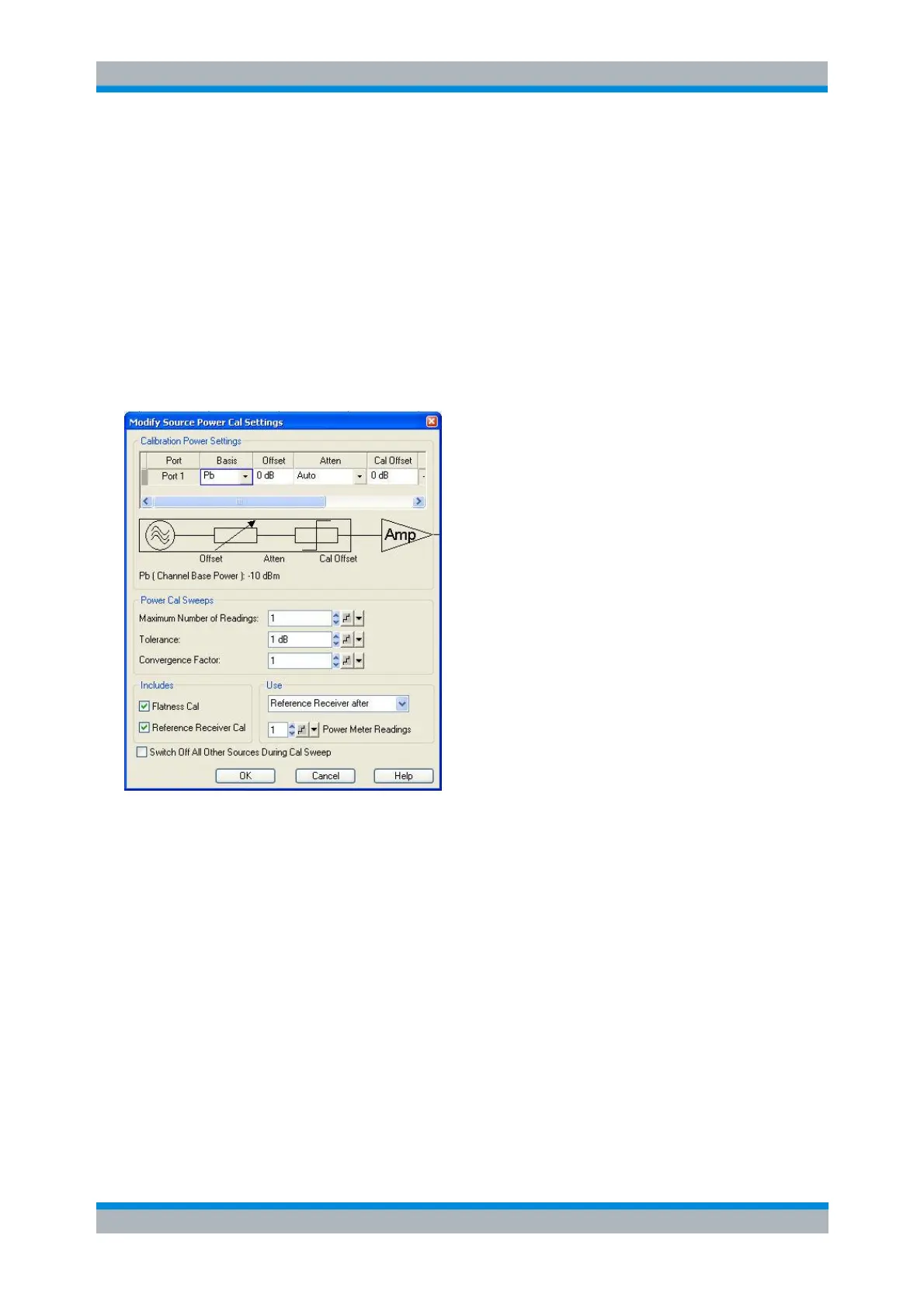
1. Connect the power meter to the 1 mm test port connector of the external test set and open the Channel
– Calibration – Start Power Cal – Source Power Cal dialog.
2. Select your converter and source port from the Source pull-down list (e.g. Conv 1 for the left external
test set connected to Port 1 and Port 3).
3. Click Modify Settings and ensure that both Flatness Cal and Reference Receiver Cal are checked.
4. If your test setup causes strong nonlinear effects, you can choose a Convergence Factor different from
one.
5. Start the calibration sweep.
A receiver power calibration of the b-waves (without external power meter, using the Receiver Power
Calibration dialog) is possible after completed source power calibration.
After the power calibration procedure a system error correction is recommended. Measurements with
external test sets require a 1 mm calibration kit for system error correction.
SOURce<Ch>:POWer<Pt>:CORRection:DATA
Measurement
After power calibration and system error correction, the millimeter wave measurement can be performed
like any other network analyzer measurement. The analyzer may perform a frequency or power sweep.
The Port Configuration settings (together with the Stimulus settings), determine the sweep range of the



 To Next Page