R&S
®
ZVA / R&S
®
ZVB / R&S
®
ZVT Command Reference
SCPI Command Reference
Operating Manual 1145.1084.12 – 30 632
CALC:LIM:LOW:FEED 1 GHZ, -10
Use the stimulus values of the active trace, shifted by 1 GHz to the right and
decreased by 10 dB, to create a lower limit line.
CALC:LIM:LOW:SHIF -3; :CALC:LIM:CONT:SHIF 1 GHz
Shift the limit line by an additional –3 dB in vertical and by 1 GHz in horizontal
direction. If an upper limit line exists, it is also shifted.
CALCulate<Chn>:LIMit:LOWer:SHIFt <numeric_value>
Shifts all lower and upper limit line segments assigned to the active trace in vertical direction.
This command is identical with CALCulate<Chn>:LIMit:UPPer:SHIFt.
Channel number used to identify the active trace.
Response offset value for all limit line segments.
Almost no restriction for limit segments; see Rules for Limit Line Definition.
[dB]
Device-specific, no query.
See CALCulate<Chn>:LIMit:LOWer:FEED.
CALCulate<Chn>:LIMit:LOWer:STATe <Boolean>
Switches the lower limit check on or off. Lower limit line segments are assigned even numbers; see
CALCulate<Chn>:LIMit:LOWer[:DATA]. The command does not affect segments with odd numbers.
Use CALCulate<Chn>:LIMit:STATe to switch on or off the entire limit check, including upper and
lower limit lines.
Channel number used to identify the active trace.
ON | OFF - Limit check on or off.
Confirmed, command or query.
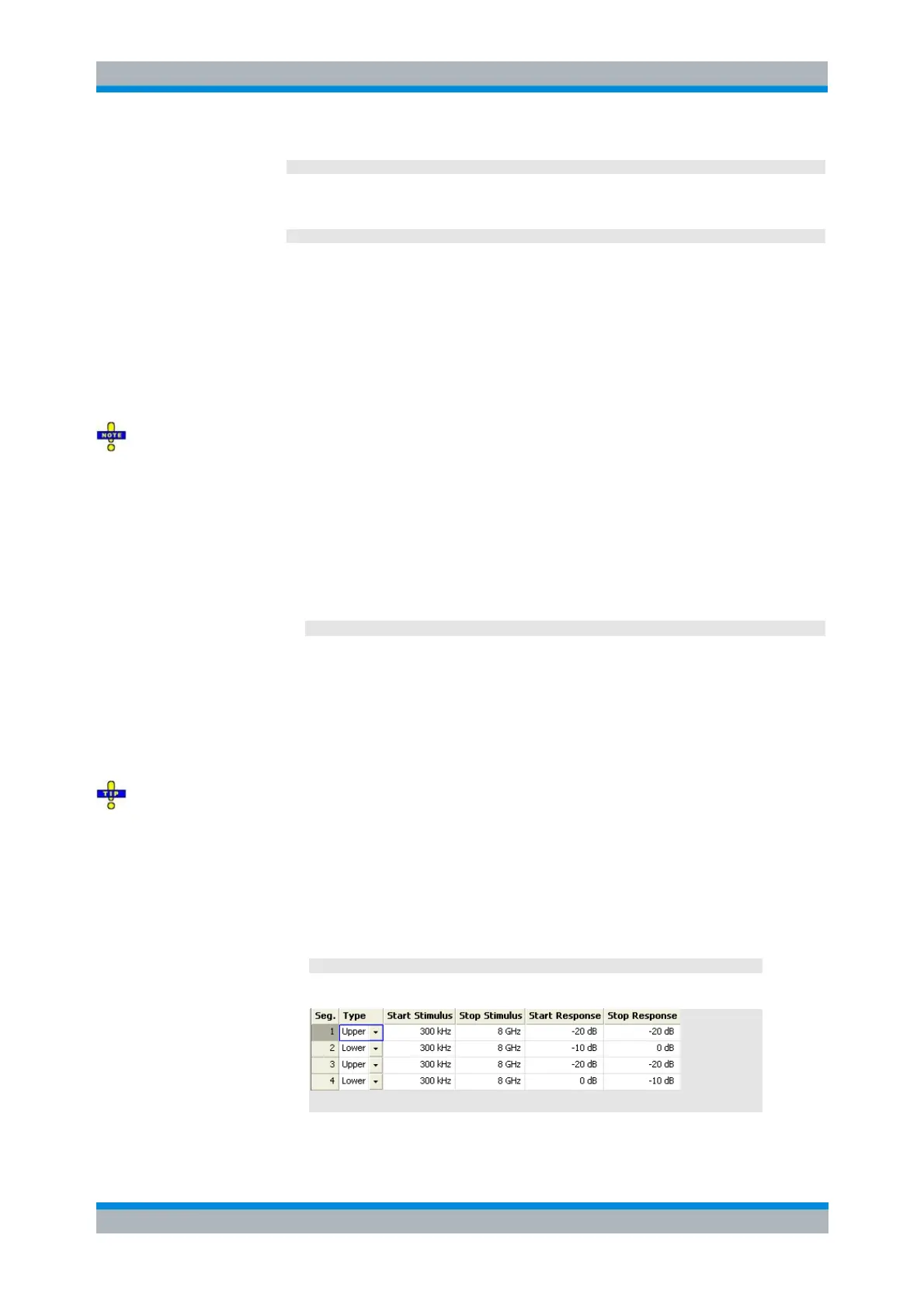
CALC:LIM:LOW -10, 0, 0, -10
Define the following lower and (default) upper limit line segments:
CALC:LIM:LOW:STAT ON; CALC:LIM:FAIL?
Switch the limit check on and query the result.



 To Next Page