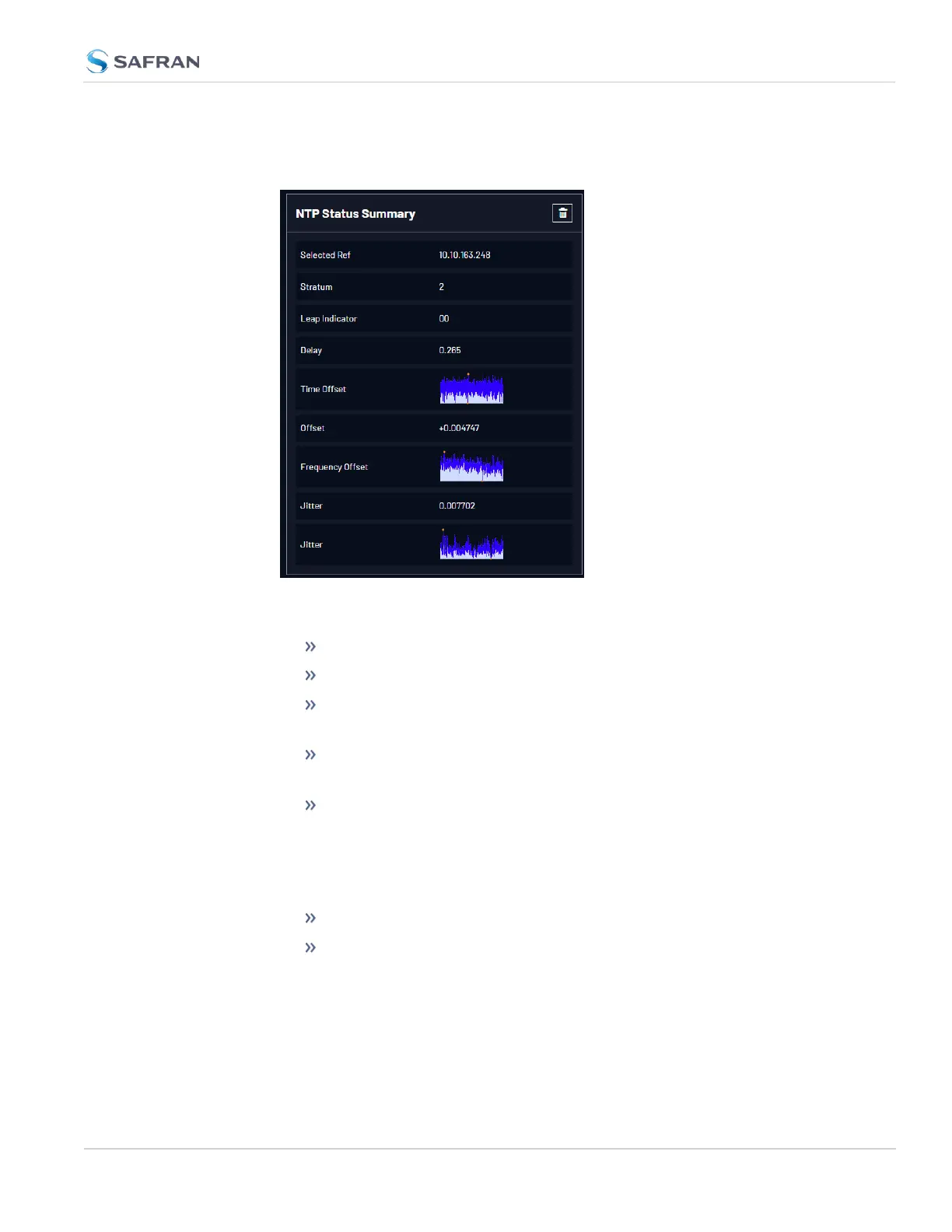
1. To access the NTP Status Summary panel, navigate to MANAGEMENT >
NETWORK: NTP Setup.
2. The NTP Status Summary panel is at the lower left of the screen. The panel
contains the following information:
Selected Ref—The reference VersaSync is currently using.
Stratum—This is the stratum level at which VersaSync is operating.
Leap Indicator—The leap indicator bits (usually 00). See "Leap
Second Alert Notification" on page166.
Delay (ms)—The measured one-way delay between VersaSync and
its selected reference.
Time Offset—This is a graphical representation of the system time off-
set over time. Clicking on this graph in the NTP Status Summary panel
will open a window in the main panel containing a larger, more
detailed view of the graph. See "The NTP Time Offset Performance
Graph" on the next page.
Offset (ms)—Displays the configured 1PPS offset values.
Frequency Offset—This is a graphical representation of the system
frequency offset over time. Clicking on this graph in the NTP Status
Summary panel will open a window in the main panel containing a lar-
ger, more detailed view of the graph. See "The NTP Frequency Offset
Performance Graph" on page277.
4.6 Quality Management
CHAPTER 4 • VersaSync User Manual Rev. 12
275



 To Next Page