Installing the Printer Driver (Bluetooth)
126
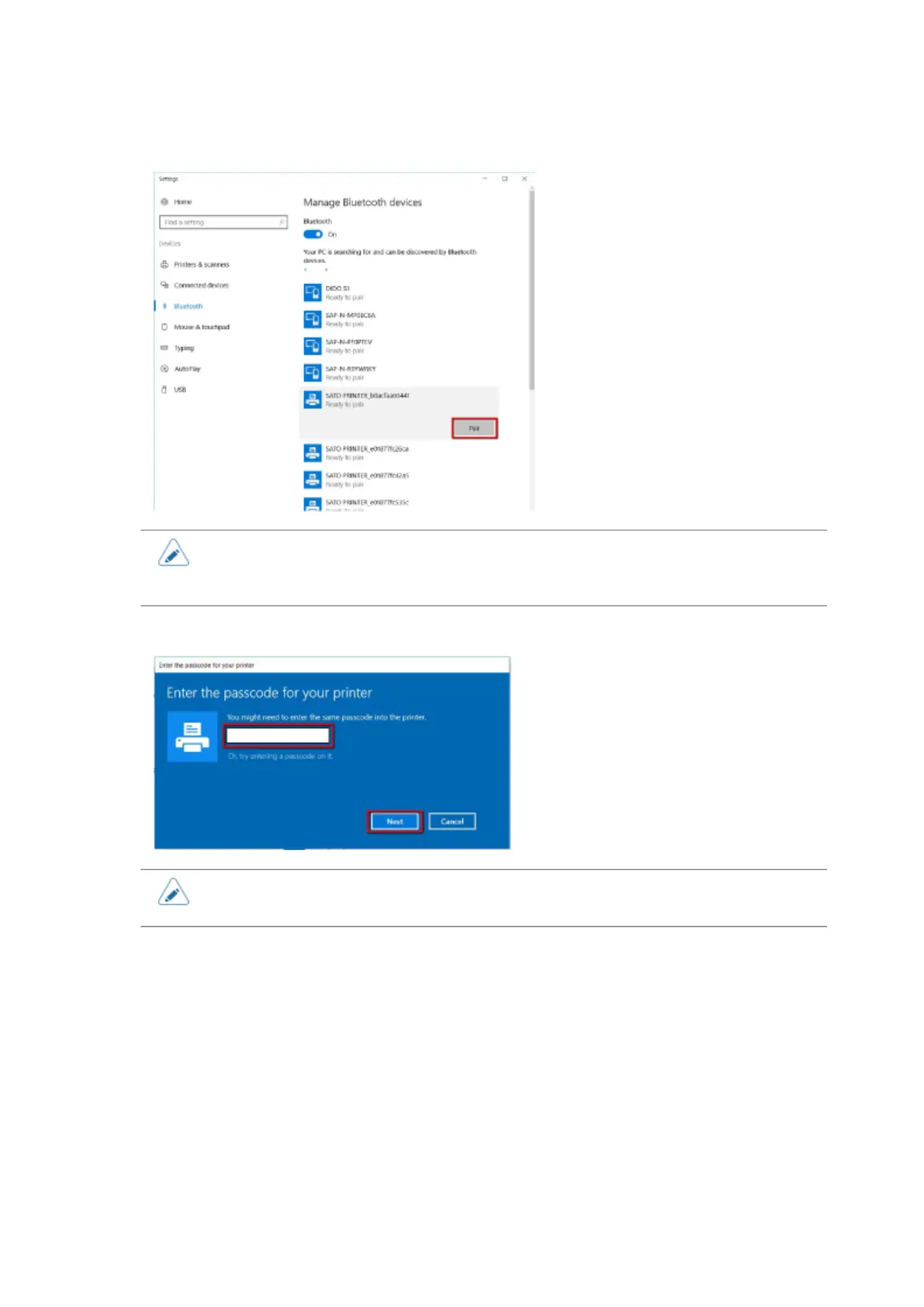
5. Select the product from the search device list and click [Pair].
• The initial value of the device name for the product is "SATO PRINTER_xxxxxxxxxxxx
(BD address)". You can check and change it on the [Bluetooth] > [Name] on the
[Interface] menu of the product.
6. Enter the passcode for the product and click [Next].
• The default passcode of the product is "0000". You can check and change it on the
[Bluetooth] > [PIN Code] on the [Interface] menu of the product.



 To Next Page