Loading the Media with the Optional Cutter Unit
176
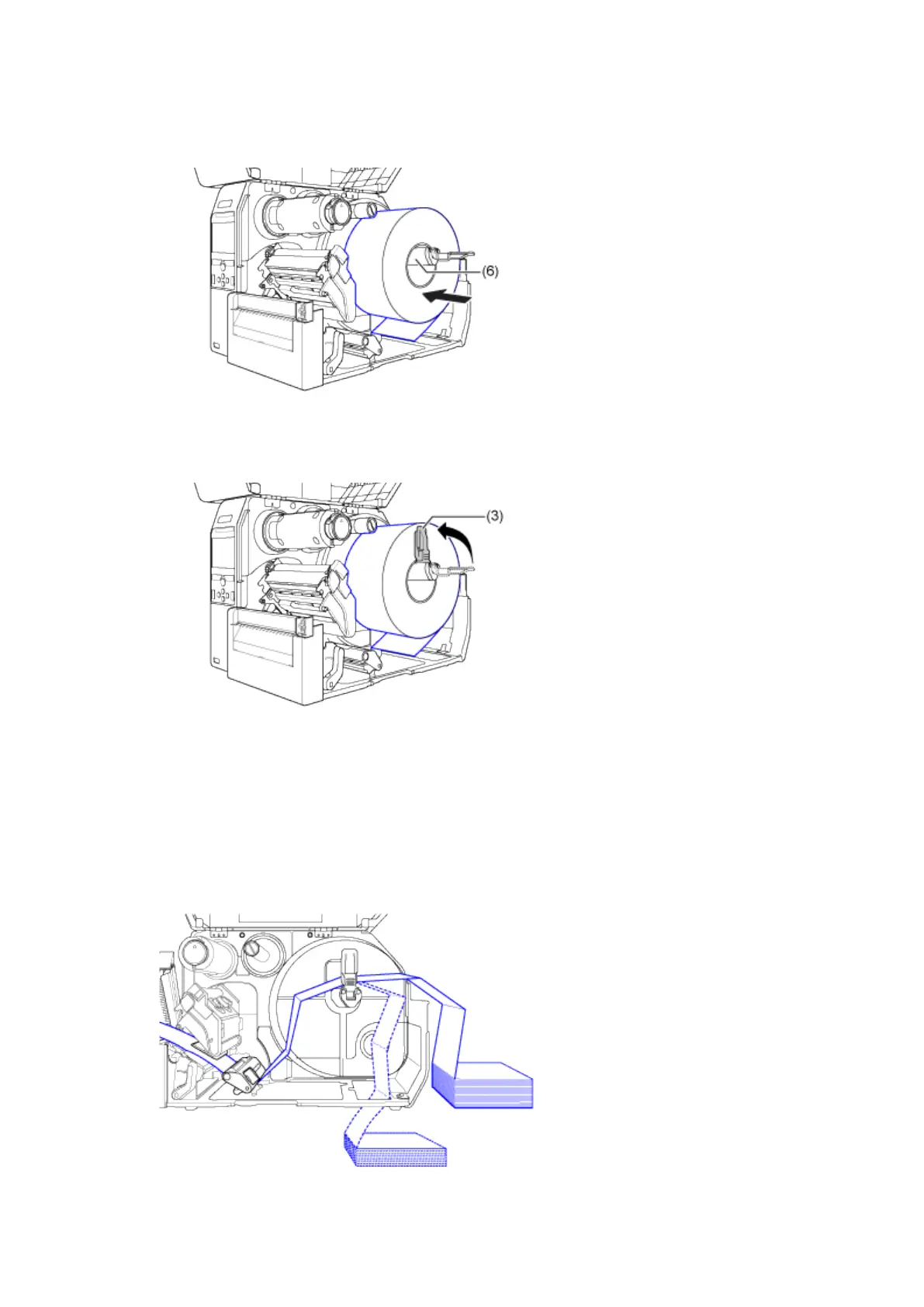
a. Load the media in the media holder (6).
Make sure that the media roll is all the way in towards the inside of the product.
b. Push the media holder guide (3) lightly against the media roll.
For Fan-fold Media
a. Place the fan-fold media on a flat location, and then load the media from the rear of the product or
from the media slot on the bottom of the product.
The routing path of the media is shown in the below picture.



 To Next Page