177
Load the media from the rear of the product
Load the media from the bottom of the product.
• When loading the media, make sure that the print side faces up.
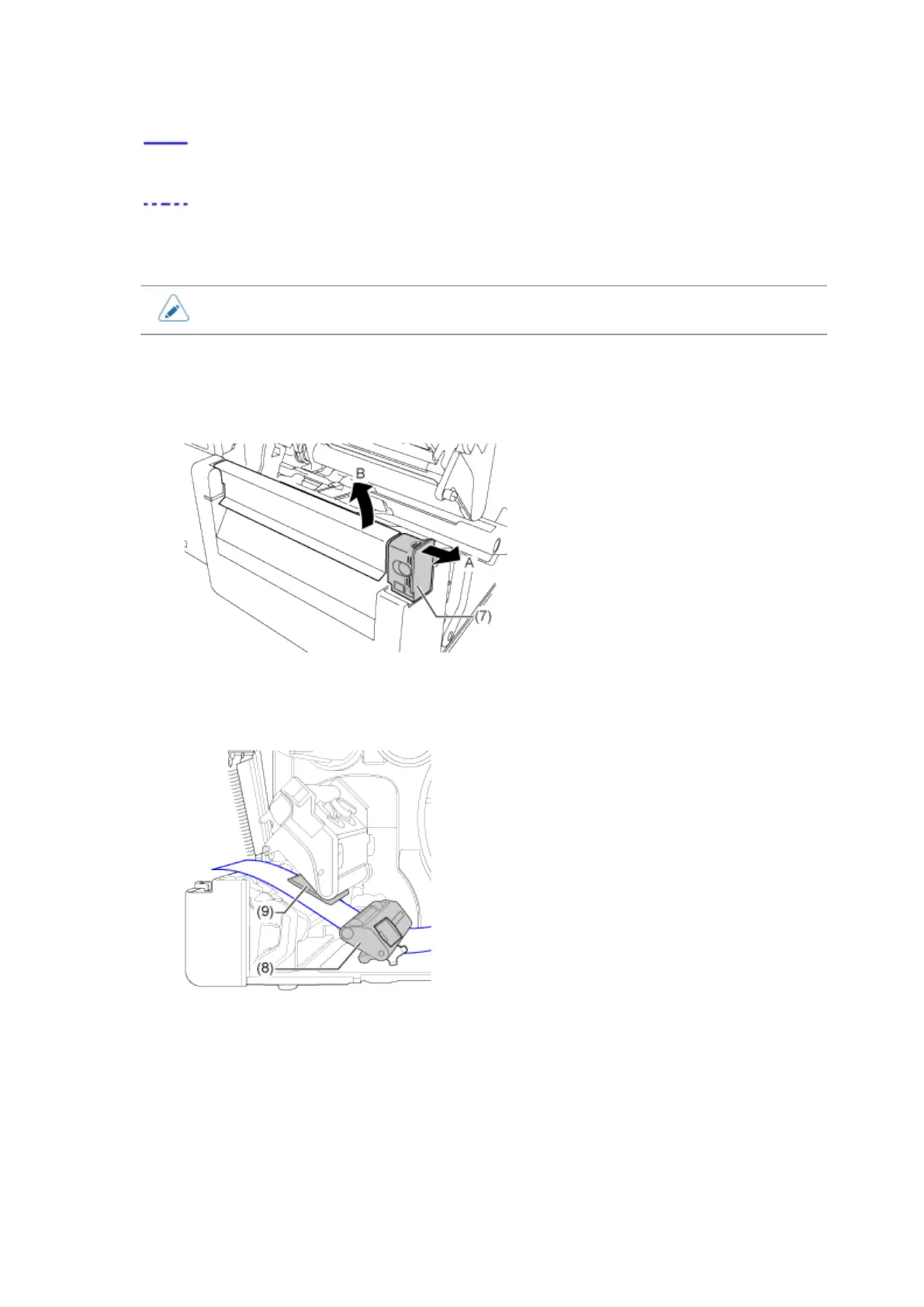
5. Pull the tab (7) of the cutter unit in the direction A, and then open up the cutter-
open lever to (B).
6. Pass the media below the media damper (8) and media sensor guide (9) and
through the cutter unit while pushing the media to inside of the product.
Make sure that the end of the media extends out the front of the product.



 To Next Page