Loading the Media with the Optional Dispenser Unit and Liner Discharge Outlet
182
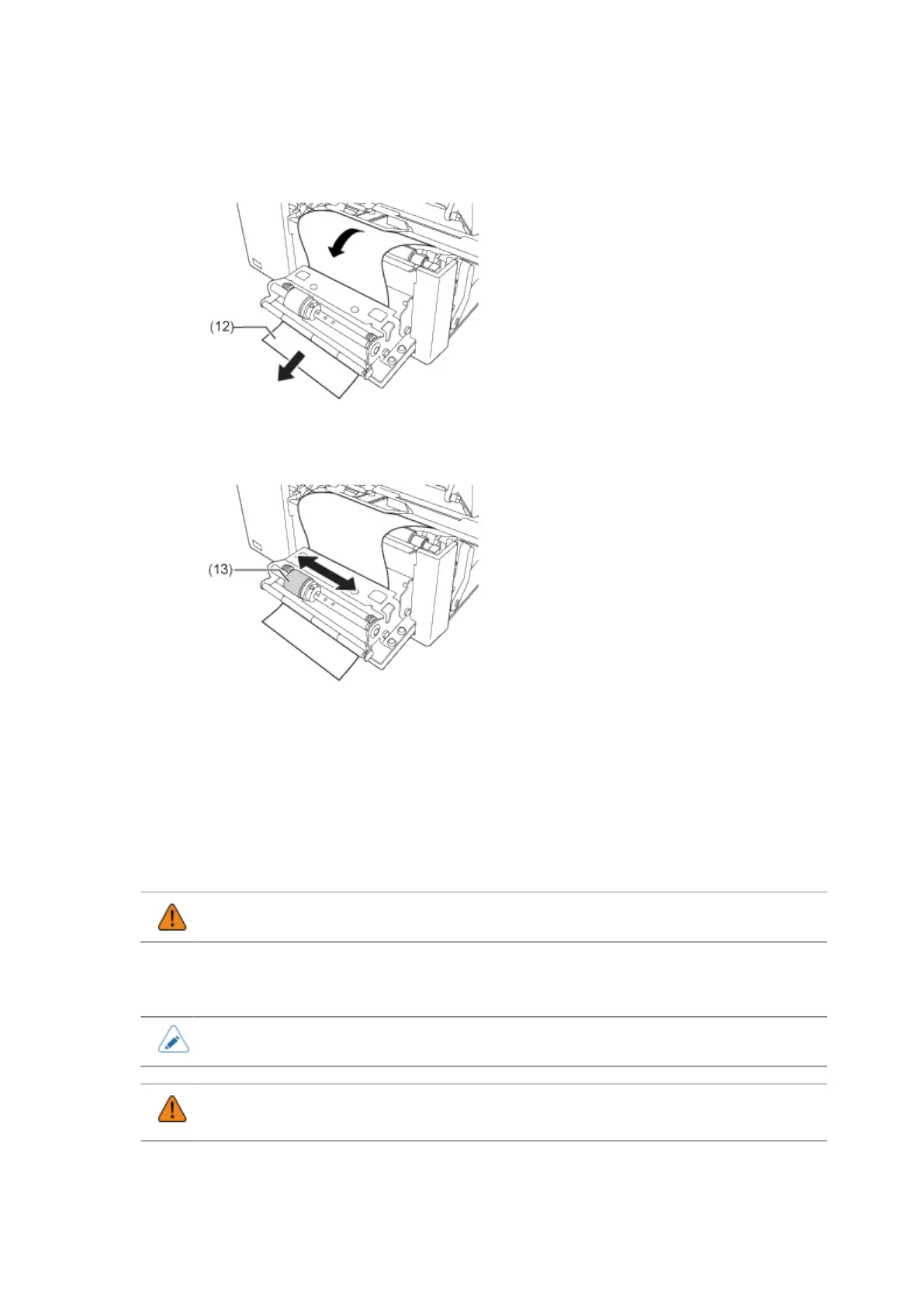
9. Pass the liner (12) through the gap of the dispenser unit to the outside of the
product.
10. Adjust the dispenser roller (13) to the center of the label.
11. Close the print head.
12. Close the dispenser unit.
13. Press the media guide lightly against the end of the media, and then turn the knob
to lock the media guide.
14. Close the top cover.
• When closing the top cover, be careful not to pinch your fingers.
15. Perform a test print to make sure that the media is loaded correctly.
• You need to load the ribbon when printing using thermal transfer.
• When not using the product for a long time, keep the dispenser unit open to protect the
roller.



 To Next Page