Cleaning Using the Cleaning Sheet
686
4. Remove the media and ribbon if they are already loaded.
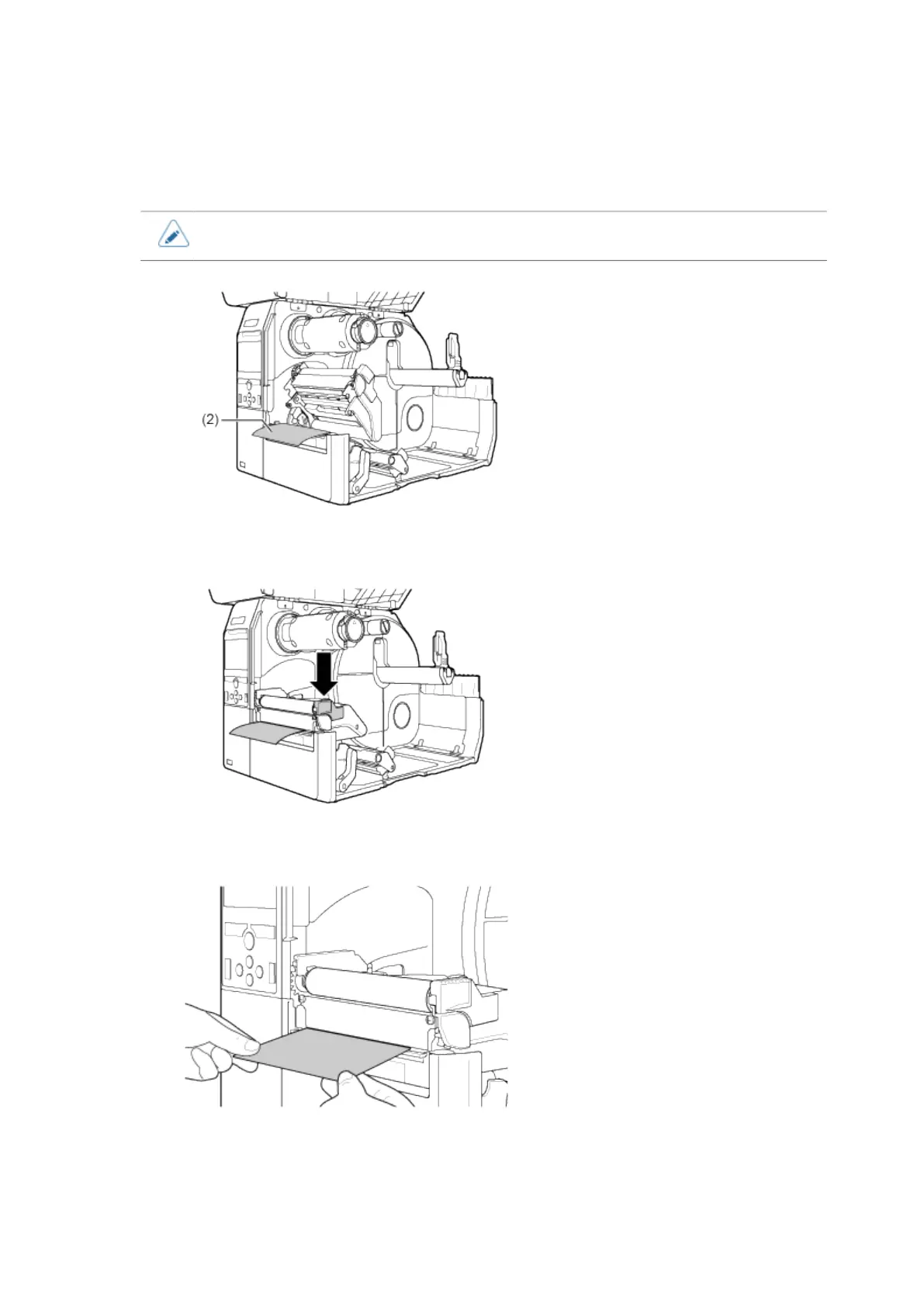
5. Place the cleaning sheet (2) between the print head and the platen roller.
• Align the rough side of the cleaning sheet adjacent to the print head.
6. Press the print head down until you lock the head lock lever in place.
7. Using two hands, pull the cleaning sheet away from the product.



 To Next Page