687
8. After you pull out the cleaning sheet, repeat steps 5 through 7, two or three more
times.
When no more dirt appears on the cleaning sheet after you have pulled it out, stop repeating these
steps.
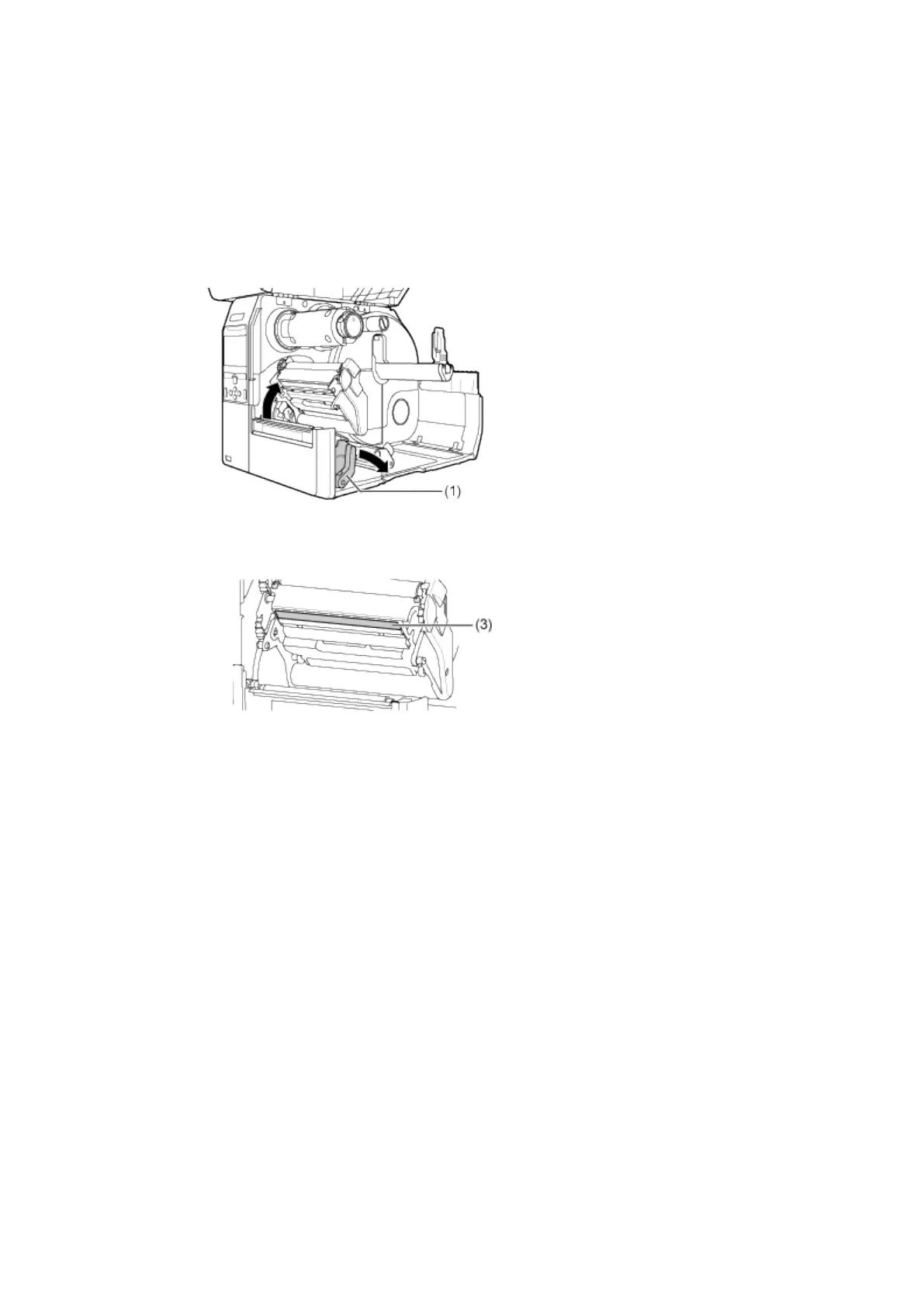
9. Push the head lock lever (1) towards the rear to unlock the print head.
10. Use a cotton swab to clean the dirt on the print head (3).


 To Next Page