63 22 726 D3561
186 D3561.201.01.03.02 05.2012
5 Care, cleaning and maintenance by the practice team Sirona Dental Systems GmbH
5.3 Instruments and instrument hoses Operating Instructions SINIUS / SINIUS CS
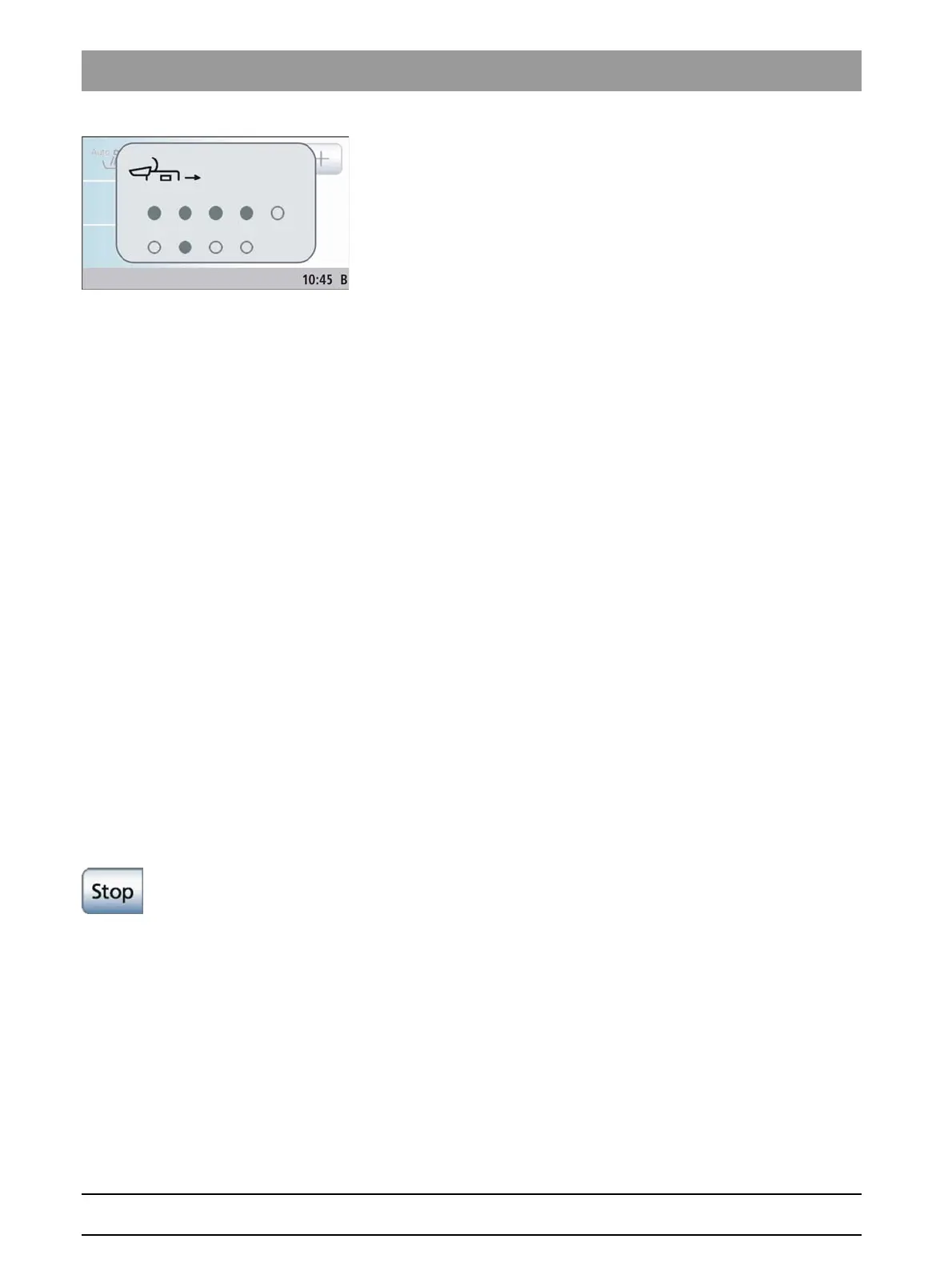
Following the purging process and suction hose cleaning, the display
Deposit instruments
appears.
You now can now continue in one of two ways:
● Leave the instruments in the water unit
The Autopurge function remains activated.
The instruments remain in the water unit and the treatment center can
be switched off. On the next day, the autopurge function is
automatically performed again on all of the instruments remaining in
the water unit as well as on the tumbler filling unit and the suction
hoses are cleaned again immediately after the treatment center is
switched on.
Then you can prepare the treatment center for daily practice
operation.
If the treatment center is out of operation over a prolonged period of
time, you can briefly switch it on every day and then switch it off again
when the purging process is finished. This ensures that number of
microorganisms in the water lines will not increase excessively.
If any instruments are removed from the water unit or new
instruments are connected to the treatment center while the latter is
switched off, you must deposit them in the adapters of the water unit
or in the instrument rack again before switching the treatment center
back on!
● Depositing instruments
The autopurge function is completed.
➢ Remove the instruments from the water unit and place them back in
place. All instruments not deposited are marked with a solid gray
circle on the touchscreen.
When all of the instruments have been deposited, the
Deposit
instruments
display disappears.
The autopurge procedure is finished. The treatment center is again
ready for operation and can be prepared for the practice day.
Canceling the autopurge function
If the error message
Deposit instruments
appears at the end of the flow
rate check or during purging, the autopurge function can be canceled.
➢ Touch the
Stop
key on the touchscreen.















 To Next Page