63 22 726 D3561
208 D3561.201.01.03.02 05.2012
5 Care, cleaning and maintenance by the practice team Sirona Dental Systems GmbH
5.6 Sanitation Operating Instructions SINIUS / SINIUS CS
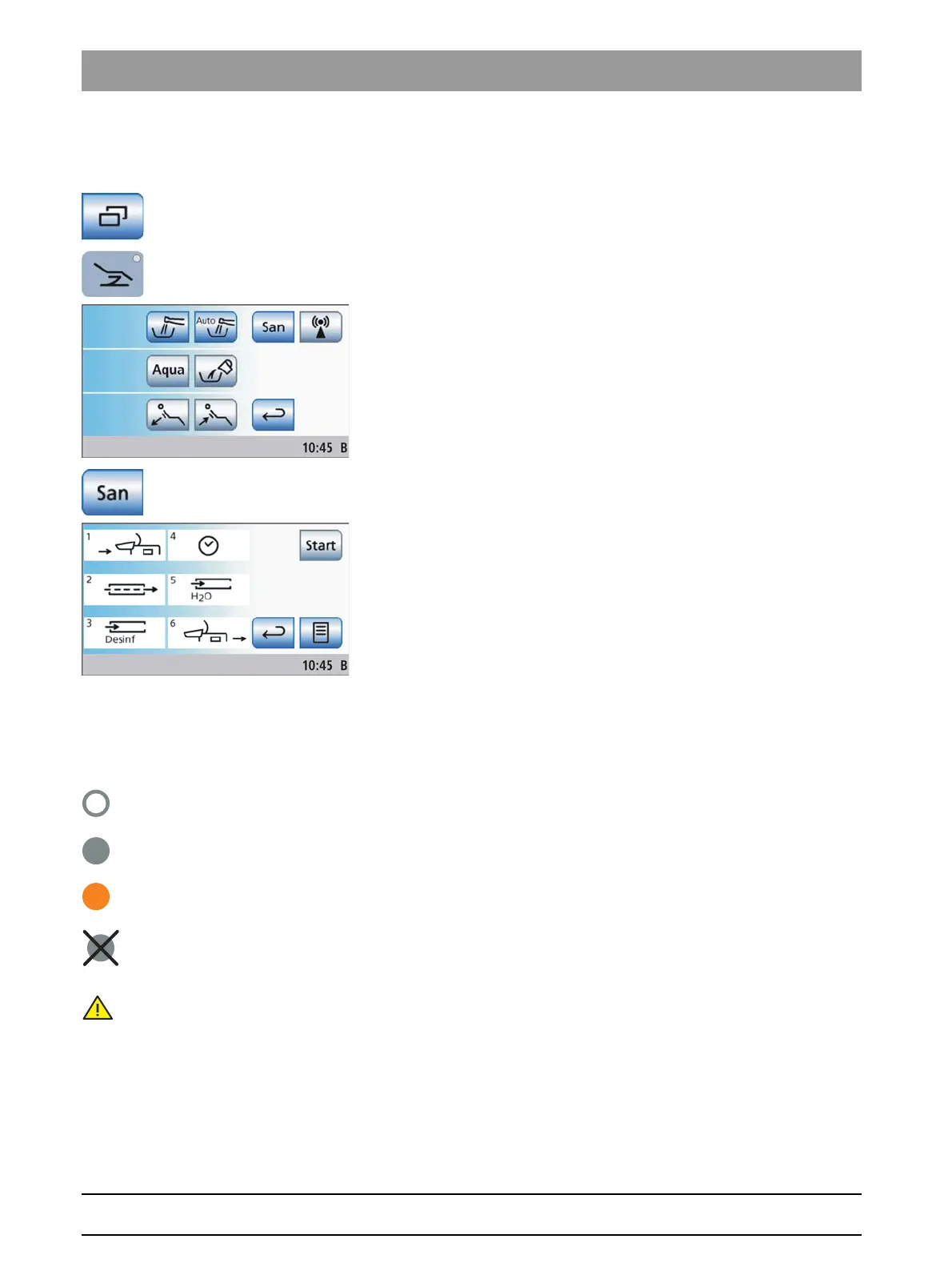
Opening the sanitation screen via touchscreen
✔ The
Start program
is displayed on the touchscreen.
1. In the
Start program without instrument functions
: Touch the
Sub-
screen
key.
In the
Start program with instrument functions
: Press the
Chair
program change key.
The
Start
sub-screen is displayed.
2. Touch the
San
key.
The
Sanitation
screen is displayed on the touchscreen.
Symbols 1 to 6 stand for the individual sanitation phases as described in
the following. The current sanitation phase is highlighted by an orange
rectangle.
Symbol legend
The status of the individual instruments is represented by symbols on the
touchscreen as operational help and for support in case of an error.
These symbols have the following meaning:
● Empty gray circle
Instrument cannot be sanitized
● Solid gray circle
Instrument not yet sanitized
● Solid orange circle
Instrument sanitized
● Crossed-out solid gray circle
Instrument excluded from sanitation, after a failed flow rate check or
if an instrument was returned during the reaction time
● Warning triangle
Check instrument or tumbler filling
The top row of symbols indicates the instrument positions in the dentist
element, while the bottom row indicates the instrument positions in the
assistant element.















 To Next Page