Dialog boxes in the SAE module
Some of the features and functions described might not be accessible to you. The features and
functions that are available depend on the way that the SAE administrator has configured them.
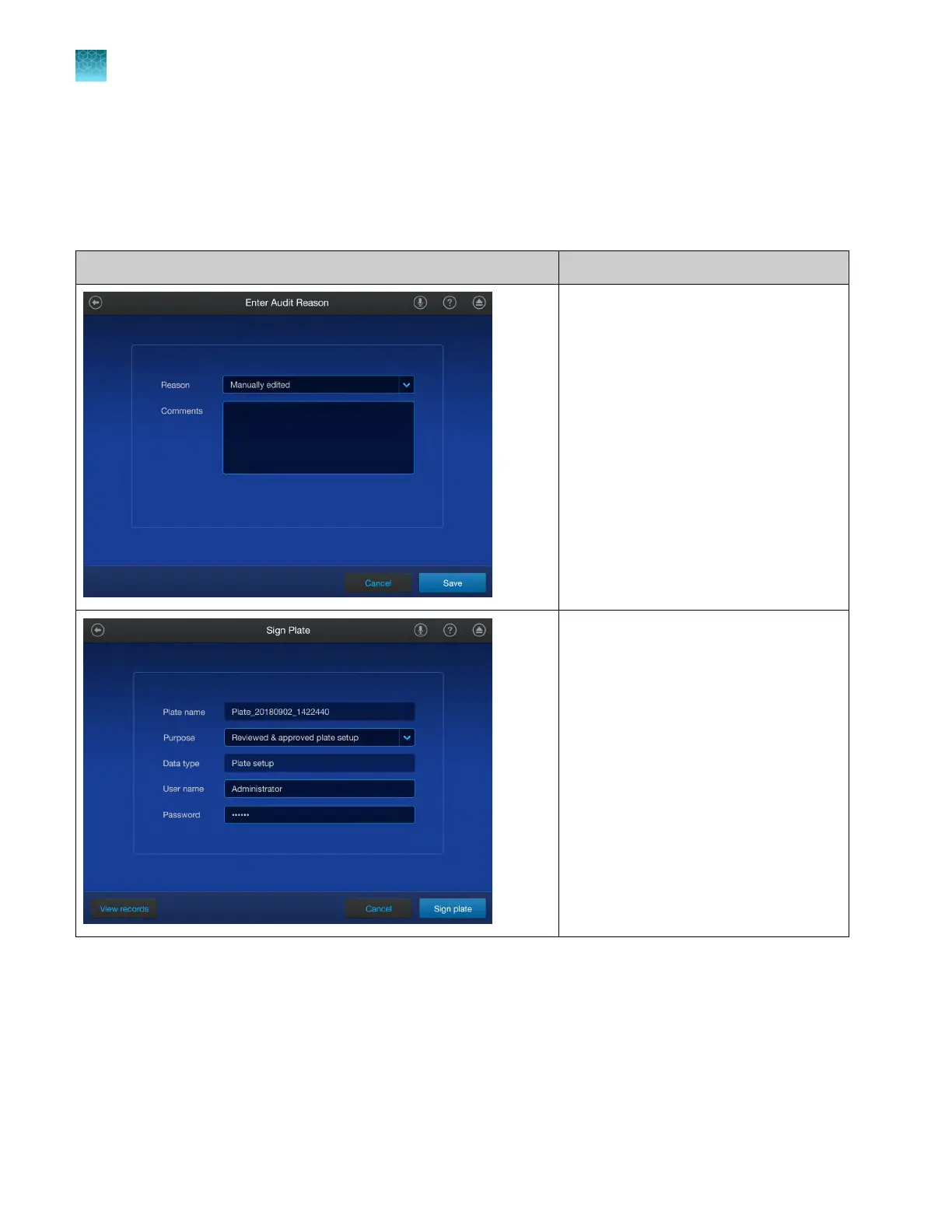
When you use the software, the dialog boxes and prompts shown in the following table can appear.
Dialog box Description
An action is set up for auditing and
requires you to specify a reason for the
action.
An action is set up for electronic signature
and allows you to enter your password to
allow the action.
If you do not have access to a function, you will not be able to select it.
F
or example, the buttons to start any of the calibrations are inactive if your role is not able to perform a
calibration.
Chapter 9 Use the instrument with the Security, Auditing, and E‑signatur
e (SAE) v2.0 module
Dialog boxes in the SAE module
9
140
QuantStudio
™
6 Pro Real-Time PCR System and QuantStudio
™
7 Pro Real-Time PCR System User Guide












 To Next Page