Edit a plate before starting a run
■
Overview of a template file with restricted editing ........................................ 54
■
Options to edit the properties of a plate file .............................................. 55
■
Options to edit the method of a plate file ................................................ 56
■
Options to edit the well details of a plate file ............................................. 62
Overview of a template file with restricted editing
A template file can be set up with restricted editing in the QuantStudio
™
Design and Analysis Software
v2. If a template file is set up with restricted editing, only certain parts of the template file can be edited.
The parts of the template file that cannot be edited are defined by the user in QuantStudio
™
Design and
Analysis Software v2.
A user cannot set up the restricted editing properties on the instrument.
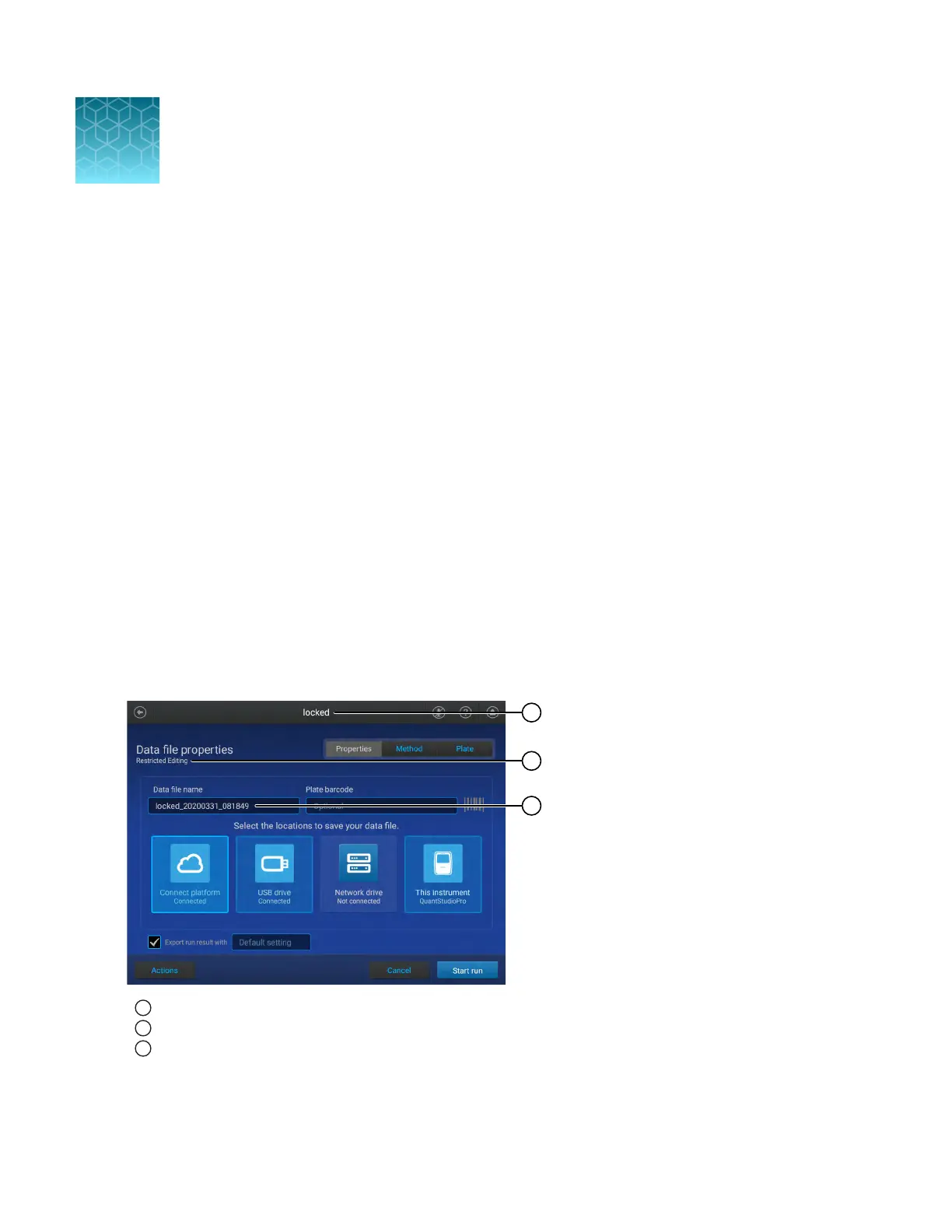
If a template file has restricted editing, it is noted in the following locations:
•
The top of the screen
•
Under the Data file properties heading
•
In the Data file name field
1
The top of the screen
2
Under the Data file properties heading
3
In the Data file name field
4
54
QuantStudio
™
6 Pro Real-Time PCR System and QuantStudio
™
7 Pro Real-Time PCR System User Guide












 To Next Page