Third-party software
Before installing third-party software on the computer running the desktop software, confirm that the
third-party software will not do the following:
•
Restrict Ethernet communication.
•
Interfere with instrument or computer operation.
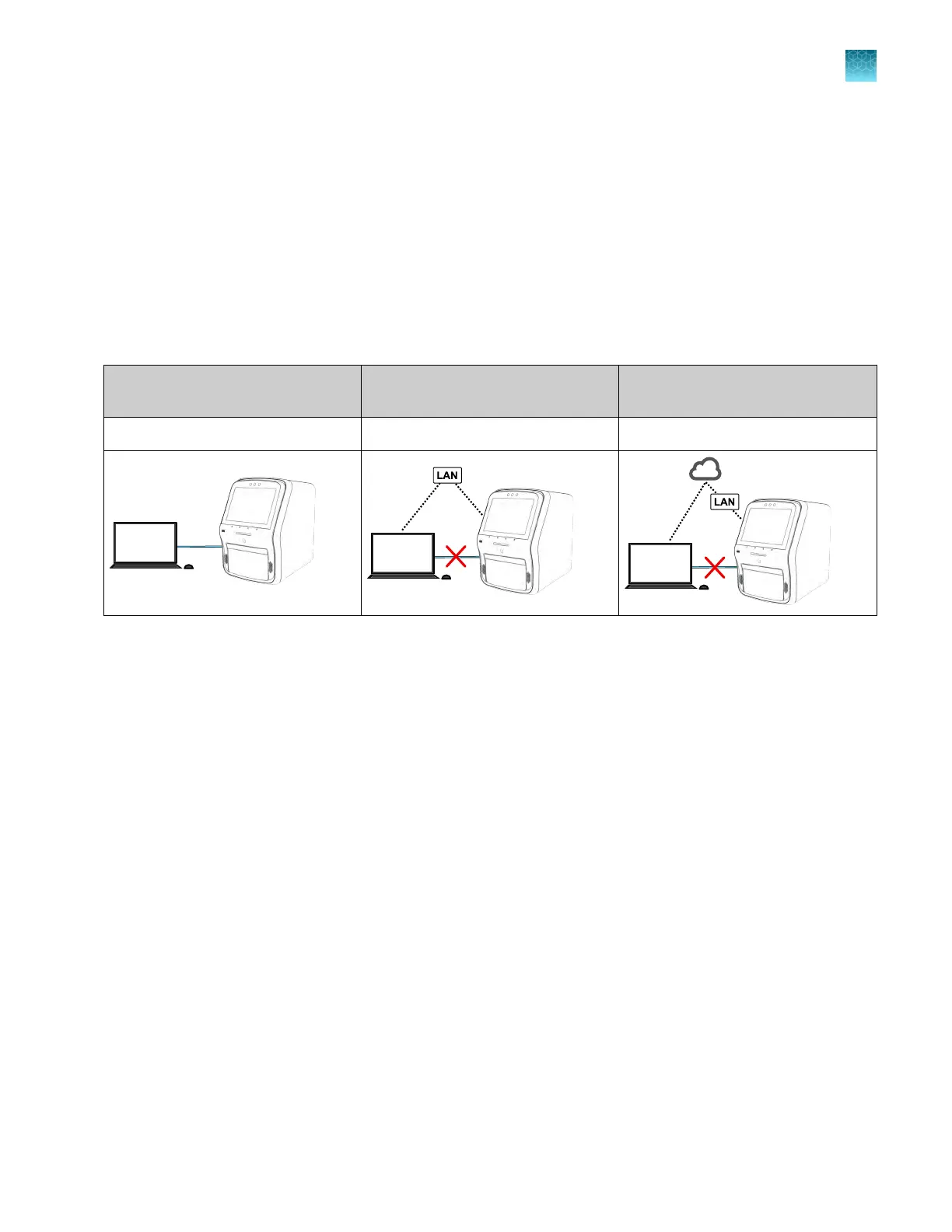
Network connection options
You can connect an instrument to a network or computer in the configurations listed below. For more
information, see Appendix B, “Connect the instrument to a network”.
Direct connection
Local area network (LAN)
connection
Connect platform connection
wired wired or wireless wired or wireless
Types of runs
Standard curve run
A standard curve run determines the absolute target quantity in samples.
1.
The softwar
e measures amplification of the target in a standard dilution series and in test samples.
2.
The software generates a standard curve using data from the standard dilution series.
3.
The software uses the standard curve to interpolate the absolute quantity of target in the test
samples.
Chapter 1 P
roduct information
Types of runs
1
QuantStudio
™
6 Pro Real-Time PCR System and QuantStudio
™
7 Pro Real-Time PCR System User Guide
31












 To Next Page