Power on the instrument
If left unattended, the instrument automatically enters sleep mode to conserve power. The default time
that an instrument is inactive before going into sleep mode is 15 minutes.
1.
Tap anywhere on the touchscreen to determine if the instrument is in sleep mode.
If the screen becomes active, the instrument is already powered on.
2.
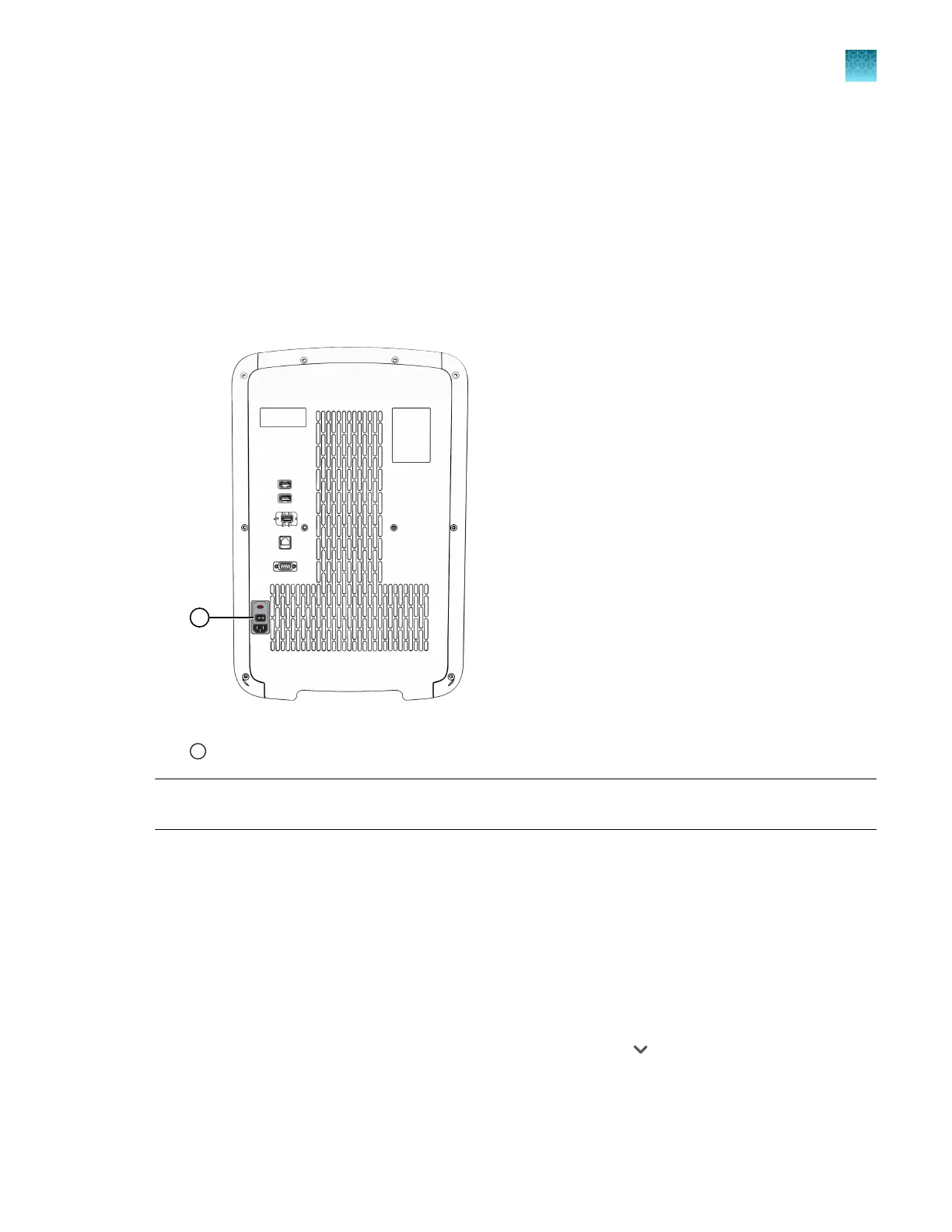
If the home screen does not display, power on the instrument by pressing the ON/OFF switch on
the rear panel.
Figure 6 Location of the ON/OFF switch
1
ON/OFF switch
Note: The length of time that the instrument is inactive befor
e going into sleep mode can be
customized (see “Enable and edit sleep mode” on page 163).
Sign in
Sign in with a PIN
Create an instrument pr
ofile before signing into the instrument (see “Create a new local instrument
profile” on page 127 and “Link the instrument to your Connect account” on page 126).
1.
In the Sign In screen, tap the PIN field, then enter your PIN.
If your instrument profile is not the default that is displayed, tap
, then select your instrument
pr
ofile.
2.
Enter your PIN, then tap Enter.
Chapter 2 Get star
ted
Power on the instrument
2
QuantStudio
™
6 Pro Real-Time PCR System and QuantStudio
™
7 Pro Real-Time PCR System User Guide
43












 To Next Page