10.
Return the plate to its original packaging.
Note: Do not discard the packaging for the calibration plate. Each calibration plate can be used
up to three time if the following conditions are met:
·
The plate is stored in its packing sleeve at –25°C to –15°C.
·
The plate is used within 6 months after opening.
·
The plate is used before the plate expiration date.
View the calibration images
The instrument performs the ROI, uniformity, and background calibrations in sequence. You can view
the calibration images after the background calibration is complete.
1.
In the home screen, tap (Settings)4Maintenance and service4Calibration4Status and
reminders.
The Status and Reminders screen is displayed.
2.
Tap a calibration type in the table, then tap View.
3.
Tap a calibration date in the table, then tap View.
The following details are displayed:
•
C
alibration name
•
Result
•
Date
•
Whether this calibration is current
•
The operator
•
Reagent name, part number, lot number,
and expiration date
•
Comments.
4.
T
ap Detail.
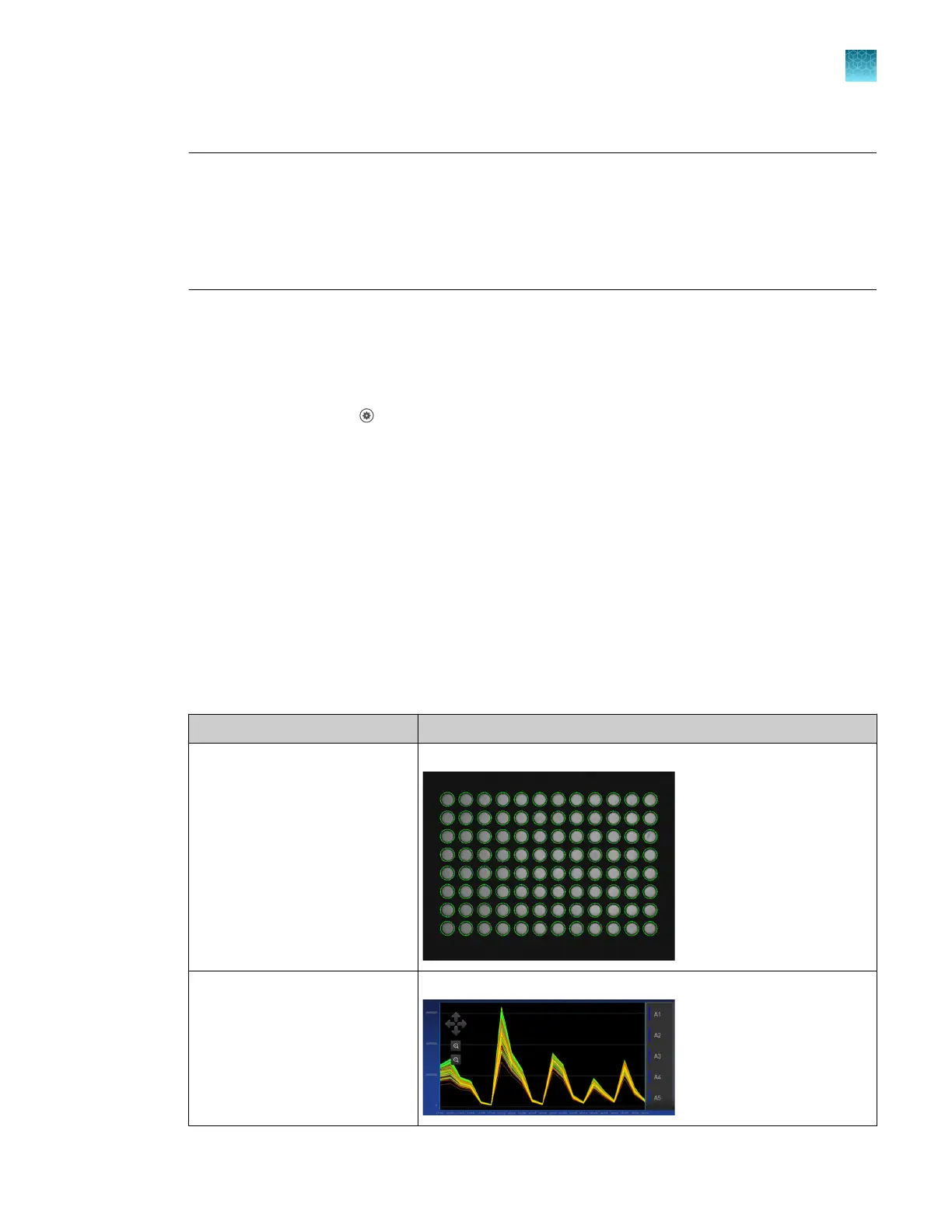
Calibration Example results indicating successful calibration
ROI
Not
e: Select the desired filter
combination from the Filter Set
dropdown list.
Green circles around all wells and bright well centers.
Uniformity Signals from each well following a uniform trend.
Chapter 7 Calibrate and verify instrument performance
Perform ROI/uniformity, background, and dye calibrations for plate blocks
7
QuantStudio
™
6 Pro Real-Time PCR System and QuantStudio
™
7 Pro Real-Time PCR System User Guide
93












 To Next Page