Load a TaqMan
™
Array Card into the instrument
IMPORTANT! The instrument should be used by trained operators who have been warned of the
moving parts hazard.
1.
T
ap
(Eject) t
o open the drawer.
2.
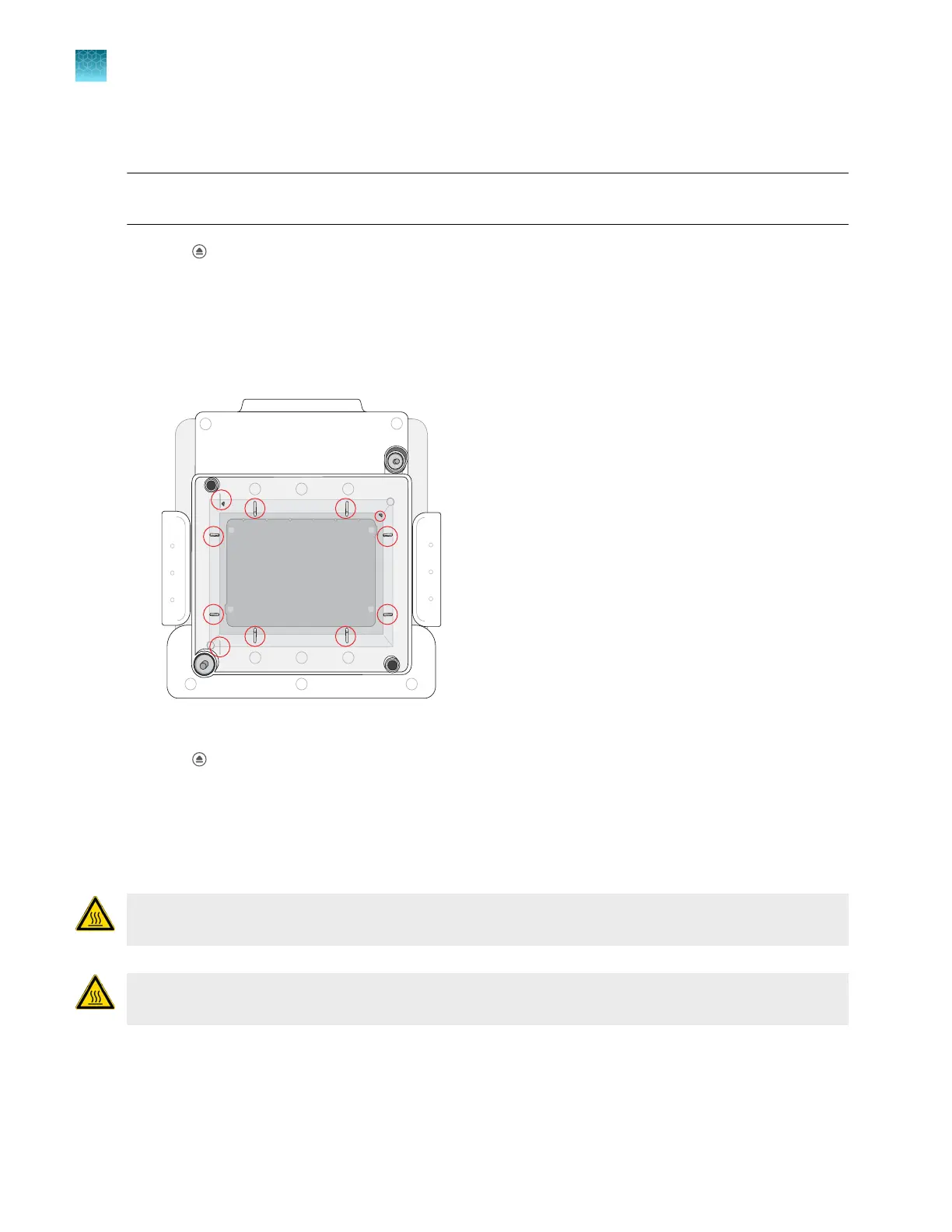
Load the plate onto the block.
•
Well A1 of the array card is in the top-left corner of the block.
•
If the array card has a barcode, the barcode faces the front of the instrument.
The block has guides for the position of the array card.
The circles indicate the guides for the position of the array card.
3.
T
ap
(Eject) t
o close the drawer.
Unload a plate or a TaqMan
™
Array Card from the
instrument
CAUTION! PHY
SICAL INJURY HAZARD. During instrument operation, the plate temperature can
reach 100°C. Allow it to cool to room temperature before handling.
CAUTION! PHY
SICAL INJURY HAZARD. During instrument operation, the TaqMan
™
Array Card
temperature can reach 100°C. Allow it to cool to room temperature before handling.
Chapter 3 Cr
eate and run plates on the instrument
Load a TaqMan
™
Array Card into the instrument
3
52
QuantStudio
™
6 Pro Real-Time PCR System and QuantStudio
™
7 Pro Real-Time PCR System User Guide












 To Next Page