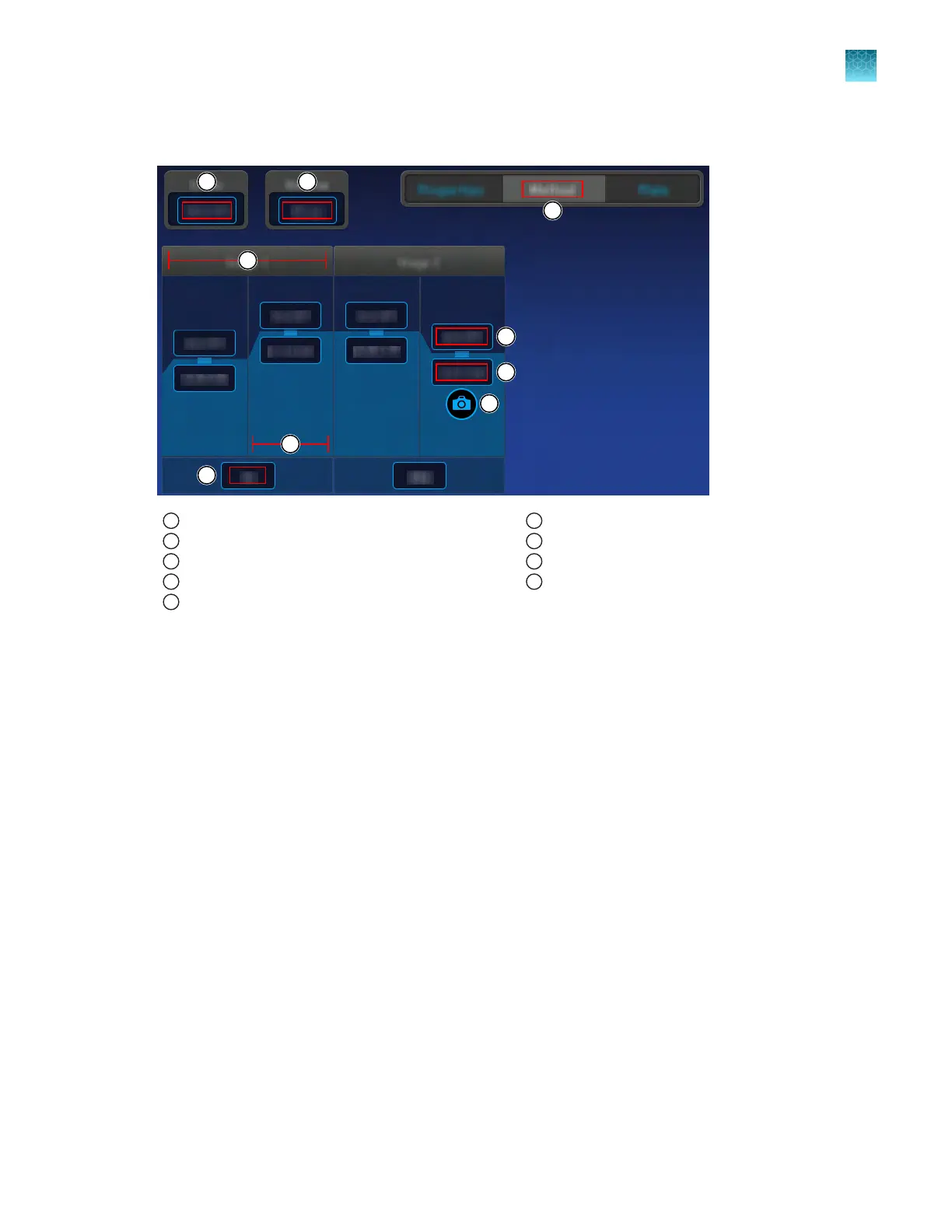
Method elements
1
Method tab
2
Heated cover temperature
3
Reaction volume
4
Stage of thermal protocol
5
Step within a stage
6
Number of cycles for the stage
7
Temperature for the step
8
Hold time for the step
9
Data collection point
Edit the method
1.
In the Method tab, tap Edit.
2.
T
ap a field, then enter the changes.
•
Cover temperature
•
Volume
•
Temperature for any steps
•
Time for any steps
•
Number of PCR cycles
3.
Tap Save.
4.
Enter a name for the plate file, then tap Done.
5.
In the Save Template screen, select a storage location for the plate file, then tap Done.
A confirmation is displayed.
6.
Tap Close.
Chapter 4 Edit a plat
e before starting a run
Options to edit the method of a plate file
4
QuantStudio
™
6 Pro Real-Time PCR System and QuantStudio
™
7 Pro Real-Time PCR System User Guide
57












 To Next Page