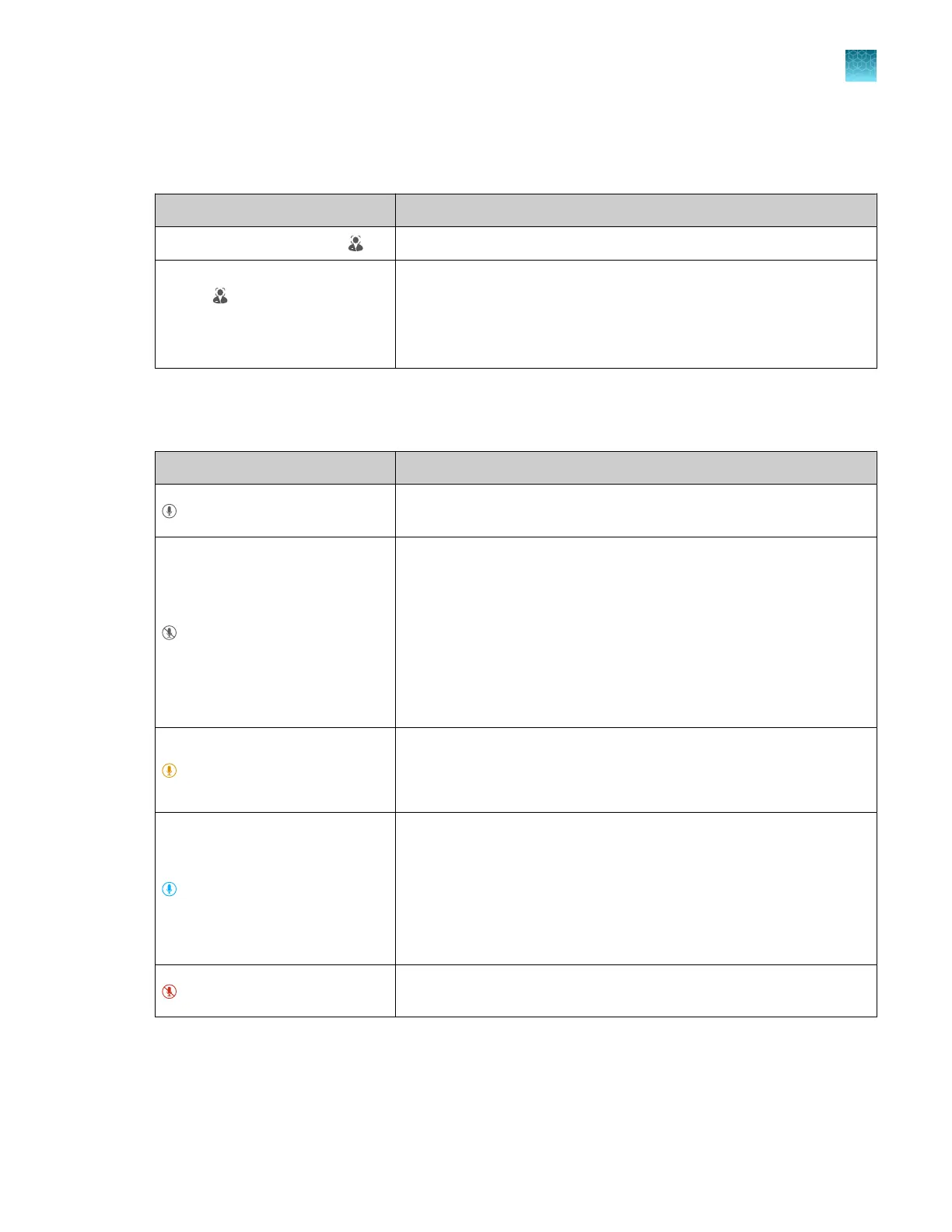
Indicators for the hands-free features
Indicators for facial authentication
Display
Status of facial authentication
The Sign In screen displays . Facial authentication for the instrument is enabled.
The Sign In screen does not
display .
•
Facial authentication for the instrument is disabled.
•
All users must sign in with a PIN.
Note: To enable facial authentication, see “Configure the instrument
for the hands-free features” on page 185.
Indicators for voice commands
For the location of the proximity sensor, see Figure 3 on page 20.
Display Status of voice commands
(Gray)
The voice command function is not available because the proximity
sensor does not detect a person.
(Gray)
The voice command function is not available if any of these conditions
is true:
•
The voice command function for the instrument is disabled by an
administrator.
•
The user is signed in with a local profile.
•
The microphone was disabled by the user and the proximity
sensor does not detect a person. The icon will return to a red
state when the proximity sensor detects a person.
(Amber)
The instrument is preparing to accept voice commands.
Note: The amber display is an intermediate state and will only appear
for several seconds.
(Blue)
The voice command function is available if all of these conditions are
true:
•
The voice command function for the instrument is enabled by an
administrator.
•
The user is signed in with a Connect instrument profile.
•
The proximity sensor detects a person.
(Red)
The microphone was disabled by the user (see “Enable or disable the
microphone” on page 44).
To enable voice commands, see “Configure the instrument for the hands-free features” on page 185.
For more information about linking a local instrument profile to a Connect profile, see “Link the
instrument to your Connect account” on page 126 and “If you link when you are signed in to the
instrument” on page 129.
Chapter 1 Product information
Hands-free features
1
QuantStudio
™
6 Pro Real-Time PCR System and QuantStudio
™
7 Pro Real-Time PCR System User Guide
23












 To Next Page