It is recommended to store the block and the heated cover in the provided protective box when they are
not installed on an instrument.
Remove the block
CAUTION! PHYSICAL INJURY HAZARD. During instrument operation, the sample block
temperature can reach 100°C. Allow it to cool to room temperature before handling.
This section describes removing the block and heated cover without installing another block and
heat
ed cover into the instrument.
1.
Tap
(Settings)4Change block.
2.
In the Change Block scr
een, tap Change.
3.
Tap OK.
The instrument unlocks the block and the heated cover. This step takes approximately one minute.
The drawer opens with the block and the heated cover.
4.
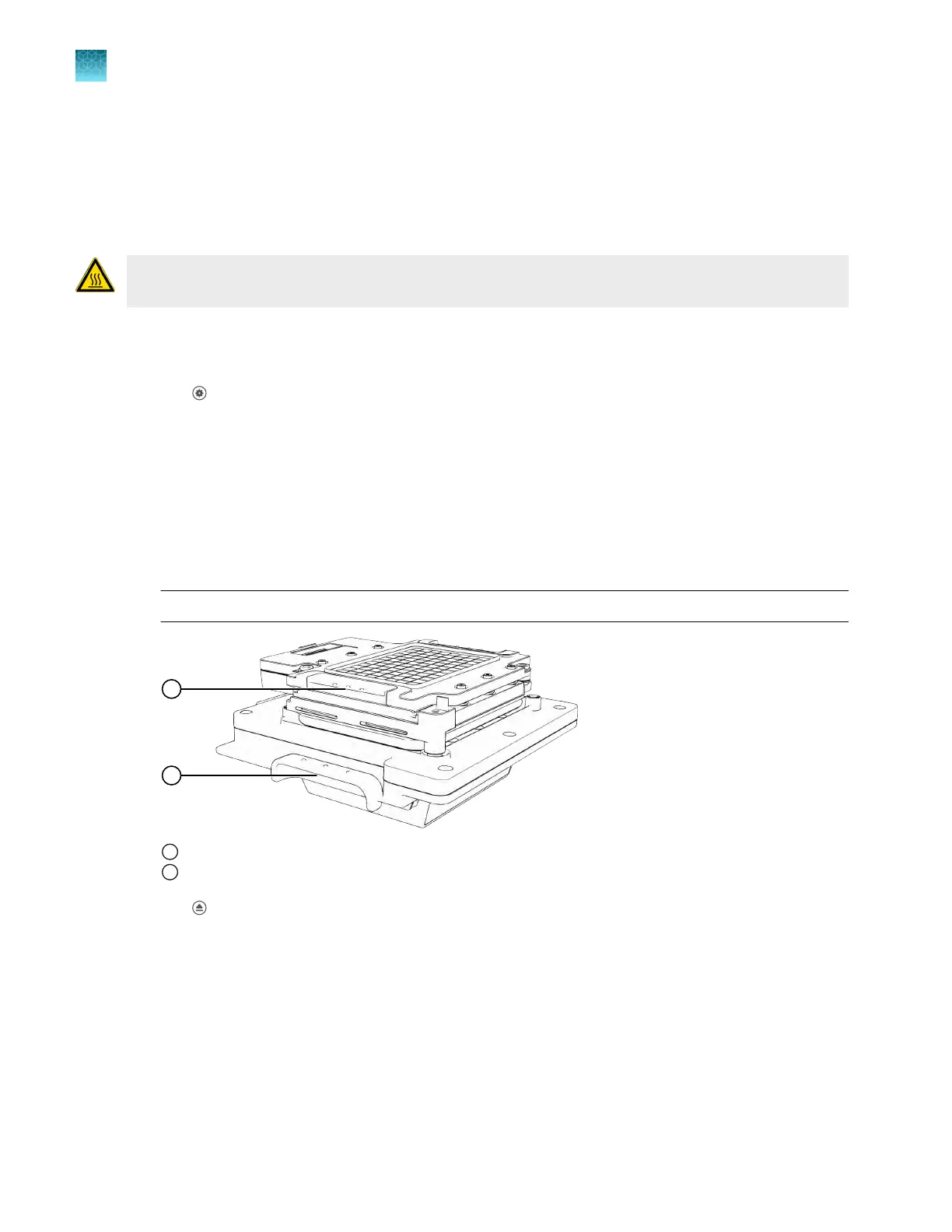
Use the handles to remove the block and the heated cover.
The block and the heated cover are removed together.
IMPORTANT! Only t
ouch the block and the heated cover at the handle.
1
Heated cover handle
2
Block handle
5.
T
ap
(Eject) t
o close the instrument drawer.
It is recommended to store the block and the heated cover in the provided protective box when they are
not installed on an instrument.
Chapter 10 Maintain the instrument
Remove the block
10
158
QuantStudio
™
6 Pro Real-Time PCR System and QuantStudio
™
7 Pro Real-Time PCR System User Guide












 To Next Page