3.
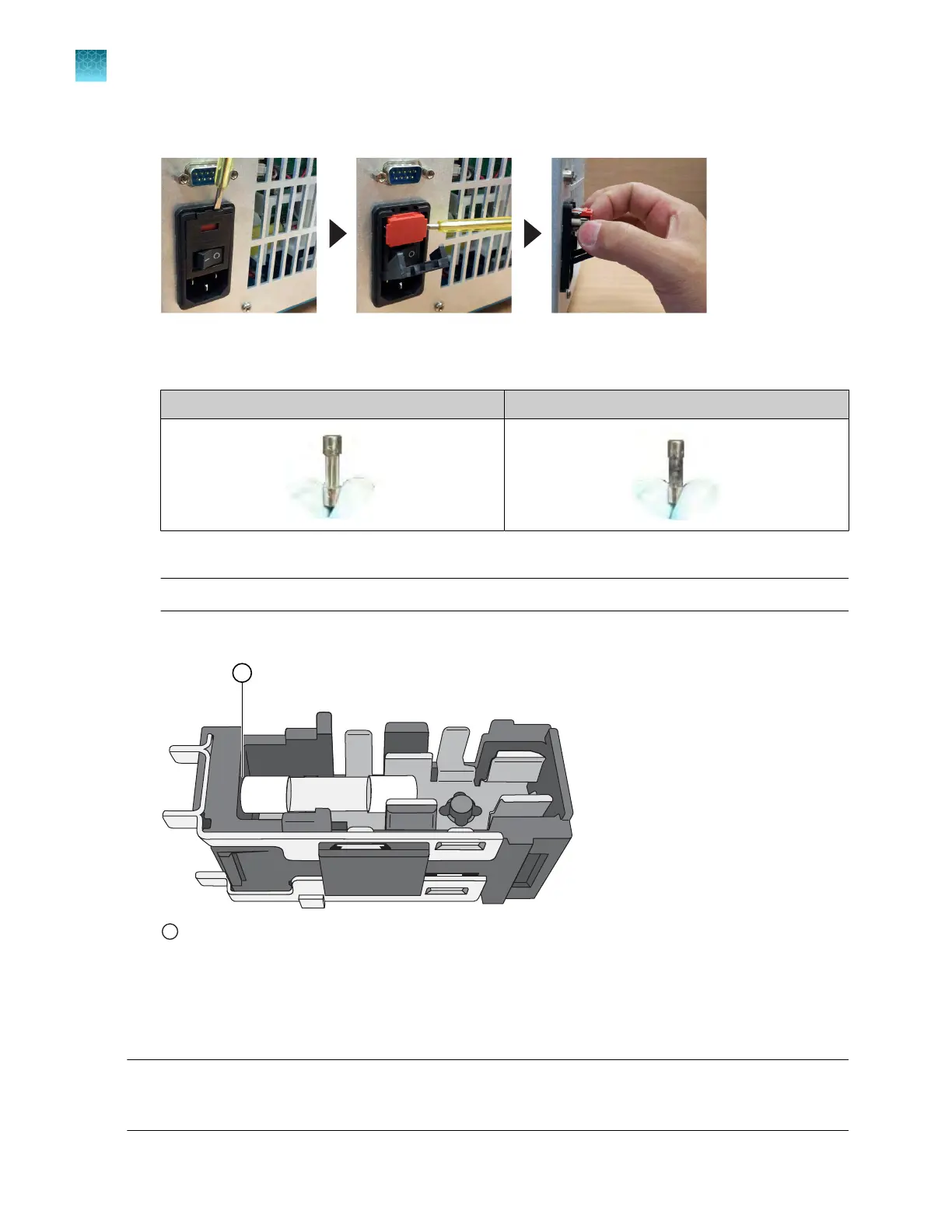
Using a flat‑head screwdriver, unscrew and remove the fuse holder.
4.
Remove each fuse fr
om its fuse holder, then inspect it for damage.
Carbon typically coats the inside of failed fuses.
Good Failed
5.
Replace each failed fuse.
Not
e: The voltage and amperage ratings are on the fuse holder.
6.
Align each new fuse in the fuse holder as shown in the figur
e below.
1
Fuse alignment in the fuse holder
7.
Install the fuse holder back int
o the instrument.
8.
Plug in, then power on the instrument.
The installation is successful if the instrument powers on.
Note: Fuse failure can result from fluctuations in the supplied power to the system. To prevent further
failures, consider installing an electrical protective device, such as a UPS or a surge protector. If issues
with the fuse persist, use Smart Help (see “Request technical support with Smart Help” on page 172).
Chapter 10 Maintain the instrument
Replace the instrument fuses
10
162
QuantStudio
™
6 Pro Real-Time PCR System and QuantStudio
™
7 Pro Real-Time PCR System User Guide












 To Next Page