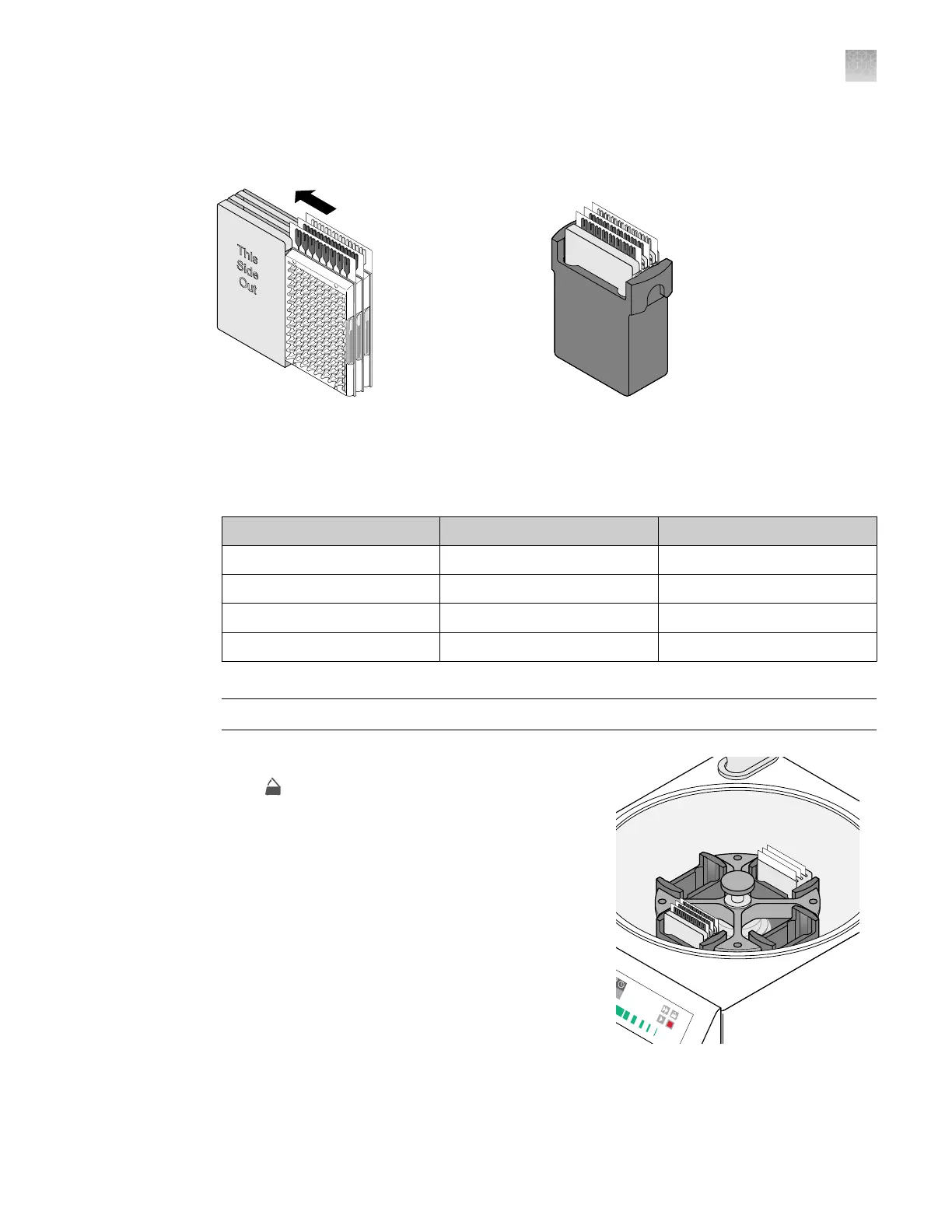
d.
Place the loaded card holder into the bucket so that the card holder label faces the front of
the bucket.
►
2.
Configur
e the centrifuge using its front‑panel controls.
a.
Set the bucket type to 15679.
b.
Set the following parameters according to the control panel type.
Parameter EASYSet (touchpad-operated) QUIKSet (knob-operated)
Increasing ramp rate 9 3
Decreasing ramp rate 9 —
Rotational speed 1,200 rpm (331 × g) 1,200 rpm
Centrifugation time
[1]
1 minute 1 minute
[1]
Y
ou will centrifuge the cards twice, each time for 1 minute (see step 4).
IMPORTANT! A speed that is set t
oo high can deform the card.
3.
L
oad the buckets into the centrifuge.
a.
Press
on the centrifuge control panel to open
the centrifuge cover
.
b.
Place each loaded bucket onto an open rotor arm
of the centrifuge.
Ensure that each bucket can swing easily within
its slotted position on the rotor arm.
c.
If there are empty rotor arms, prepare buckets
with blank balance cards as described in step 1.
Place the balance buckets onto the rotor arms.
The rotor must be evenly loaded and opposing
buckets must hold the same weight.
d.
Close the centrifuge cover.
Centrifuge is properly loaded and balanced.
Appendix C Detailed procedures for preparation of a TaqMan
™
Array Card
Centrifuge the card
C
QuantStudio
™
6 Pro Real-Time PCR System and QuantStudio
™
7 Pro Real-Time PCR System User Guide
205












 To Next Page