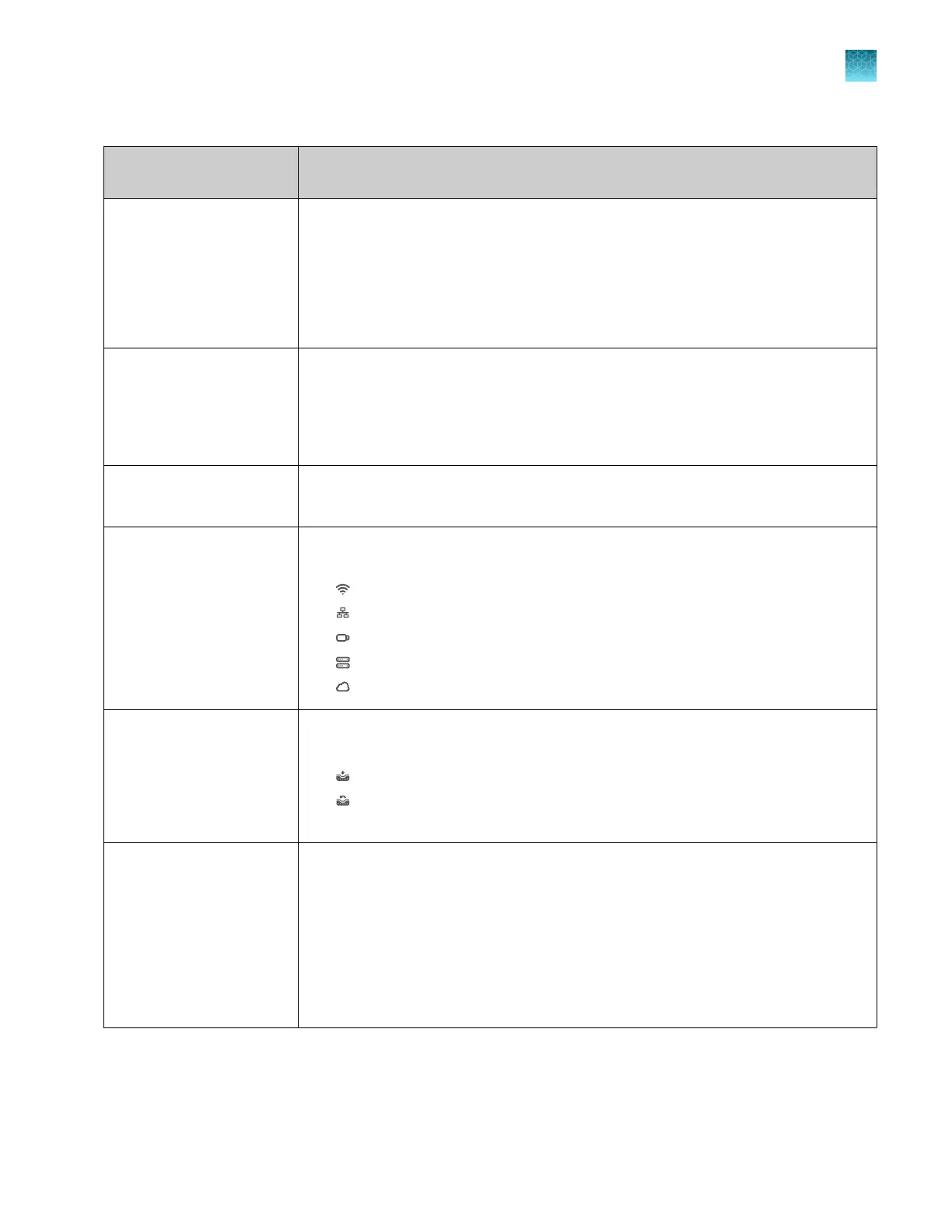
Table 1 Parts of the home screen (continued)
Element of the home
screen
Function
Status dial
•
When the instrument is not in use—Displays Set up run.
•
When the instrument is in use—Displays the sample block temperature, the
elapsed run time, and the run status.
•
When the instrument is locked while in use—Displays Locked within the status
dial.
•
When a run is complete—Displays Run complete.
Block type The block that is installed on the instrument.
If applicable, the following items are noted:
•
If there is no block and heated cover set installed.
•
If the block and heated cover are mismatched.
Current user Displays the current signed-in user.
Guest is displayed if no user is signed in.
Connectivity Only the icons that apply to the connectivity status of the instrument at the time are
displayed.
•
—The instrument is wirelessly connected.
•
—The instrument is connected to a wired network.
•
—A USB drive is plugged into the instrument.
•
—The instrument is connected to a network drive.
•
—The instrument is connected to a Connect account.
Buttons to access plate
files
[1]
Access a plate file to edit it or start a run.
•
Set up run—Open a system template or a saved plate file.
•
(Load plate file)—Open a system template or a saved plate file.
•
(Run last)—Open the last plate file that was used to start a run. The last plate
file is specific to the profile.
Instrument settings
•
Edit the file name convention.
•
View the run history, and transfer or delete data files.
•
Install, change, or remove the block and the heated cover.
•
Configure the instrument settings.
•
Configure the maintenance and service settings.
•
View notifications.
•
Configure hands-free operation.
[1]
P
late files are applicable to TaqMan
™
Array Cards.
Chapter 1 P
roduct information
Software description
1
QuantStudio
™
6 Pro Real-Time PCR System and QuantStudio
™
7 Pro Real-Time PCR System User Guide
25












 To Next Page