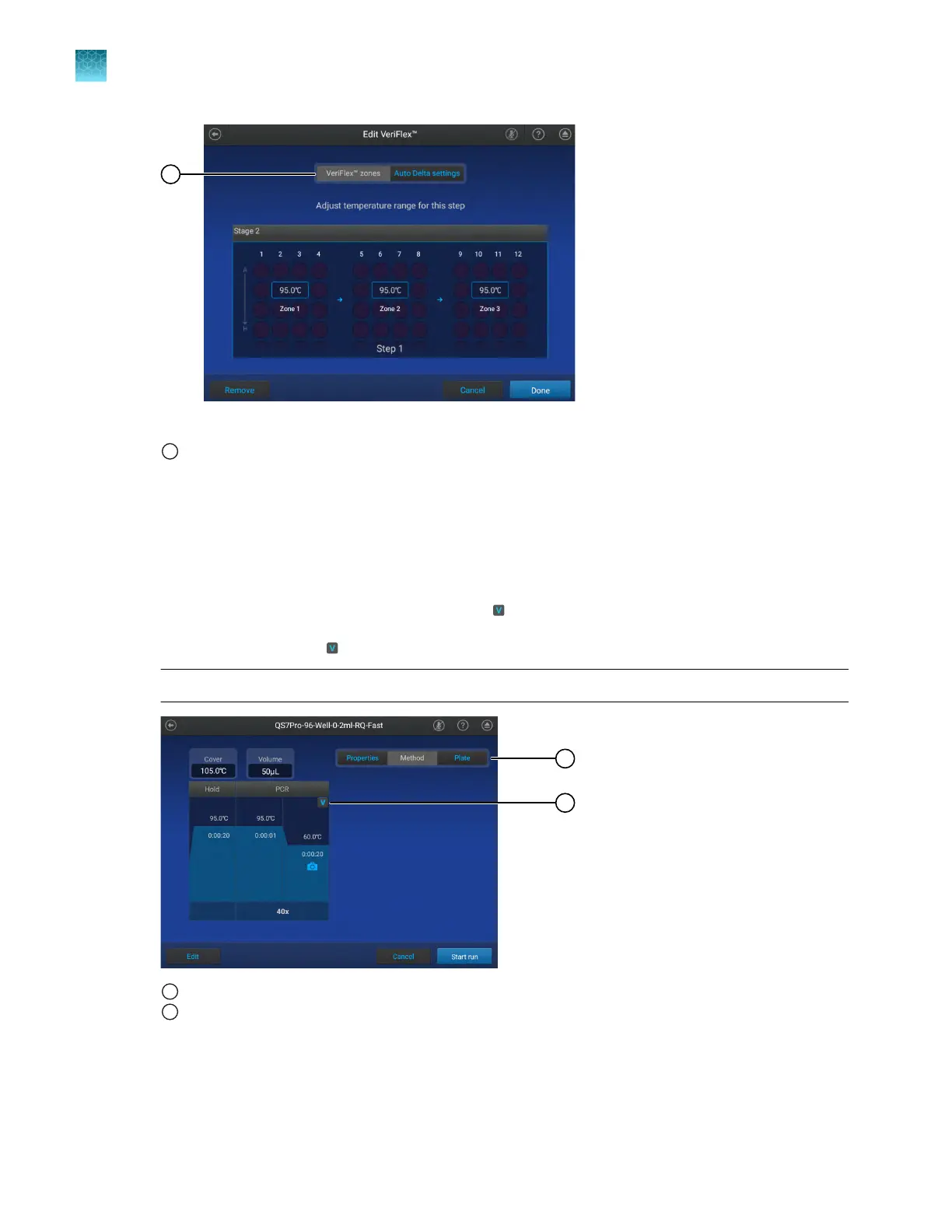
Figure 8 VeriFlex
™
Z
ones and Auto Delta settings
1
VeriFlex
™
Z
ones is selected
2.
T
ap the temperature field in the appropriate VeriFlex
™
Zone.
3.
Enter a temperature, then tap Enter.
The temperatures in adjacent zones must have a dierence of ≤5°C.
4.
Tap Done.
A stage with VeriFlex
™
Zones is denoted with a
icon.
5.
In the Method tab, tap
4Remove4Done t
o remove the VeriFlex
™
Zones.
Note: The VeriFlex
™
Zones setting is removed from the Method tab.
1
Indicates that this is the Method tab wher
e the VeriFlex
™
Zones settings can be removed
2
Indicates that VeriFlex
™
Z
ones are assigned. Tap to remove the VeriFlex
™
Zones.
Chapter 4 Edit a plat
e before starting a run
Options to edit the method of a plate file
4
60
QuantStudio
™
6 Pro Real-Time PCR System and QuantStudio
™
7 Pro Real-Time PCR System User Guide












 To Next Page