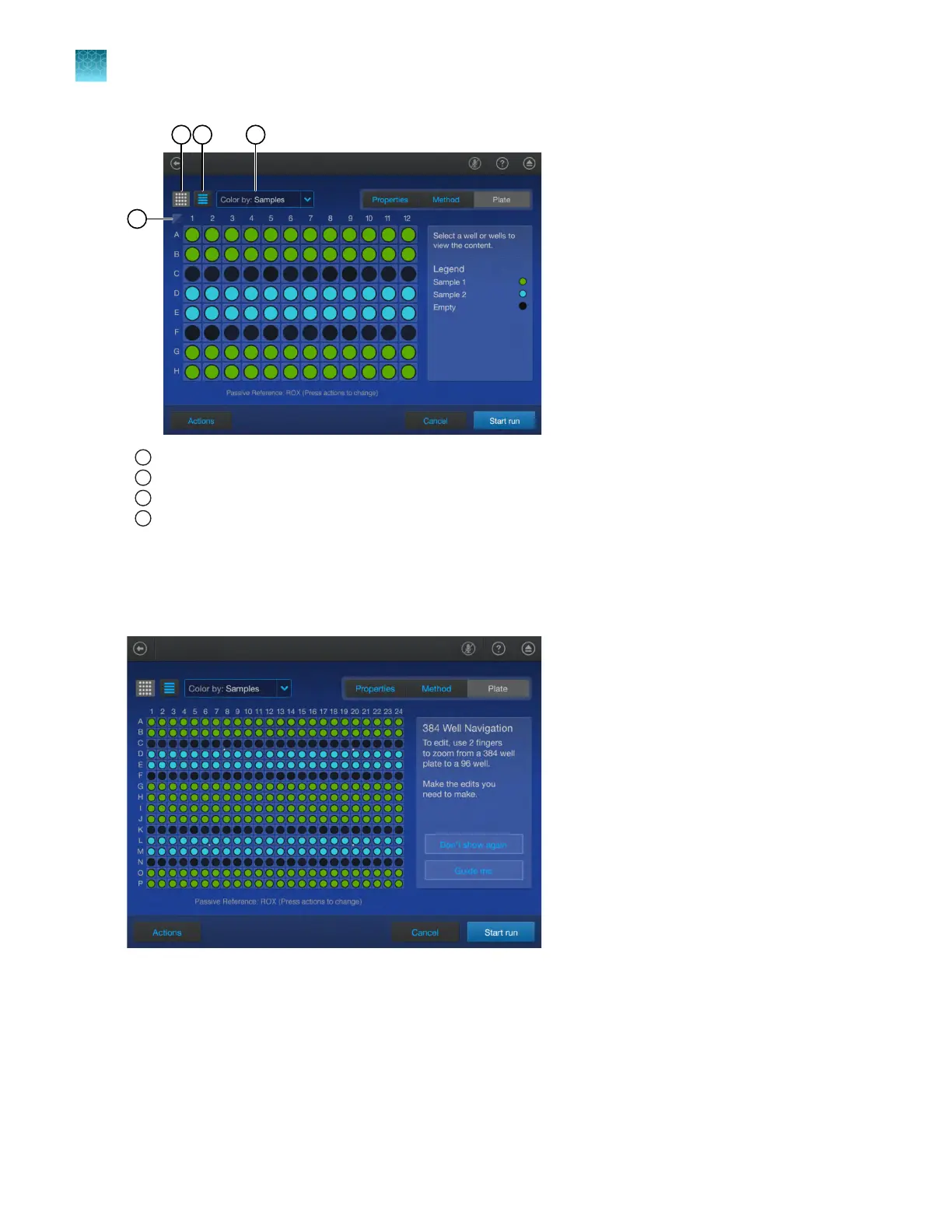
1
Select all button
2
Plate view button
3
Well table view button
4
Color by dropdown list
View a 384-well plate
The Plat
e tab displays a 384-well plate if the 384-well block is installed. The plate can be edited in the
384-well view. You can zoom in to a 96-well section of the 384-well plate in order to edit the plate.
1.
In the r
egion of the 384-well plate that you want to zoom in on, pinch outwards with two fingers.
2.
(Optional) To change the region that you are zoomed in on, use two fingers to drag the plate in the
appropriate direction.
The 384-well plate can zoom in on any 96-well section. It is not limited to specific 96-well
quadrants.
Chapter 4 Edit a plat
e before starting a run
Options to edit the well details of a plate file
4
64
QuantStudio
™
6 Pro Real-Time PCR System and QuantStudio
™
7 Pro Real-Time PCR System User Guide












 To Next Page