27
Smart Rotary Cell Changer
Thermo Scientific Evolution 200 Series User Guide 401
Related Topics
Initializing the Cell Changer
Measuring Samples with a Cell Changer
Measuring Standards with a Cell Changer
Displaying the Cell Changer Status Monitor
Operation
Measuring Samples with a Cell Changer
The cell changer performs automated measurements based on the sample list.
Languages
Feature Description
Accessory name Shows the type and serial number read from the installed sample
changer.
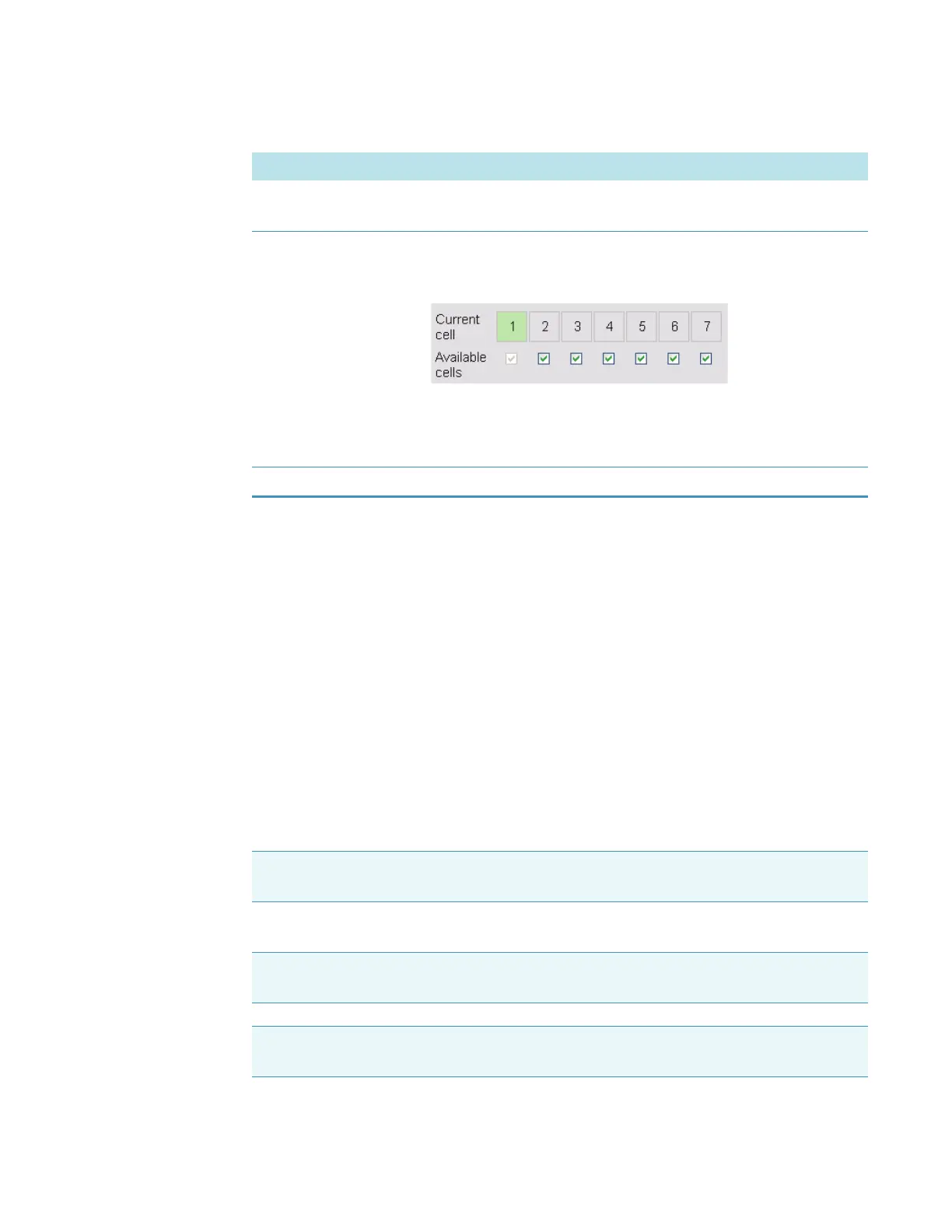
Current cell
Available cells
The numbered boxes match the cells in the changer head. The
green box indicates the cell positioned for measurement. To
manually position a cell in the light beam, click its numbered box.
The check boxes indicate cells enabled for use in the current
template or active workbook. To disable or enable a cell, click its
associated check box. Note that cell one is always enabled.
Reset Initializes the cell changer and moves cell one into the light beam.
CAUTION Avoid pinch hazard. Keep hands and objects clear of the accessory during oper-
ation.
Remarque Évitez les risques de pincement. Éloignez les mains et les objets de l’accessoire
pendant son fonctionnement.
Anmerkung Quetschungen sind zu vermeiden. Hände und Objekte sind während des
Betriebs vom Zubehör fern zu halten.









 To Next Page