EN
114
Software Module
11.10.2. Settings
Property
The following settings/results appear:
Process Time [ms] Sensor processing time for the module
Module State Error codes to give support in error diagnosis (see section
18.5)
Input Image Selection of the channel for the image input
Coordinate System Selection can be made regarding how the functions should
be tracked.
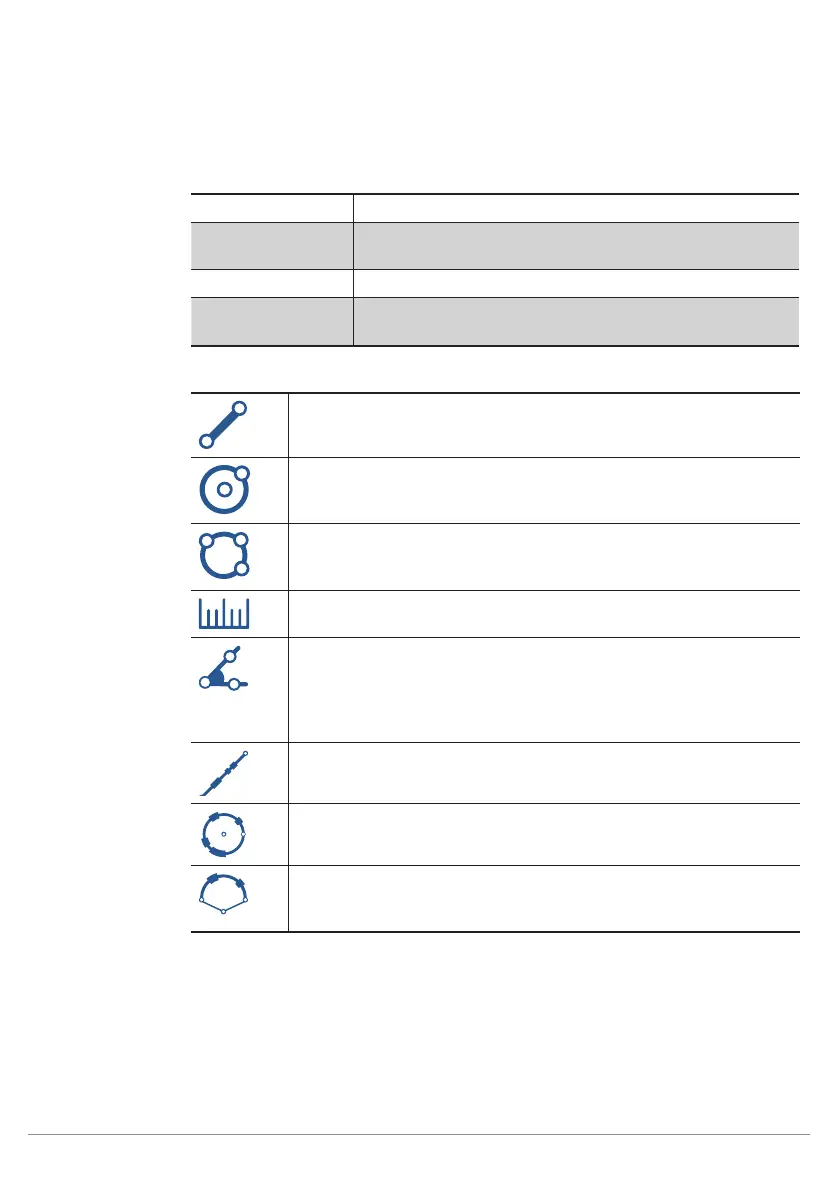
Function
Field
Line A line is drawn. An edge is detected on the basis of
this search line.
Circle A circle is drawn which is defined by means of two
points. An edge is detected on the basis of this search
circle.
Circle A circle is drawn which is defined by means of three
points. An edge is detected on the basis of this search
circle.
Distance The distance between different points or lines is cal-
culated.
Angle The angle between two lines is ascertained. A line is
defined by a starting point and an end point. The de-
tected angle corresponds to the angle of intersection
of the two lines in the direction towards their starting
points.
Segment
on Line
A line is drawn. Segments are looked for on this line.
Segment
on Circle
A circle is drawn which is defined by means of two
points. Segments are looked for on this circle.
Segment
on Arc
An arc is drawn which is defined by means of a starting
point, an end point and a radius. Segments are looked
for on this arc.
Set
Utilized geometric search forms such as lines and circles are listed in the Set sub-module.



 To Next Page