EN
166
Software Module
The digital I/Os are originally preset as follows:
Digital IO N0. Type Polarity Mode Linking/Function
1 Output Positive PNP Threshold, pixel count module
2 Output Positive PNP -
3 Output Positive PNP -
4 Output Positive PNP Process output
5 Input Positive - Trigger
6 Output Negative Push-Pull Flash output (external illumination)
11.21.3.1. IO Timings
Objective
Time settings can be selected for the inputs and outputs.
Property
Process Time
[ms]
Sensor processing time for the module
Module State Error codes to give support in error diagnosis (see section 18.5)
Timing Unit Milliseconds / quadrature pulse
If “Timing Unit” is set to quadrature pulse, all other time values must also
be entered in pulses, and not in any unit of measure for time. The internal
counter is triggered either by a millisecond tick or by quadrature pulses.
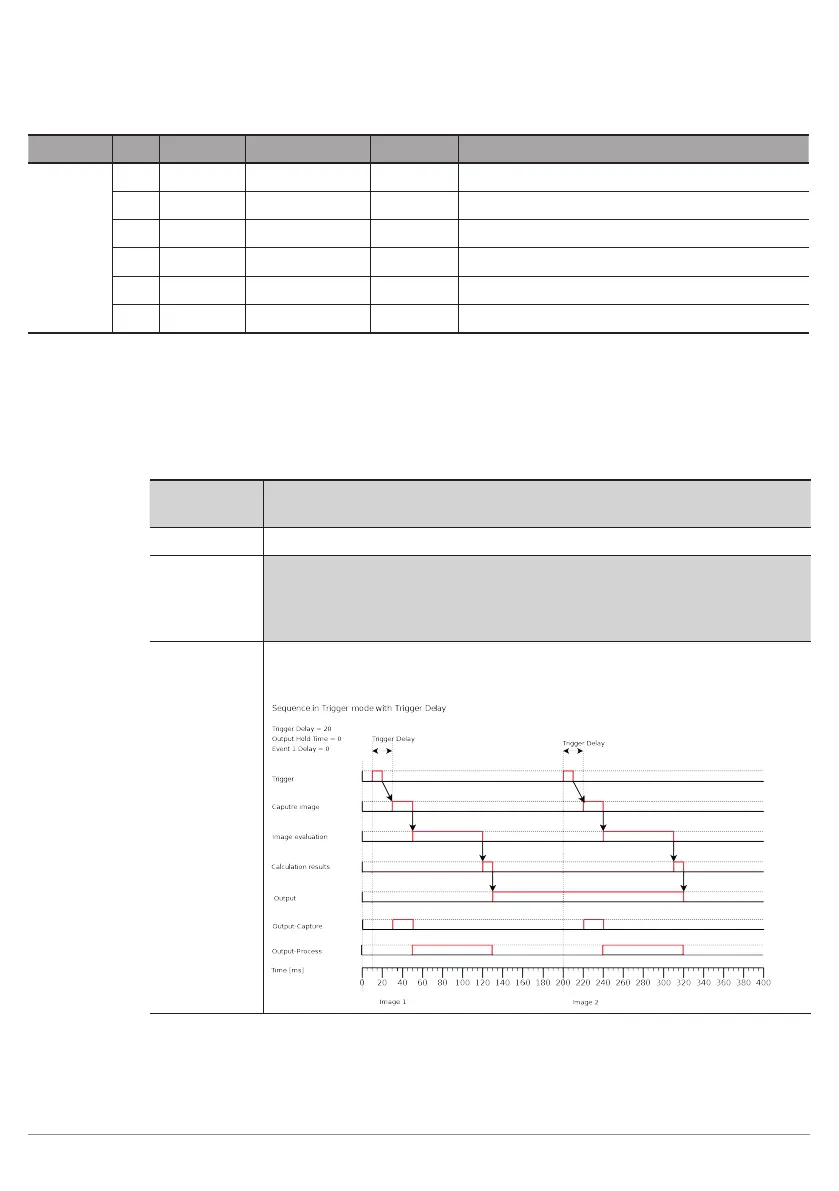
Trigger Delay Delay time between the trigger signal and image acquisition can be set
within a range of 0 to 10,000 ms.



 To Next Page