EN
174
Software Module
11.23. Device Indicator
11.23.1. Overview
Objective
The indicator LEDs can be used to simplify the visualization of parameter statuses, for
example whether or not objects are good or defective.
Note
In order to use the indicator LEDs, select the flash light mode (see section 11.2.2). In
continuous light mode the indicator LEDs are inactive in order to avoid interferences
of the image.
Prerequisites
1. Sensor is correctly connected (see section 5.5)
2. Connection has been established from the sensor to the software (see section
10.1.1)
3. The camera is configured / images are selected (see section 11.2)
Procedure
The red and green indicator LEDs included in the sensor’s internal illumination can be
assigned to events, so that they light up when the respective event occurs.
11.23.2. Settings
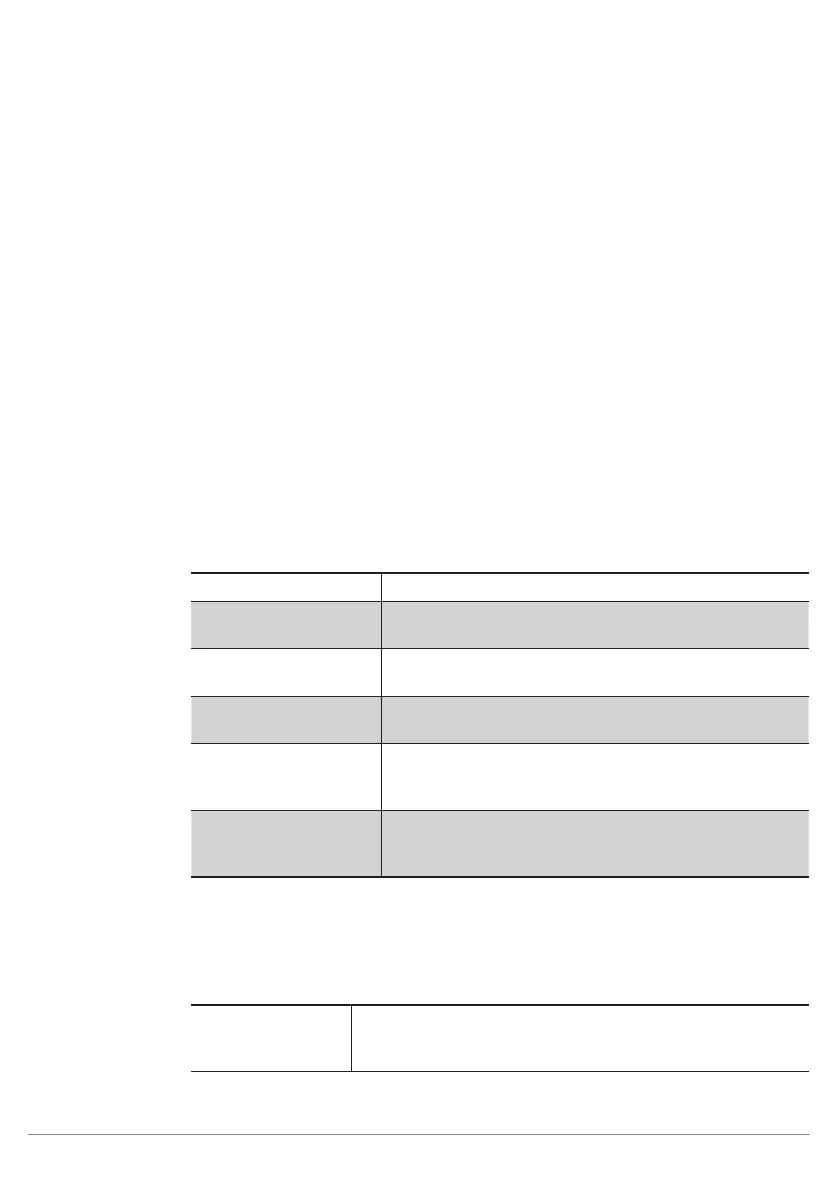
Property
The following settings/results appear.
Process Time [ms] Sensor processing time for the module
Module State Error codes to give support in error diagnosis (see sec-
tion 18.5)
Green Indicator Value The green LED can be switched on or off statically. It can
also be dynamically linked to other nodes signilling events
Red Indicator Value The red LED can be switched on or off statically. It can
also be dynamically linked to other nodes signilling events
Green Logic Logic for the green LED can be edited.
• Logic Positive
• Logic Negative
Red Logic Logic for the red LED can be edited.
• Logic Positive
• Logic Negative
11.23.3. Error Handling
This setting can be used to set performance of the properties when a linked event demonstrates an error status.
Property
Individual texts can be displayed:
Substitute BOOL
Types by
If this checkbox has been activated, all properties of the Boo-
lean type are replaced by the active value, if the linked file type
demonstrates an error.



 To Next Page