73
Smart Camera / Vision-Sensor / 1D-/2D-Code-Scanner / OCR Reader
11.2.3.1. Image Sensor
Objective
Sensor image details can be displayed.
Property
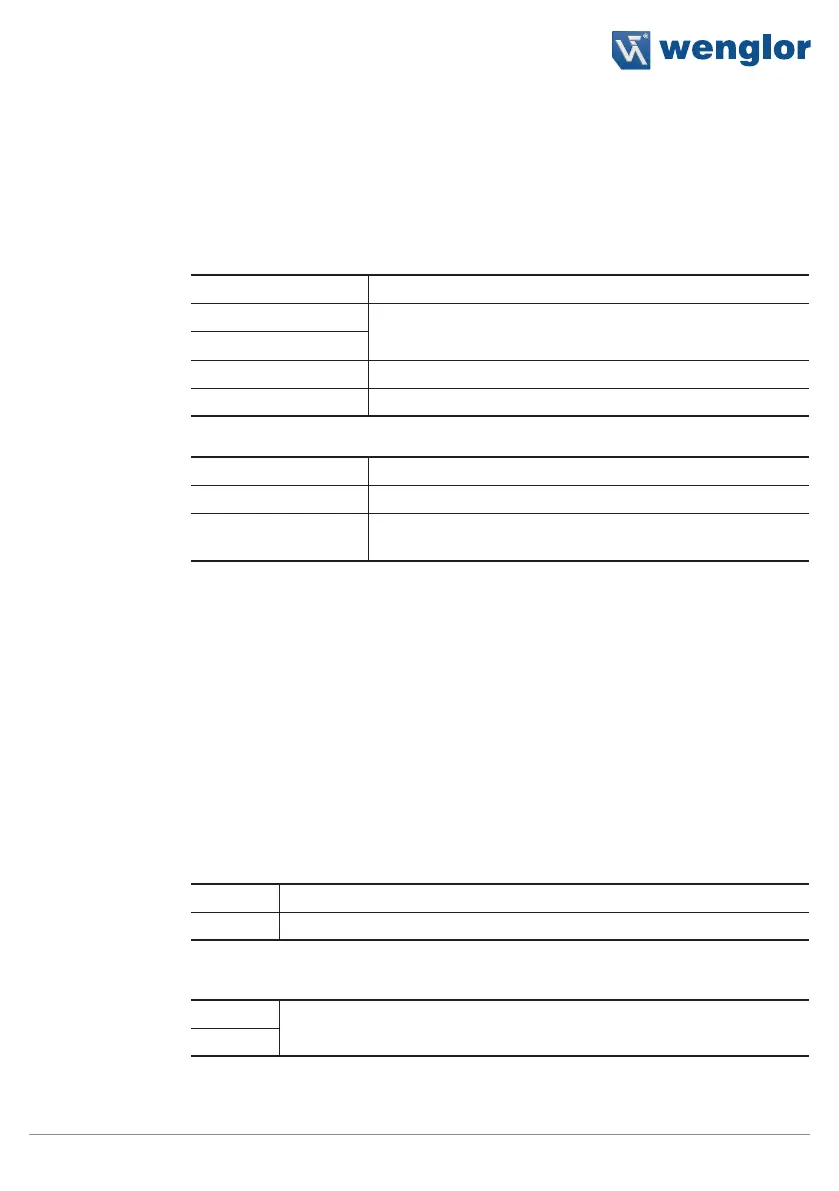
The following settings/results are displayed:
Image Type Display of the image type
X (px)
Coordinate of the sensor image coordinate system (see sec-
tion 18.3)
Y (px)
Width (px) Width of the sensor image
Height (px) Height of the sensor image
The following settings/results are displayed under raw 8-bit:
Size Number of pixels read out
Bits per pixel Display of the number of bits required to transmit one pixel
Channel Type Various channels can be used depending on the image chip
variant and the selected settings.
11.2.3.2. Readout Box Sub-Module
Objective
The camera range which should actually be read out can be selected. With the help of
a smaller readout box, transmission time is reduced and the refresh rate is increased.
Note: The area to be examined must lie completely within the readout box.
Image Area
As a default feature, the readout box encompasses the entire camera image.
It appears in the image area as a dashed frame, where it can be adjusted.
Property
Readout box settings are also displayed in the settings/results area.
Width Width of the readout box
Height Height of the readout box
The following settings/results are displayed under origin:
X (px)
Coordinate of the sensor image coordinate system (see section 18.3)
Y (px)



 To Next Page