101
Smart Camera / Vision-Sensor / 1D-/2D-Code-Scanner / OCR Reader
11.6.3. Configuration
As a standard feature, the region module includes the following configuration options:
• Output Image
11.6.3.1. Output Image
Objective
The filter module’s output image can be linked as an input image in the following
modules.
Image Area
The output region, which can be linked as an input region in the following modules,
appears white.
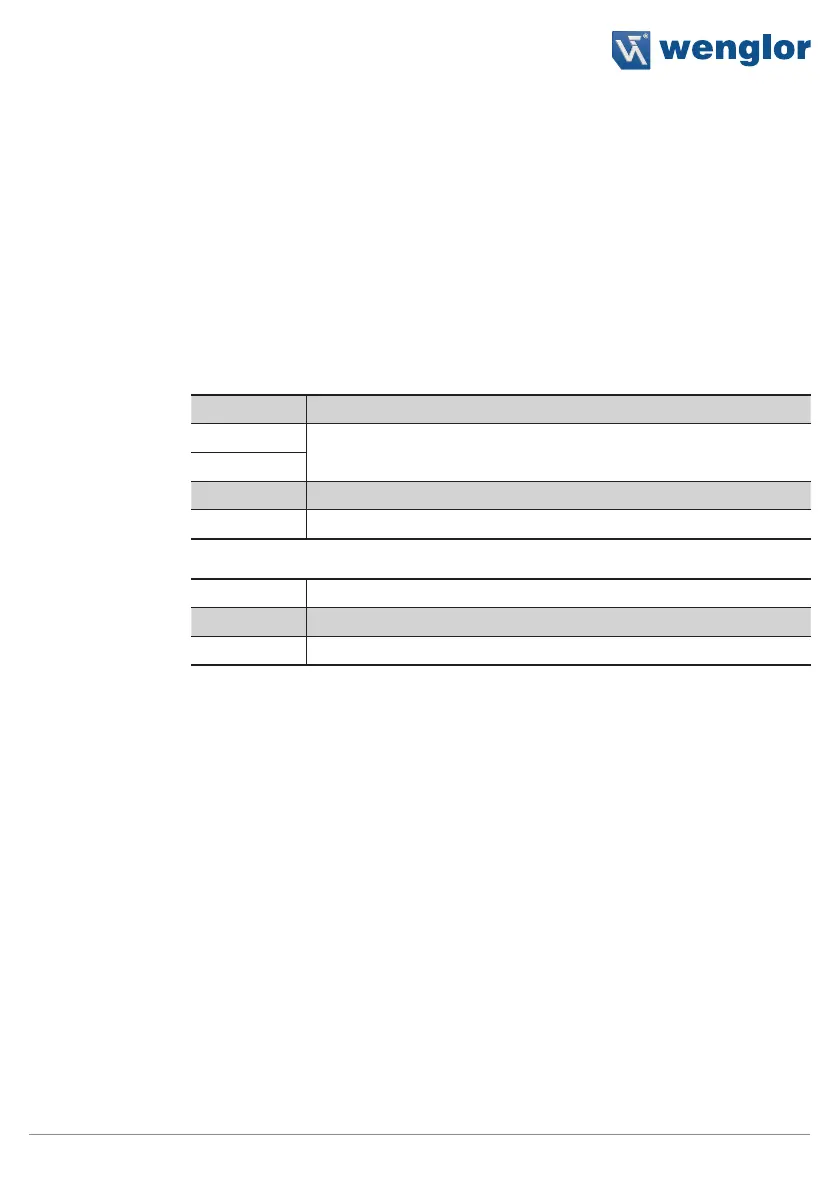
Property
The following settings/results appear in the filter module’s output image:
Image Type Display of the image type
X (px)
Coordinate of the sensor image coordinate system (see section 18.3)
Y (px)
Width (px) Image width
Height (px) Image height
The following settings/results are displayed under 8-bit:
Size Number of pixels in the input image
Bit per Pixel Display of the number of bits required for transmission
Channel Type The binary channel type is displayed.
11.7. Module Threshold
11.7.1. Overview
Objective
In order to be able to evaluate, measure or count objects, the images have to be
converted to black and white binary images as a preparatory step. The objective is to
separate the foreground from the background. This is the only way to assure simple
subsequent evaluation of the images.
Prerequisites
1. Sensor is correctly connected (see section 5.5)
2. Connection has been established from the sensor to the software (see section
10.1.1)
3. The camera is configured / images are selected (see section 11.2)
4. If applicable, tracking is configured (see sections 11.3 and 11.4)
5. Region of interest is specified (see section 11.5)
6. If applicable, a filter is activated (see section 11.6)
Procedure
The limits for the gray-scale values which will determine which pixels appear black and
which appear white can be specified.
The histogram and the profile which display brightness values and distribution may be
helpful for the threshold value process (see sections 10.2.3.4 and 10.2.3.3).



 To Next Page