189
Smart Camera / Vision-Sensor / 1D-/2D-Code-Scanner / OCR Reader
14.4. Device Settings
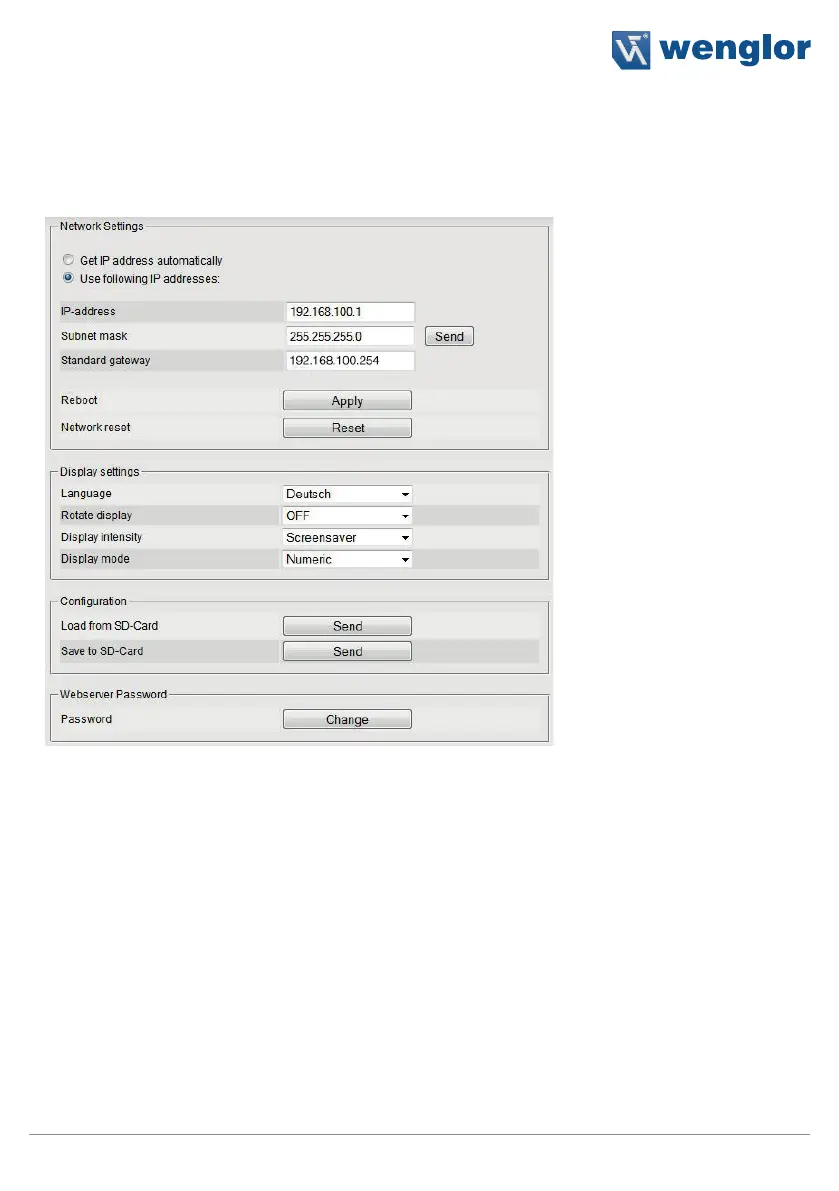
Network and display settings, the sensor configuration and password changes can be entered under device
settings. The following screenshot shows the default settings.
1. Network settings
The IP address can be assigned automatically, or a specific IP address can be used. If a specific IP address is
used, the following settings must be entered:
IP address
Enter the sensor’s IP address.
Note: The PC and the sensor have to use the same IP address (see section on
network settings).
Subnet mask
The subnet mask specifies the prefix length. It stipulates the number of bits at the
beginning of the IP address for the network prefix.
Standard gateway
Specifies the IP address of the gateway in order to be able to communicate beyond
the boundaries of the subnet.
Warning: Error-free operation of the product can only be assured if correct network settings are entered
via the web interface. If any incorrect entries are made, it may no longer be possible to contact the device
within the network.



 To Next Page