169
Smart Camera / Vision-Sensor / 1D-/2D-Code-Scanner / OCR Reader
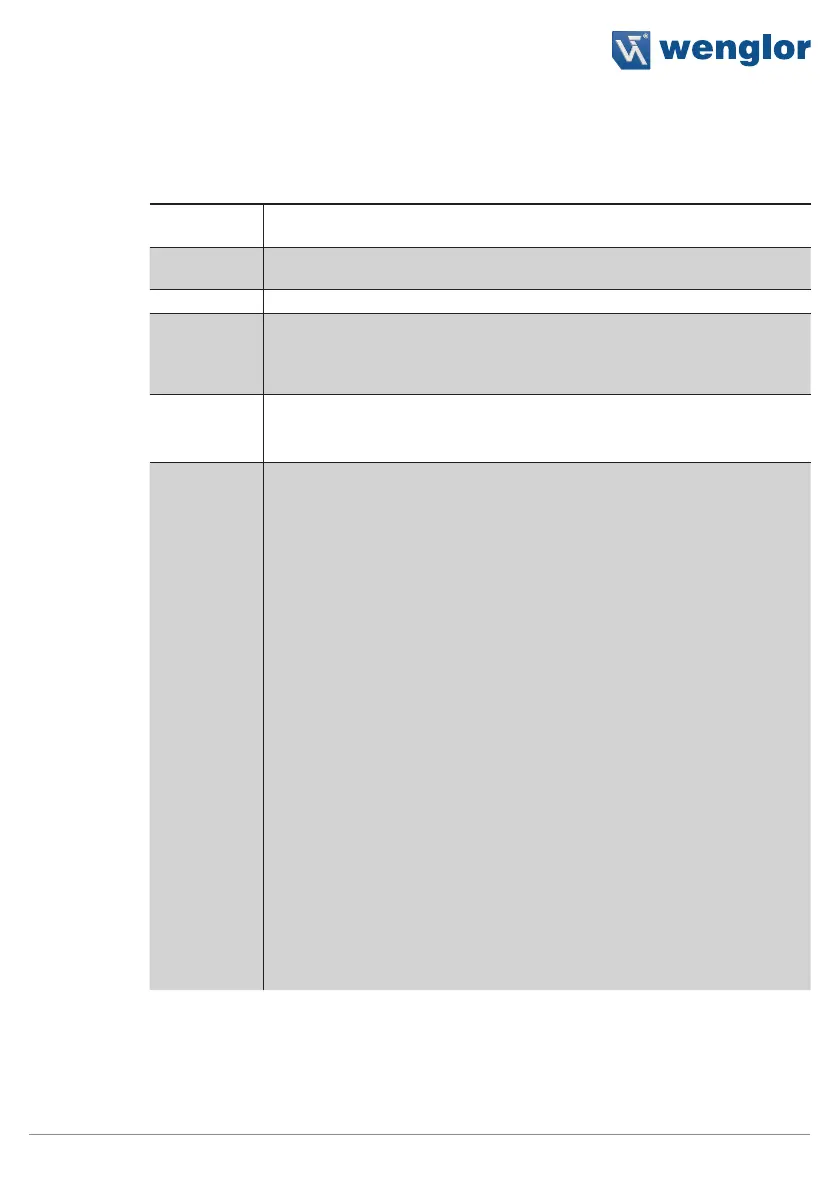
11.21.3.2. Digital I/Os 1 to 6 Sub-Module
Objective
The digital inputs and outputs can be configured.
Property
Process Time
[ms]
Sensor processing time for the module
Module State Error codes to give support in error diagnosis
(see section 18.5)
IO Value The input or output is activated or deactivated.
IO Type The type of input or output can be specified:
• Type Nothing.
• Type Input.
• Type Output.
IO Logic Output logic is specified.
• Logic Positive.
• Logic Negative.
IO Function The function of the output is specified.
Output
Fixed value or variable event from the application
Output Flash
Illumination output for external illumination
Output
Capture
If the output signal is high, the sensor records an image.
If a trigger pulse is generated during this time, an empty
image is generated and an internal error occurs. This er-
ror image is forwarded to the downstream processes. It’s
assured that no trigger pulses are lost.
Output Proj-
ect Selection
This output is used to acknowledge successful switch-
ing from one project to another. Further information is
included in section 12.
Input Level
The input is at high level for as long as a signal is applied
to the input. As soon as the signal is interrupted, the input
is reset to low level.
Input Edge
The input is set to high level as soon as a
positive edge is applied to the input. Thereafter, the input
is reset to low level.
Input Trigger
The sensor generates an evaluation as soon
as a trigger pulse is applied to the input. This
input is exclusively responsible for image acquisition.
Input
Quadrature
The input is used as a rotary encoder input.
Note: In the case of a rotary encoder, two signals are read
out which are out of phase with each other.



 To Next Page