EN
184
Project Change via Digital I/O
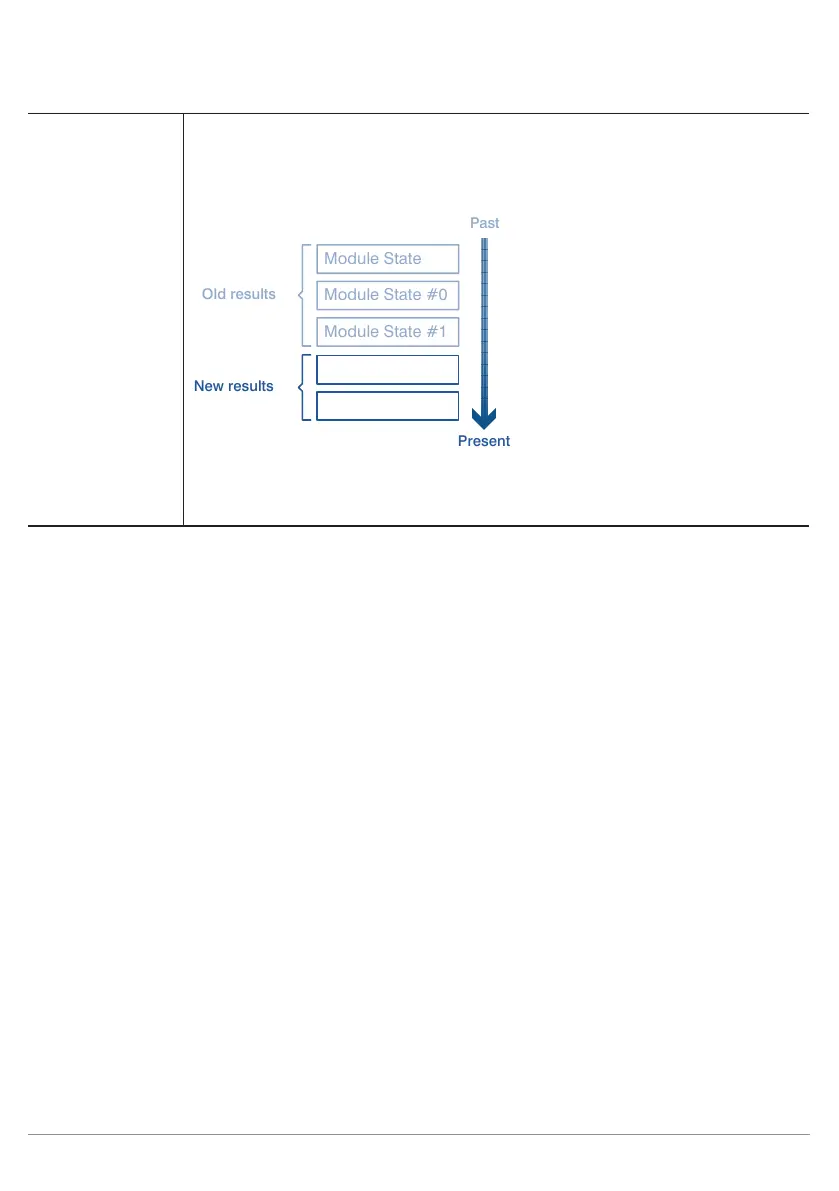
Ratio for Trend All observed measured value results are subdivided into older and newer results. The
ratio of the number of older results to the number of newer results is indicated as the
trend ratio. This ratio is set to 1 as a default value. Example of a trend ratio of 1.5 for 5
observed values
Past
Present
Old results
New results
Module State #0
Module State #2
Module State #3
This setting is used for the calculation of the trend.
Note: The larger the trend ratio, the more influence individual outliers have on the
trend.
12. Project Change via Digital I/O
Projects which have been saved to the sensor can also be selected and loaded without an Ethernet connection
or an OLED display.
In order to be able to select a given project via the digital I/O interface, the project name on the sensor’s micro
SD card must be saved using the following format: „xxx_testproject“ (x: any whole number from 0 to 9). Ex-
ample: 01_testproject. Up to 254 projects can be addressed via the digital I/O interface.
12.1. Software Settings
The “Input Project Selection” function must be assigned to one of the inputs in the Device I/O Unit module. This
input is then used to change projects.
If the “Output Project Selection” function is also assigned to another output, weQube reads out the project
number as a pulse sequence via this output. The number of pulses corresponds to the number of the previ-
ously selected project.
The settings of the two inputs and outputs must be identical for all projects, because problems might otherwise
occur when changing projects.



 To Next Page