EN
148
Software Module
Characteristic
Character spa-
cing [px]
Character spacing specifies the expected number of pixels between
the segments.
Replacement
character
If a detected character cannot be found in the taught-in character set,
the replacement character is displayed.
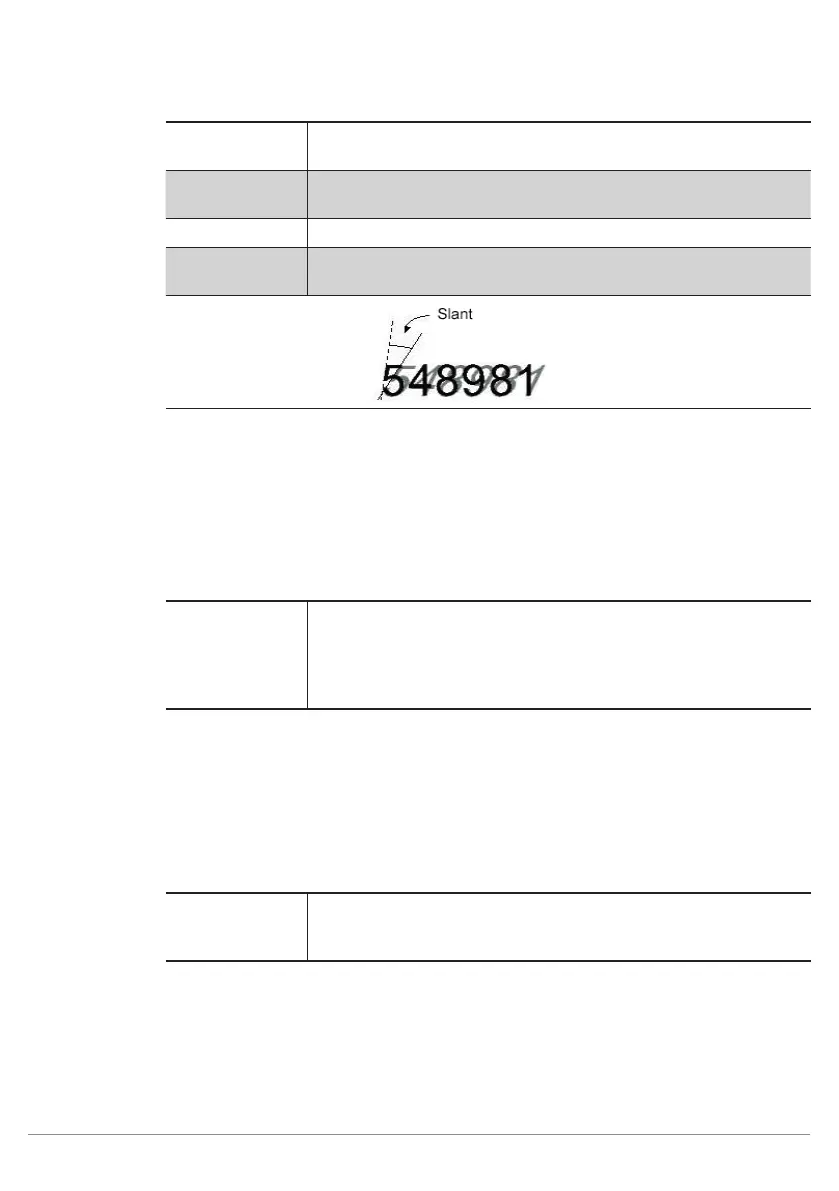
Inclination mode The minimum width of the character to be detected is specified.
Inclination angle
[degrees]
The inclination angle of the characters can be specified. The value
can lie within a range of -45° to + 45°.
11.14.3.7. Classification
Goal
Classification specifies as of which degree of conformity a character is selected from the
character set. The higher the degree of conformity, the more precisely the characters must
conform.
Characteristic
The following settings/results are available:
Acceptance va-
lue
The current character is compared with the character from the
character set and coincidence is evaluated. The higher the value
the greater the coincidence. The acceptance value specifies the
minimum degree of coincidence which must be achieved for the
character to be read out as recognized.
11.14.3.8. Insert
Goal
This function makes it possible to filter the detected characters on the basis of certain
criteria.
Characteristic
The following settings/results are available:
Pattern This is used to specify at which place which character can be used
in the results read-out. Which characters are associated with which
abbreviation is defined in the set sub-step.
One letter from the defined set must be entered per place in the output value. If the field is
empty, the reading results from the OCR module are read out without restriction.



 To Next Page