41
Smart Camera / Vision-Sensor / 1D-/2D-Code-Scanner / OCR Reader
Delete Item The selected sensor is removed from the list.
Clear List The entire list is deleted.
Edit Network Set-
tings
The sensor’s network settings are edited in a new window, even if the sensor is located
in another subnet.
Properties The sensor’s settings can be edited.
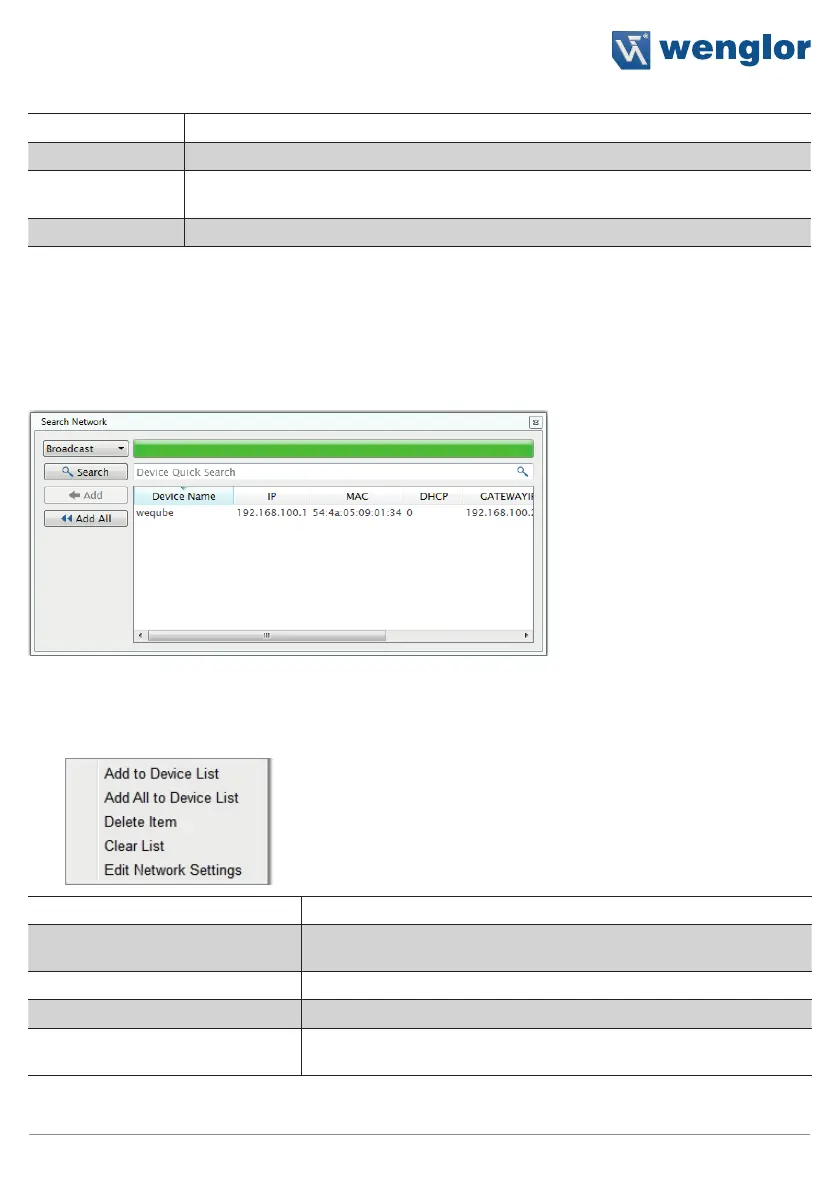
10.1.1.2. The Search Network Window
There are no sensors in the list after the software is first installed. The “Search Network” window appears au-
tomatically, which can be used to find sensors within the network. Sensors located in another subnet can also
be found in this way.
Note: Before adding a found sensor to the device list, it’s network settings should be adjusted. Right click the
respective sensor to this end, and then click “Edit network settings”.
The following actions can be executed after right clicking a sensor:
Add to Device List The selected sensor is added to the list of sensors.
Add All to Device List The entire list of sensors found in the network is added to the list of
sensors.
Delete Item The selected sensor is removed from the list.
Clear List The entire list is deleted.
Edit Network Settings The sensor’s network settings can be adjusted in the window shown
below.



 To Next Page