173
Smart Camera / Vision-Sensor / 1D-/2D-Code-Scanner / OCR Reader
11.22.3.5. Teach
Objective
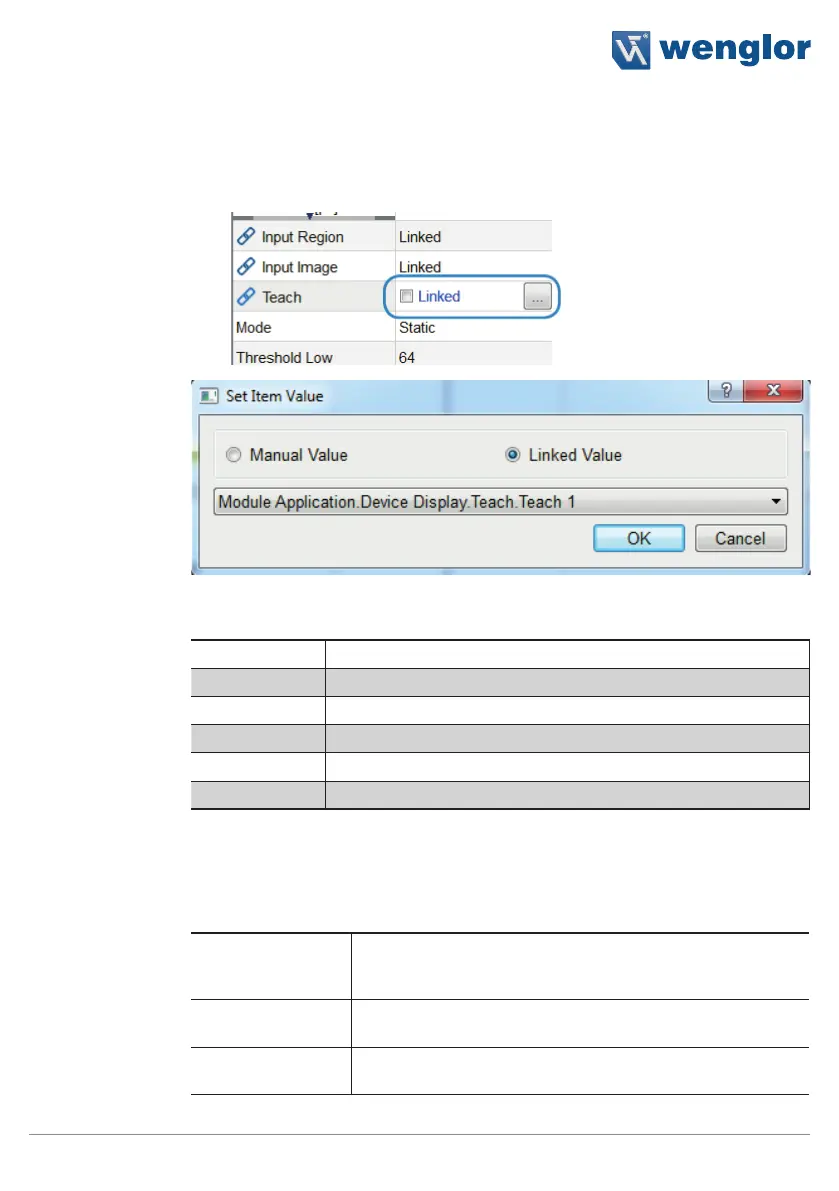
Up to six different parameters can be changed via the OLED menu. OLED menu
select “Teach” and then the corresponding number. After pressing the T key at the
sensor, the currently ascertained value is accepted.
Teach and the corresponding number can then be selected at the OLED. After
pressing the T key at the sensor, the currently ascertained value is accepted.
Property
Teach 1 Link to the desired parameter
Teach 2 Link to the desired parameter
Teach 3 Link to the desired parameter
Teach 4 Link to the desired parameter
Teach 5 Link to the desired parameter
Teach 6 Link to the desired parameter
11.22.4. Error Handling
This setting can be used to set performance of the properties when a linked event demonstrates an error status.
Property
Individual texts can be displayed:
Substitute BOOL
Types by
If this checkbox has been activated, all properties of the Bool-
ean type are replaced by the active value, if the linked file type
demonstrates an error.
Substitute INT
Types by
The numeric value can be specified which is used as a sub-
stitute value in the event of a linked data type which is faulty.
Substitute STRING
Types by
The text is specified which is used as a substitute text, when
the linked data type is faulty.



 To Next Page