EN
58
General Layout of weQube Software
Navigation through image
sequence
This bar allows for quick navigation through the image sequence, which
frequently includes a large number of images
Image selection A certain image can be highlighted as a selected image.
Rating of the image with stars A given number of stars can be assigned to each image in order to rate
its quality.
Traffic light evaluation
Objects in the images can be evaluated with a traffic light system. For
example:
Red The object has not been detected or is not present.
Yellow The object has been detected and is defective.
Green The object has been reliably detected and fulfills the speci-
fied requirements.
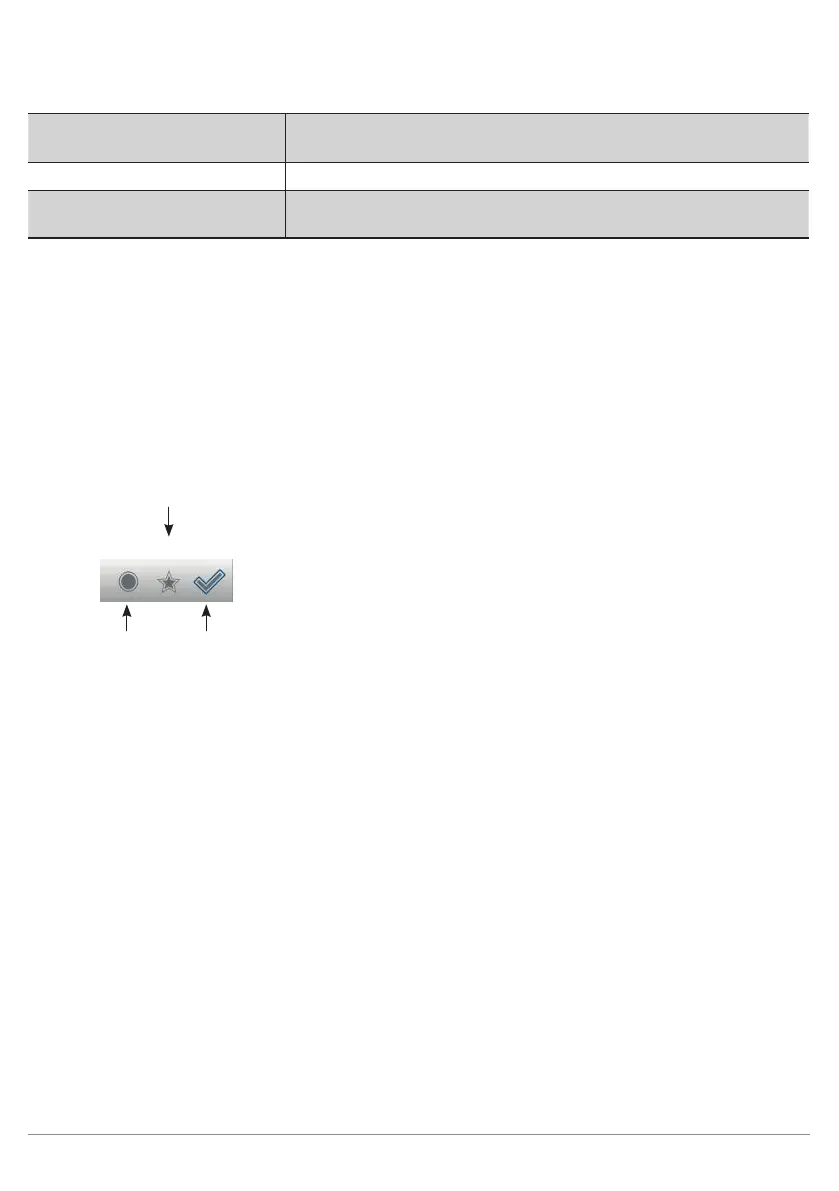
Filter applications
Various filters can be applied to the image sequence in the image con-
tainer viewer.
Star rating filter
Traffic light Image Selection
filter filter
Traffic light filter
This filter can be set to a certain traffic light color, after which only ac-
cordingly evaluated images are displayed.
Star rating filter
The star rating filter for a specific number of stars only displays images
with the specified star rating.
Image selection filter
Only the correspondingly selected images are displayed when this filter
is used. Evaluation is performed for the respectively visible image.
Note: The three filter types can be combined as desired.



 To Next Page