RefreshingRefreshing
informationinformation
Displaying detailedDisplaying detailed
informationinformation
TU-NegativeTU-Negative: Tributary Unit Negative stuffing
55..11..33..44 OH captureOH capture
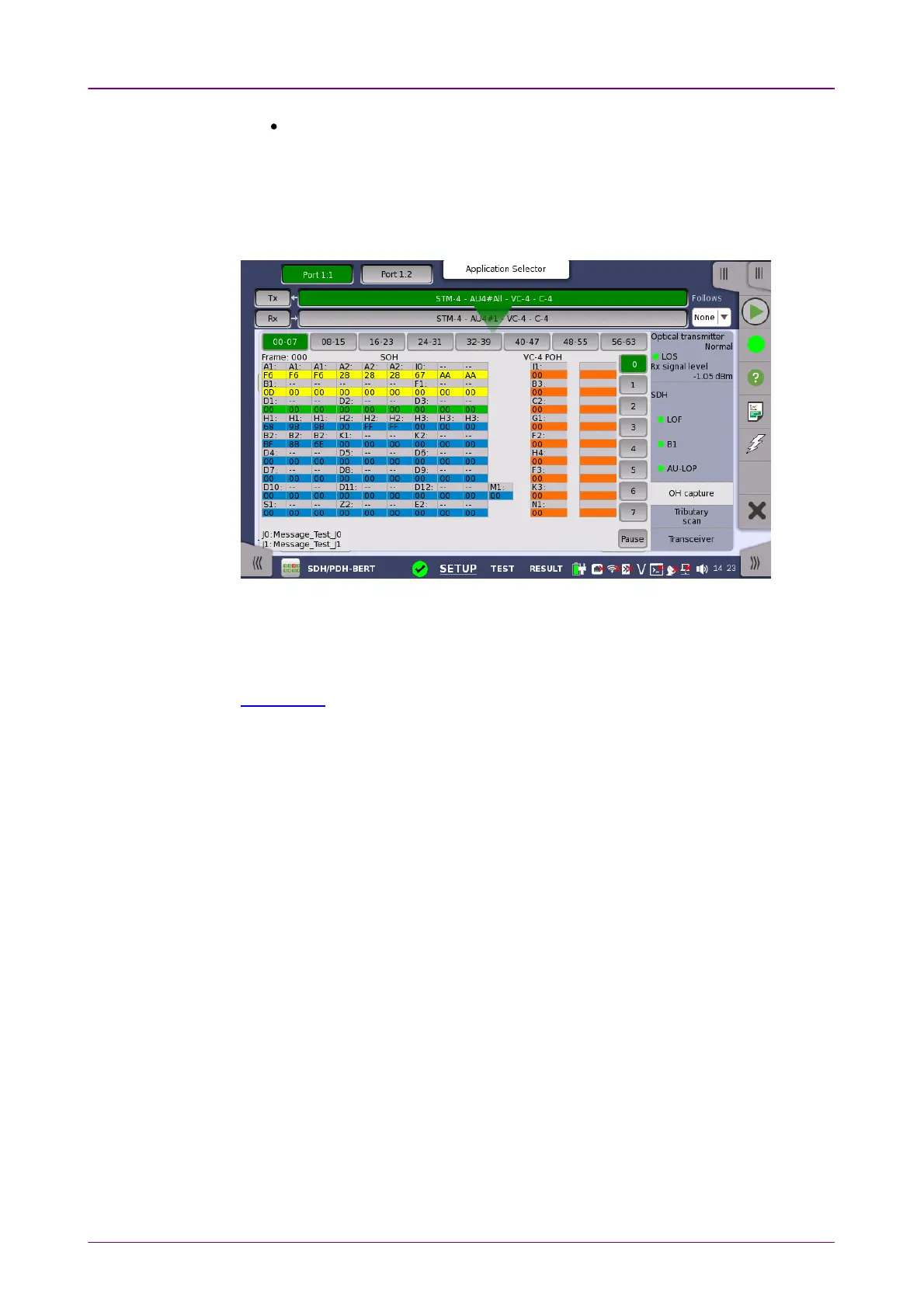
Touching the OH captureOH capture button in the status area of the Ports SetupPorts Setup screen
launches the screen shown below.
This screen shows SDH capture status information for one frame at a time. The
frame number captured in one time is 64. Touch the frame selection buttons to
select which frame to display.
The position of A1, A2 bytes in SOH for STM-4/16/64, refer to description in
SOH Editor.
Refresh once
When touch the PausePause button, the UpdateUpdate button is showed at left side of the
PausePause one and information is not updated. Touching the UpdateUpdate button will
refresh the dialog information once.
Refresh continuously
When the dialog is open and touch the PausePause button at refresh once mode,
information is updated continuously.
Detailed overhead byte information can be accessed by touching a specific
byte. This will launch a separate dialog containing a description of and details
about the selected byte.














 To Next Page