Pattern typePattern type
Select the pattern to be inserted in the transmitted signal. Refer to Pattern type
in "E1 Setup and Status". Available patterns are:
OffOff
User [32] bitUser [32] bit, User [2048] bitUser [2048] bit
PRBS 9PRBS 9 to PRBS 31PRBS 31
QRSS 20QRSS 20
Fox PatternFox Pattern, Fox (CMA3000)Fox (CMA3000)
All 0'sAll 0's, All 1'sAll 1's
Alternating 1:1Alternating 1:1, Alternating 1:3Alternating 1:3, Alternating 1:7Alternating 1:7, Alternating 3:24Alternating 3:24
Touch 'Normal' or 'Inverse' pattern type.
Touching the 'ITU standard' button will apply ITU-T O.150 recommended
Pattern typePattern type for N x 64 kbps data rates (PRBS 11).
User patternUser pattern
User pattern field is enabled if Pattern type is set to User [32] bitUser [32] bit or User [2084]User [2084]
bitbit. Touch the User patternUser pattern field and use the launched Pattern EditorPattern Editor dialog box
to define the user pattern. Depending on the selected pattern type, different
user pattern setup options will be available.
The length can be any length from 1 bit to 32 bits or from 1 bit to 2048 bits.
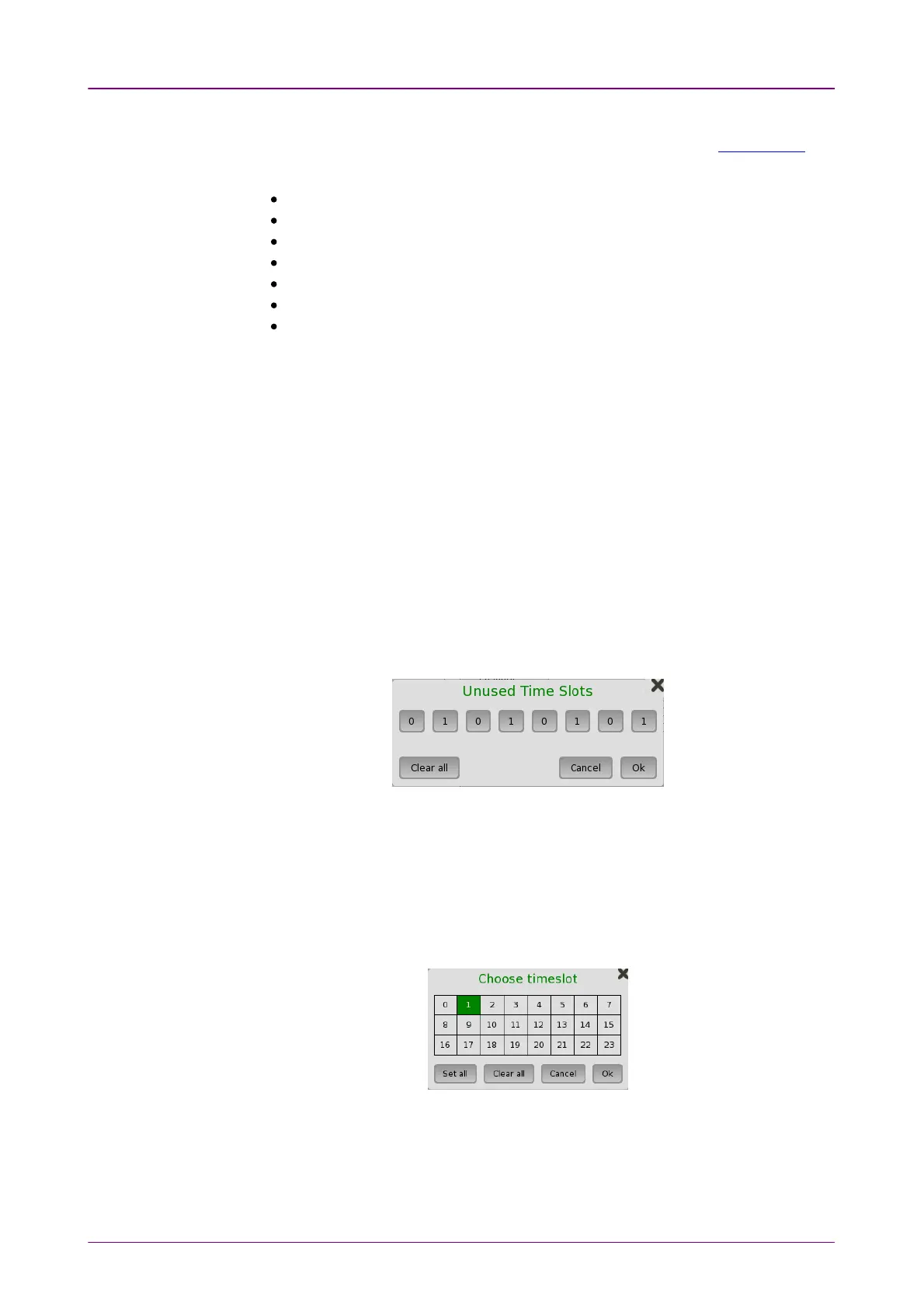
Unused time slotsUnused time slots
Touch the Unused time slotsUnused time slots button and use the dialog box to define the
unused time slots.
In the Unused Time SlotsUnused Time Slots dialog box, change the individual bits by touching on
the relevant bit keys - this will toggle the bit key's binary value from logic 1 to 0
or vice versa. Touch OkOk to accept the changes and close the dialog box.
Pattern time slotsPattern time slots
Touch the Pattern time slotsPattern time slots graphics and use the dialog box to select the
timeslots in which the pattern will be inserted. Set and clear timeslots as
relevant.
Channel contentsChannel contents
Use the top Channel contentsChannel contents drop-down menu to select where to transmit the
previously defined signal in the timeslot. The signal can either be a speech
sequence or a tone, as defined in the tone fields:














 To Next Page