Select this check box if you want to be able to make changes to the following
interface setup during a measurement.
WAN
Stream
Settings
SyncE
IEEE 1588v2
OAM
Filter
Compatible pattern with CMA3000Compatible pattern with CMA3000
Select this check box if you want the PRBS pattern for CMA3000 compatibility.
(CMA3000 is the previous model of Network Master Pro.)
Compatible configuration frames with CMA3000 and V2.X or olderCompatible configuration frames with CMA3000 and V2.X or older
This check box appears in SAT (Y.1564) application.
Select this check box if you want the configuration frames to support
communication with CMA3000 and Network Master Version 2.X or older.
66..11..22..55 SyncESyncE
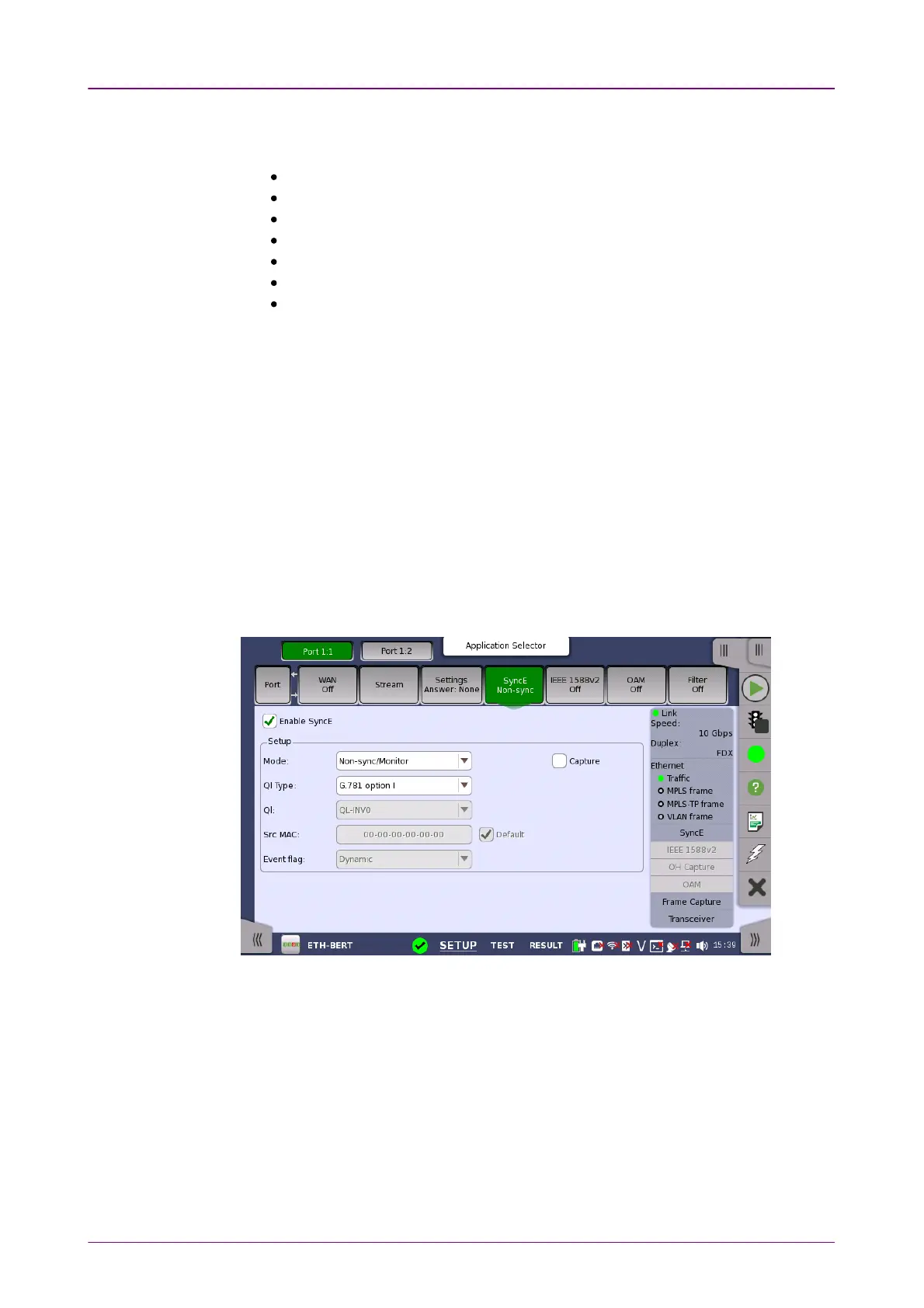
Touching the SyncESyncE button in the navigation area will display the screen
shown below.
This screen allows you to configure the setup parameters related to
Synchronous Ethernet. It can also be used to inspect the current status of the
selected port.
The configuration options available in the setup area of the screen are
described below. The status information is described in a separate section.
Enable SyncEEnable SyncE
The check box is enabled when the interface bit rate is 10 Gbps or less.














 To Next Page