Transport ProtocolTransport Protocol
Allows you to specify the interval between transmitted sync messages.
Available values are between 1/128 s1/128 s and 32 s32 s.
The data to send actually is displayed in hexadecimal.
Min delay Req. intervalMin delay Req. interval
Allows you to specify the minimum interval between transmitted delay request
messages. Available values are between 1/128 s1/128 s and 32 s32 s.
The data to send actually is displayed in hexadecimal.
Unicast durationUnicast duration
In unicast slave mode, you ask a master to emit announce, sync and delay
response messages for some time. This setting is enabled when the Setup tab is
set to either of the following.
Profile is set to G.8265.1G.8265.1 and Slave modeSlave mode is selected.
Profile is set to User DefinedUser Defined and Slave modeSlave mode, UnicastUnicast, Unicast negotiatUnicast negotiat are
selected.
After this period, the master forgets everything about your request. The Unicast
duration is this period in seconds. Legal values are from 6060 to 10001000 seconds. A
Network Master unicast slave will renew the request 10 seconds before
timeout.
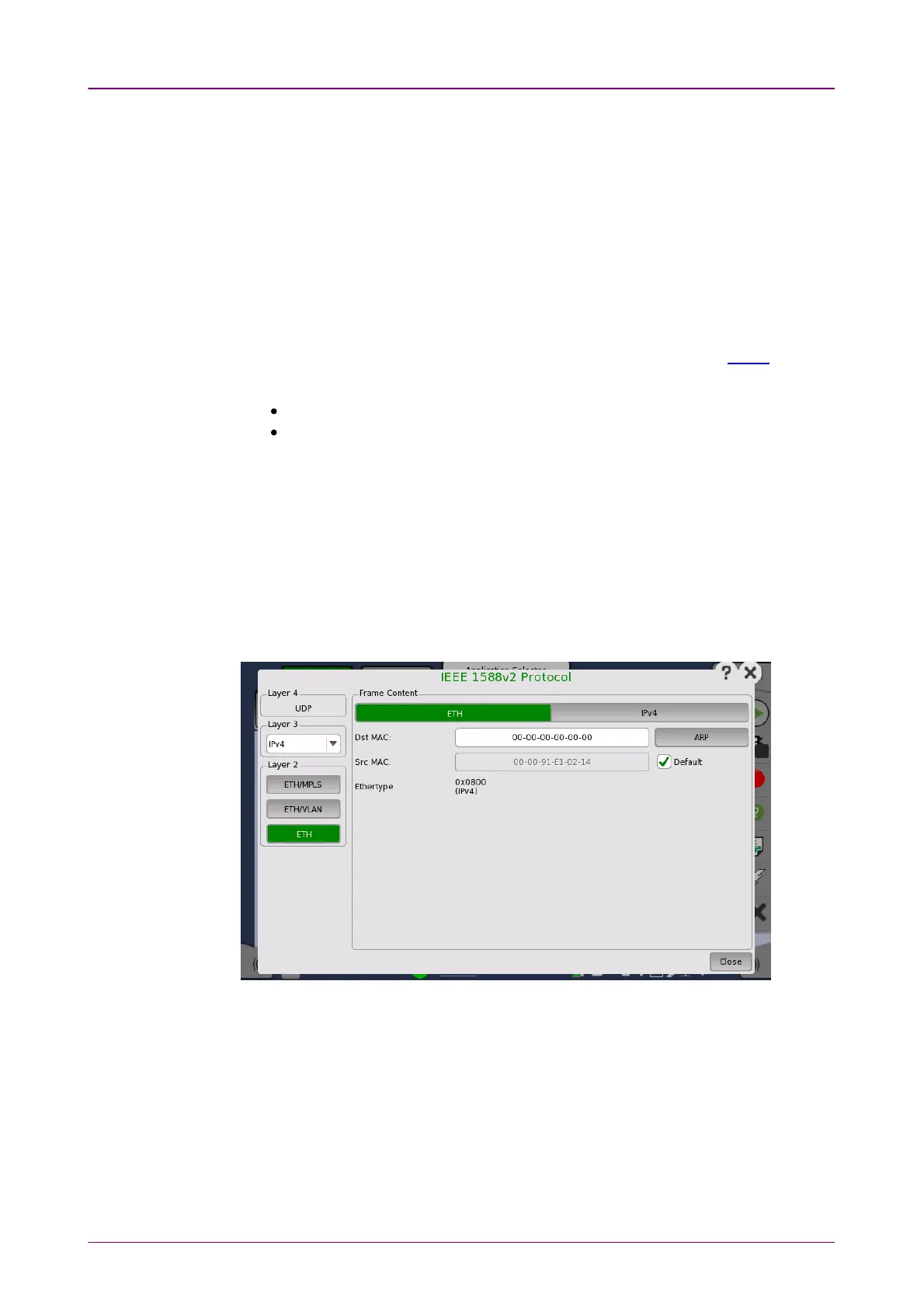
The IEEE 1588v2 ProtocolIEEE 1588v2 Protocol dialog box is launched by touching the protocol
button on the
Setup
tab page. The dialog box allows you to configure the
protocols in
detailed mode
.
In the IEEE 1588v2 ProtocolIEEE 1588v2 Protocol dialog box, the buttons on the left-hand side
allow you to select the relevant layers. The current selection is shown at the top
of the Frame ContentFrame Content area. Touching one of the layer buttons in the FrameFrame
ContentContent area will display the setup parameters for that layer.
The following layers and parameters are available:
ETH layerETH layer
When the Layer 3 is set to NoneNone, you can set Src MACSrc MAC and Select MulticastSelect Multicast
MAC addressMAC address only.














 To Next Page