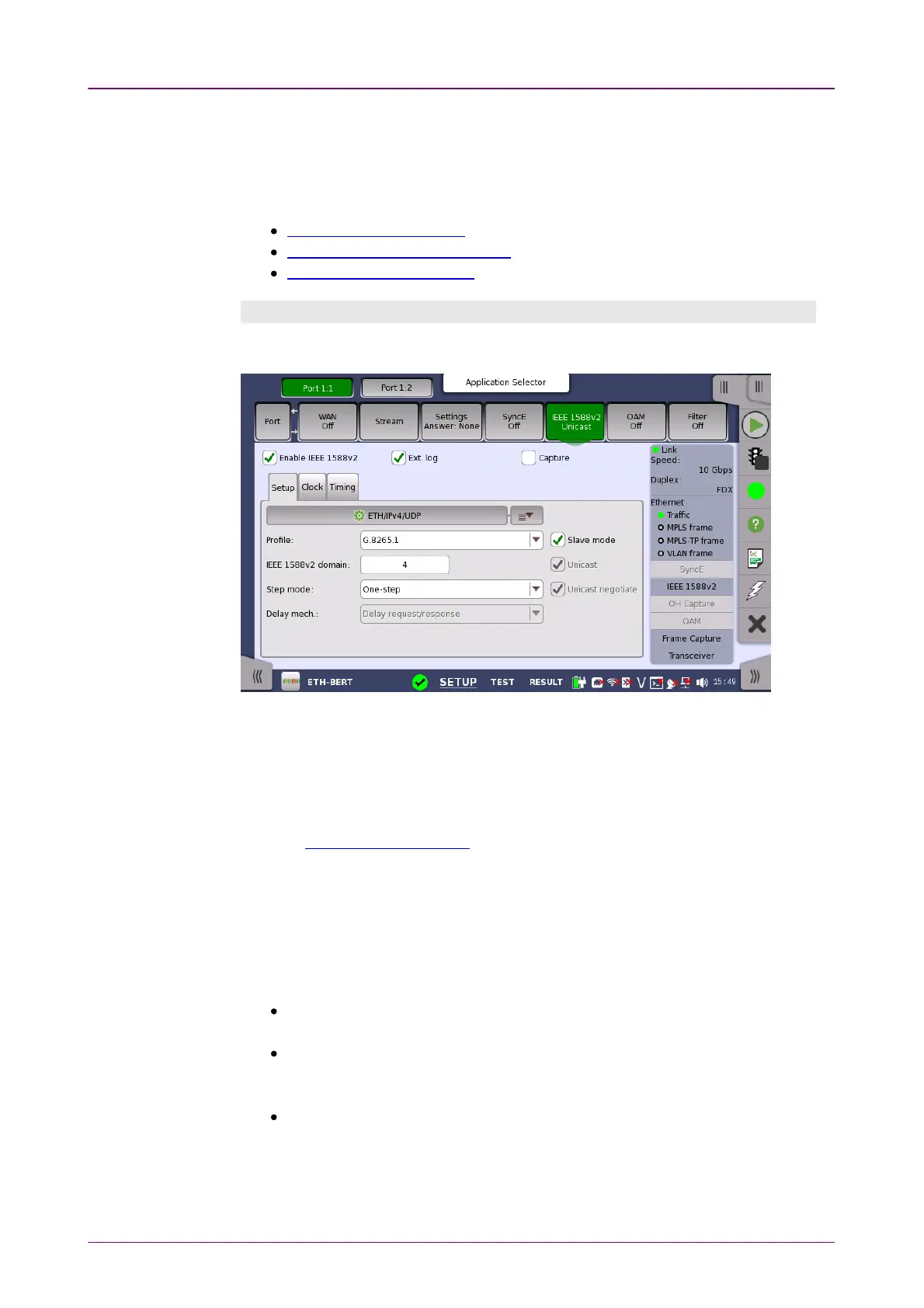
The configuration options available in the setup area of the screen are
described below. The status information is described in a separate section.
The setup area of this screen contains the following groupings of parameters,
placed on separate tab pages:
General setup parameters
Master clock specific parameters
Timing-specific parameters
Setup tab pageSetup tab page
The SetupSetup tab page contains the general setup parameters for IEEE 1588v2.
Transport protocolTransport protocol
You can set up the transport protocol(s) for PTP messages either by selecting
one of the predefined configurations from the
quick selection menu
(e.g.
ETH/VLAN/IPv4/UDPETH/VLAN/IPv4/UDP) or by configuring the protocols via the
detailed mode
dialog box. Touching the protocol button will launch the
detailed mode
dialog
box (the IEEE 1588v2 Protocol dialog box). Touching the arrow to the right of
the button will open the
quick selection menu
.
Depending on the transport protocol setting, Profile setting will be forced to
User DefinedUser Defined.
ProfileProfile
Select the profile of PTP (Precision Time Protocol) from below.
User DefinedUser Defined: Allows you to define the PTP profile. Available IEEE 1588v2
domain is 0 to 255. Unicast/Multicast and the delay mechanism can be set.
G.8265.1G.8265.1: Uses the PTP profile defined ITU-T G.8265.1. This profile is used for
unicast mode. Available IEEE 1588v2 domain is 4 to 23. Transport protocol
will be set to ETH/IPV4/UDPETH/IPV4/UDP.
G.8275.1G.8275.1: Uses the PTP profile defined ITU-T G.8275.1. This profile is used for
multicast mode. Available IEEE 1588v2 domain is 24 to 43. Transport protocol
will be set to ETHETH.
IEEE 1588v2 domainIEEE 1588v2 domain














 To Next Page