Removing devicesRemoving devices
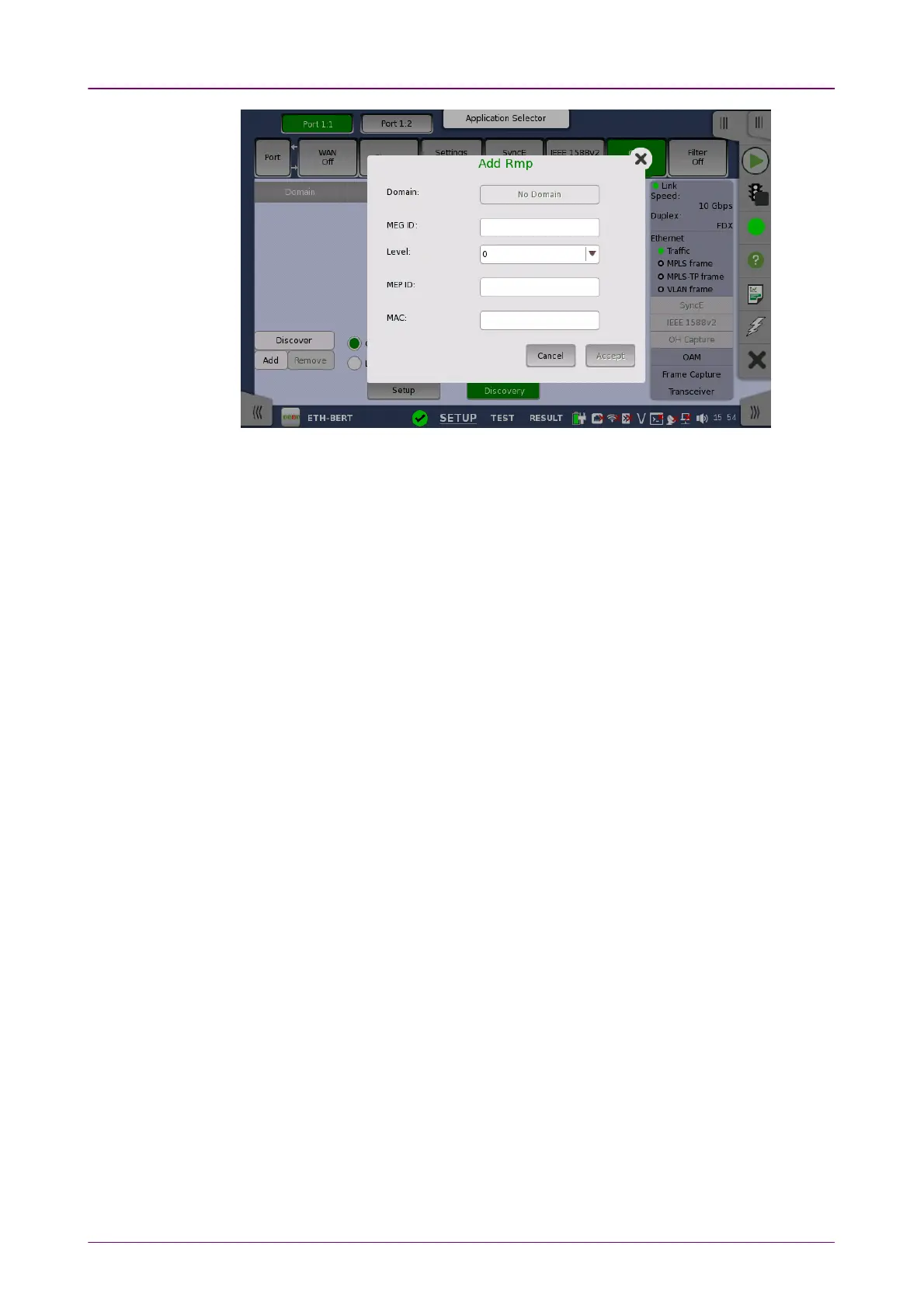
The Add RmpAdd Rmp dialog box contains the following parameters:
DomainDomain
Allows you to specify the MD to which the MEP belongs. You can set the
domain when 802.1ag is selected.
MEG IDMEG ID
Allows you to specify the MEG to which the MEP belongs.
LevelLevel
Use the drop-down menu to select the MD level at which the MEP exists.
MEP IDMEP ID
Allows you to specify the Maintenance Point ID that the unit will be known as
in the MA. Note that this is the only required parameter.
MACMAC
Allows you to specify the MAC address of the remote unit.
AcceptAccept
Touch the AcceptAccept button when you have entered the desired data in the dialog
box. The identified unit is then added to the list displayed on the Discovery
view screen. Note that the AcceptAccept button is enabled only when you have
entered a value in the MEP IDMEP ID field.
To remove a device from the list displayed on the Discovery view screen, select
the device and then touch the RemoveRemove button on the left side of the screen.
66..11..22..88 FilterFilter
Touching the FilterFilter button in the navigation area will display the screen shown
below.














 To Next Page