Select Test ModeSelect Test Mode
Test SelectionTest Selection
f=5 Five frame sizes, 64, 256, 512, 1024, and 2140 bytes are selected.
l=10With the settings of Min. 10%, Max. 100%, and Step 10%, line load steps are ten,
10%, 20%, 30%, 40%, 50%, 60%, 70%, 80%, 90%, and 100%.
Number of steps= f × l = 5 × 10=50
99..33..22..11 ControlControl
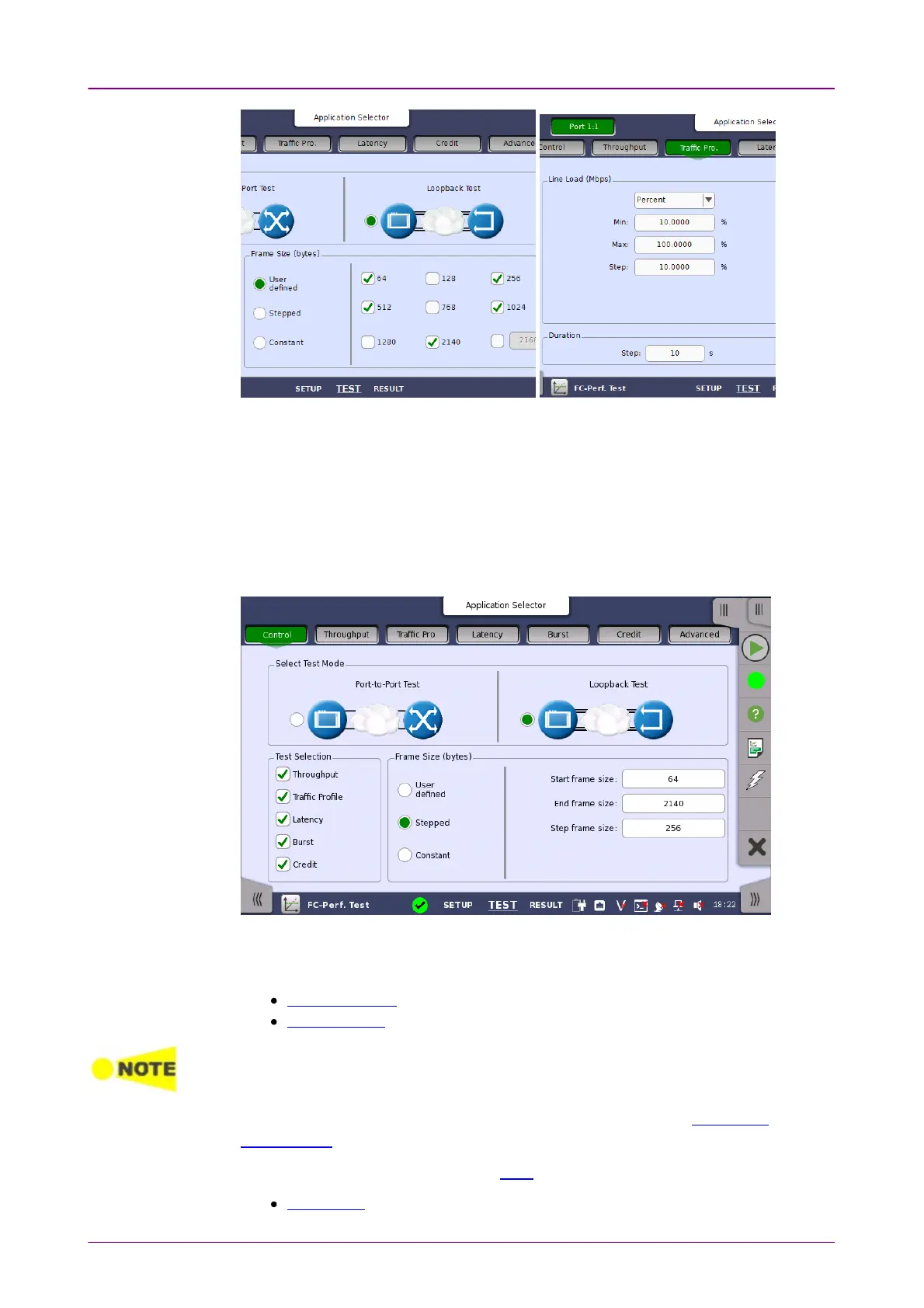
The following screen is displayed by touching ControlControl in the Navigation area.
Specify the test mode and select the test to be performed in this screen.
Two different test modes are available:
Port to Port Test
Loopback Test
Port to Port Test uses two ports to perform tests.
When only one port is selected at starting Performance Test application, it is not able to
start Port to Port Test.
Select the test mode to define your test configuration. Refer to Test Mode
Descriptions.
Select one or more of the following tests:
ThroughputThroughput














 To Next Page